Valtos
Members
-
Joined
-
Last visited
-
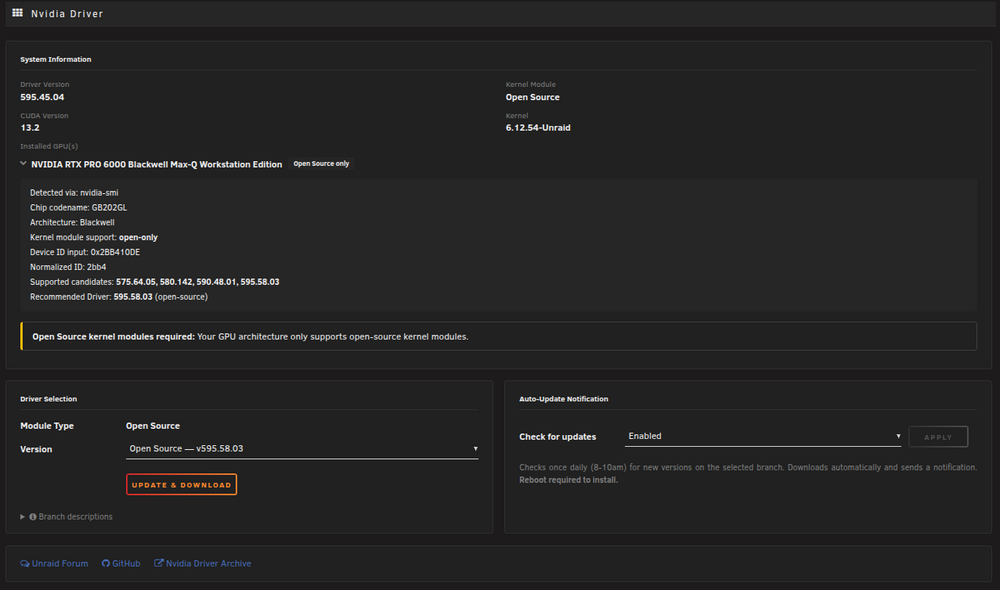
Done. The PR now handles multiple GPUs. Each GPU is listed in the System Info card with an expandable detail panel showing chip codename, architecture, device ID, kernel module support, and recommended driver (from gpu-support.php). The module support is computed across all installed GPUs: - If all GPUs support open-source -> auto-selected, no dropdown - If all GPUs need proprietary (pre-Turing) -> auto-selected as "Legacy" - If mixed (e.g. Turing + Blackwell) -> open-source (the common denominator) - If conflicting (e.g. Volta + Blackwell) -> error banner, download disabled Labels have been renamed: "Proprietary" -> "Legacy (Proprietary)" open-source is now the default. The module type dropdown is hidden entirely when only one option is valid. best regards
-
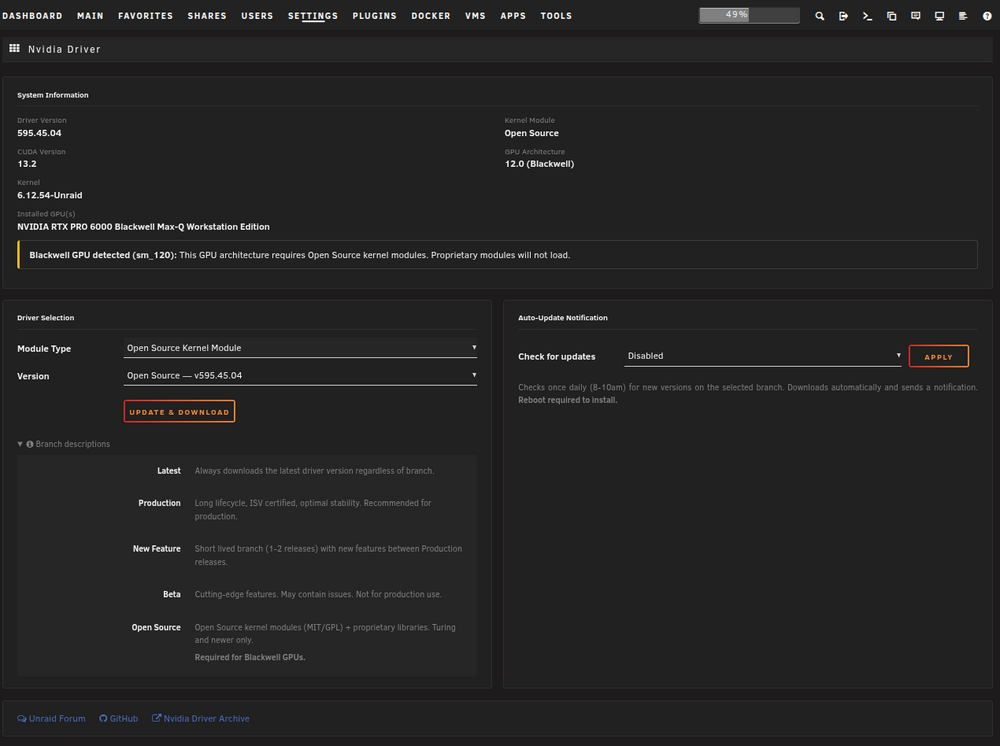
Hi, I updated my PR for this Repo. So that its mergable again. Contains an automatic build pipeline and new UI/UX design. (only dark because of my browser settings. for you it's probably not dark ;-)) PR: https://github.com/unraid/unraid-nvidia-driver/pull/7 best regards