





MatrixRetoastet
Members
-
Joined
-
Last visited
-
Update 2: Problem didn't occur anymore. Seems to have been the adapter.
-
Update: Setting a static IP didn't help, I ordered a new adapter and will test with this one.
-
Hmm okay. It says that USB disconnects. Could be that the NIC is fine but the physical USB connection is not permanent. I'll test it and report back Thank you for your reply :D
-
Hi everyone, Since yesterday my server decides to throw the message that ports 80 and 443 are already in use and then I can't reach my Unraid Dashboard and containers until I reboot. Then after around 5-6 hours the problem appears again with the same message. I'm using like 20 containers but none uses these ports. A month ago I installed PiHole and attached a Ugreen 2.5G USB-C to Ethernet adapter but this has been working since then. I'm using Unraid 7.2.4 I attached diagnostics logs. Any help is appreciated. mr-tower-diagnostics-20260406-0855.zip
-
It took a day. that's when I at least noticed it working again. could've been earlier
-
Nevermind, fixed itself
-
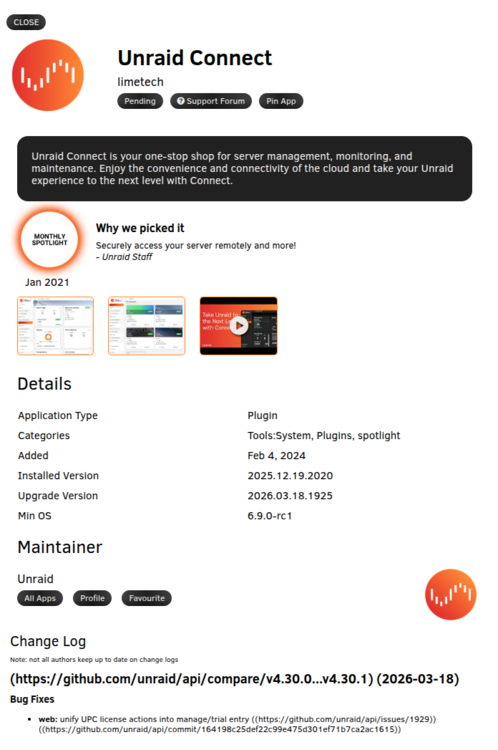
Hi, today I got the Unraid Connect update 2026.03.18.1925 and it seems stuck in the status "pending". Anyone else has this issue or a solution how to fix it?

-
I also have the same issue. Tried installing a previous version but this also results in the same error.
-
Thank you, I'm following the mentioned thread now. This one can be closed / removed.
-
Same for me with the following plugins: Community Applications Fix Common Problems Unassigned Devices Unassigned Devices Plus (Addon)
-
Hi, I have a few plugins show up as "blacklisted" in the Action Center. The following plugins are affected: Community Applications Fix Common Problems Unassigned Devices Unassigned Devices Plus (Addon) When checking for Plugin updates they don't show up as having to be updated. Should i remove those plugins, wait or somehow update them? Thanks in advance for some tipps.
-
Hi, I'm trying to get this to work but I can't figure it out. I created the directory "languagetool" on "/mnt/cache/user/" and extracted the english and german ngram zip archives into that. So I have "/mnt/cache/user/languagetool/en" and "/mnt/cache/user/languagetool/de". In the template there are "Host Path 1" and "langtool ngrams" which I both set to "/mnt/cache/user/languagetool/". The container is not starting correctly. I can't look into the logs because it's rapidly restarting. I tried changing "Host Path 1" to "/mnt/cache/user/languagetool/en" but no change. Can anyone help me with this? Edit: Got it working. I had to leave "langtool ngrams" on "/ngrams" and set "Host Path 1" to "/mnt/cache/user/languagetool".


