





danielebiancoxch
Members
-
Joined
-
Last visited
-
I'll be back here to write. The process is slow (2 days to move the data and 2 days to erase the disk). In any case, I mark it as solved and thanks again for the solution 😉.
-
OK perfect. I'll try in the next few days and update you on how it went, thanks again. Do you have any other advice for me?
-
Yes.... it would be perfect. You totally nailed what I meant. Even freeing up 20TB of space is fine for me. the only thing is that I need to be guided step by step because I have no idea how to do it. thanks so much for the help.
-
I'll attach the diagnostics and try to explain myself better. Basically I have to move the disks from Unraid to a Windows PC and I would like to use them individually without losing the data (or at least limiting the loss). For me it might also be fine to delete a little bit of data to allow me to free up one disk at a time until I remove them all. tower-diagnostics-20241202-1839.zip

-
sorry, I explained myself poorly. I have to remove one disk at a time to try to recover the data. Unfortunately I don't have any other discs to put them on at the moment.
-
Hi everyone and sorry for my bad English. I have a pool with 8 completely full disks and I would like to disconnect a disk from the pool because I need it on another PC. the pool is in btfrs single, does anyone have an idea how I can do it, even buying maybe another disc? Thank you
-
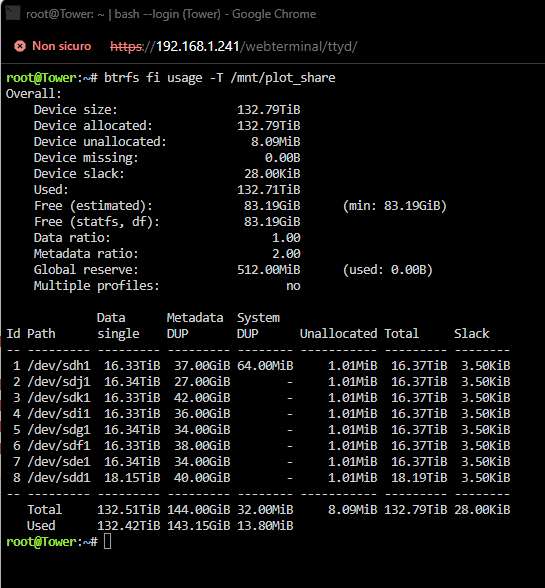
Sorry, this is the updated one.tower-diagnostics-20240314-1542.zip
-
Command launched. I'm attaching a new diagnostic just to be safe. tower-diagnostics-20240314-1435.zip Thanks
-
After a reboot it recovered. Here you go and thanks again. tower-diagnostics-20240314-1435.zip
-
Arrays no longer boot now 😞 tower-diagnostics-20240314-1435.zip
-
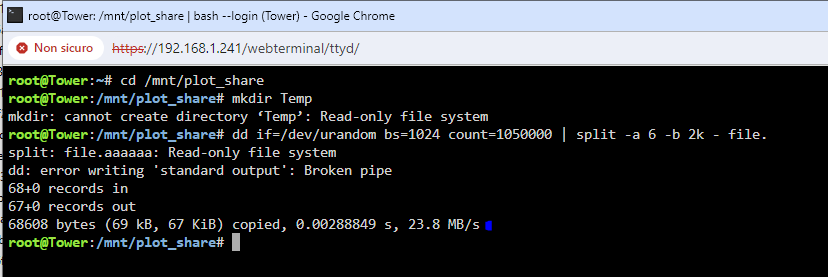
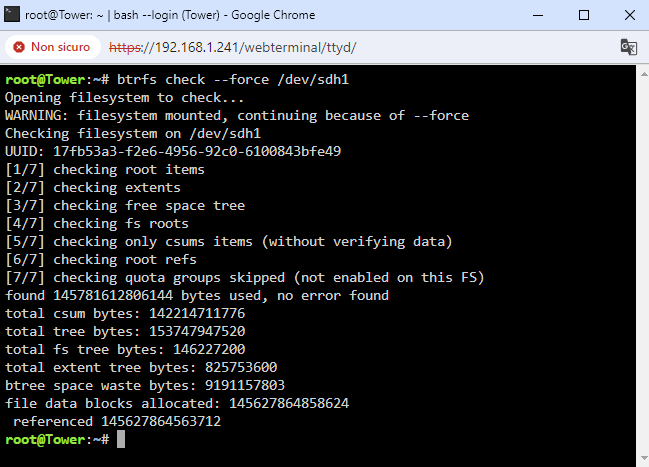
Thanks for your answer. Unfortunately I tried but the file system is read only. I tried to check but I don't see any problems. Do you have any solution? Thanks
-
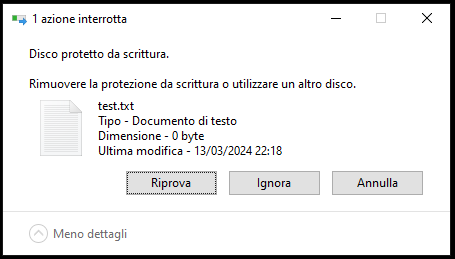
Hello everyone and sorry for my bad English. I'm getting this error if I try to write even a 0kb file, or delete. There is still 171GB free in the pool. I'm attaching the diagnostics if anyone wants to take a look. tower-diagnostics-20240313-2160.zip Thank you
-
Perfect. Thanks again and good work.
-
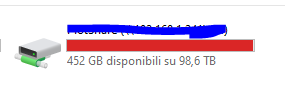
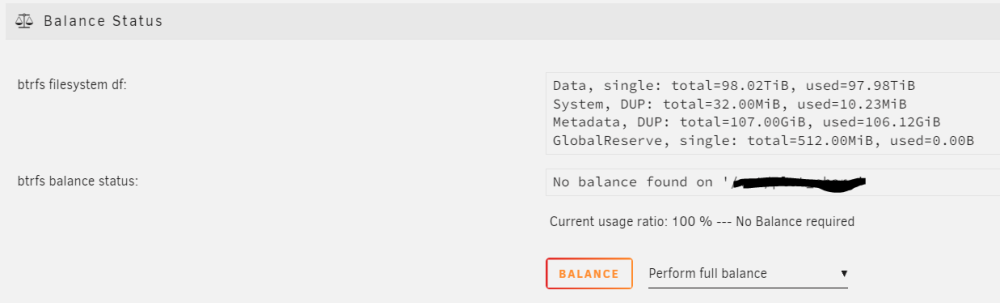
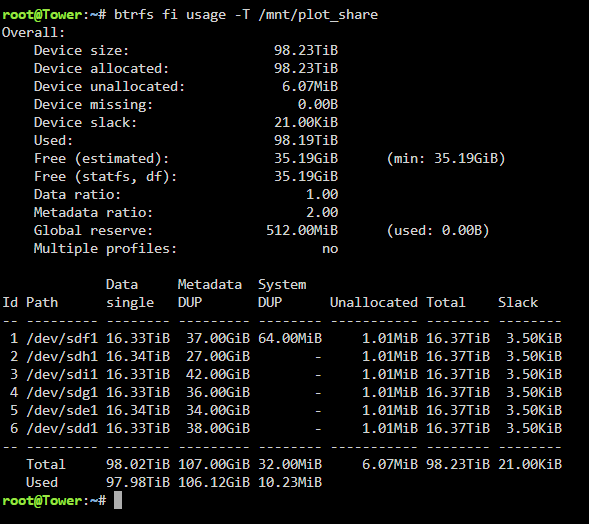
Ah sorry, something went wrong in the copy paste. Thank you very much anyway, it works perfectly. I had to repeat the operation a couple of times to be able to use the remaining space. But now Windows tells me that I still have XXX space available but I don't understand how it calculates it. Is this normal or do you have some other trick? Thanks again for your kindness.
-
Ok, but the comand not work.
.thumb.jpg.f4003505c89f1edca15782e9983ae2a3.jpg)



.jpg.fa581f73c2b70093068908fc489c4160.jpg)