



Skip to content
View in the app

A better way to browse. Learn more.

Unraid

A full-screen app on your home screen with push notifications, badges and more.

To install this app on iOS and iPadOS
  1. Tap the Share icon in Safari
  2. Scroll the menu and tap Add to Home Screen.
  3. Tap Add in the top-right corner.
To install this app on Android
  1. Tap the 3-dot menu (⋮) in the top-right corner of the browser.
  2. Tap Add to Home screen or Install app.
  3. Confirm by tapping Install.

PaulaDavis

Members
  • Joined

  • Last visited

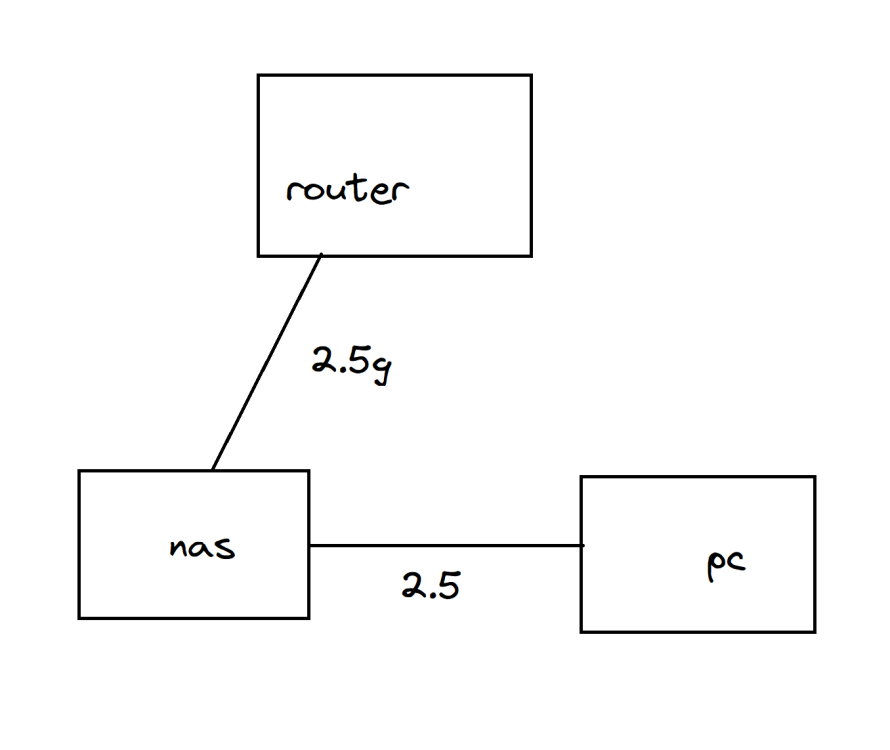
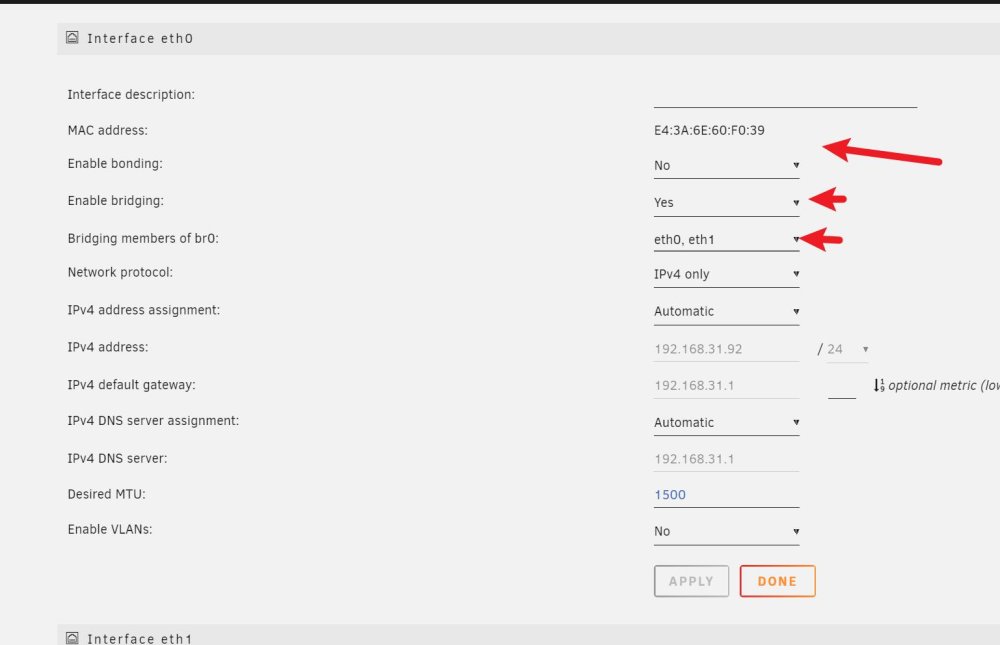
  1. For anyone searching for this article My router has two 2.5G ports My computer has a 2.5 network port I avoided buying a switch by doing this and managed to get my computer to connect to a nas at 2.5g and access the internet. Interface ethO Interface description: MAC address: Enable bonding: E4:3A:0:39 No Enable bridging: Yes Bridging members of brO: ethO, eth1 Network protocol: IPv4 only IPv4 address assignment: Automatic IPv4 address: 192.168.31.92 IPv4 default gateway: 192.168.31.1 IPv4 DNS server assignment: Automatic IPv4 DNS server: 192.168.31.1 Desired MTU: 1500 Enable VLANs: No
Account

Navigation

Search

Search

Configure browser push notifications

Chrome (Android)
  1. Tap the lock icon next to the address bar.
  2. Tap Permissions → Notifications.
  3. Adjust your preference.
Chrome (Desktop)
  1. Click the padlock icon in the address bar.
  2. Select Site settings.
  3. Find Notifications and adjust your preference.