SussyJack
Members
-
Joined
-
Last visited
-
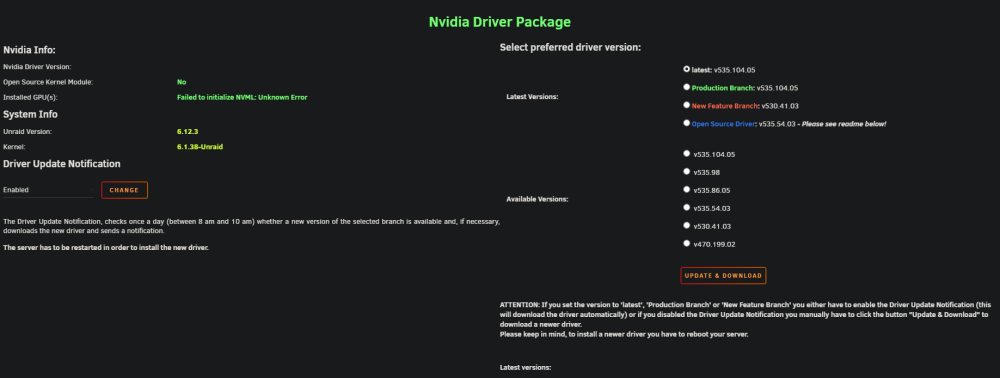
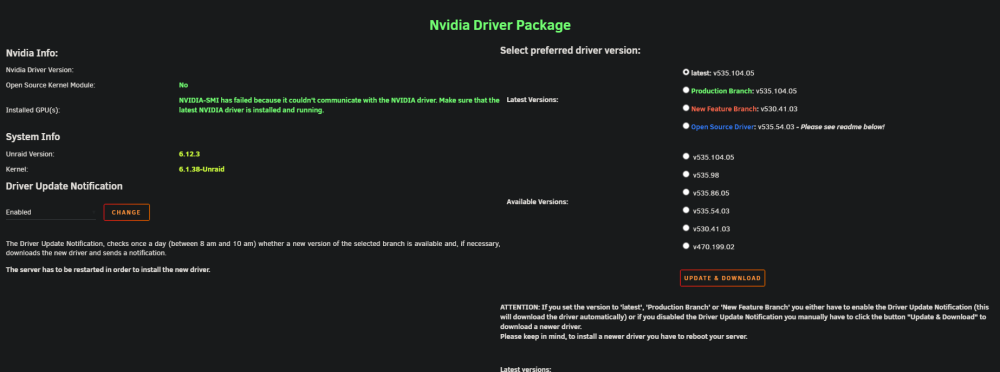
Hey! When i had it unbound it was coming up with the first picture there that i posted. I've just unbound it and its still coming up with that error, should i post new diagnostics? Edit: After a couple reboots it seems to have finally shown up. Edit Edit: it now isn't showing up again. Same error Final edit (hopefully): Ok, I think i found what was going on. It was giving me that error because I somehow had that card assigned to a vm when it shouldn't have been. The card is now showing up in the nvidia driver settings and it all seems to work. I'll keep an eye on it and update if i'm still having issues.
-
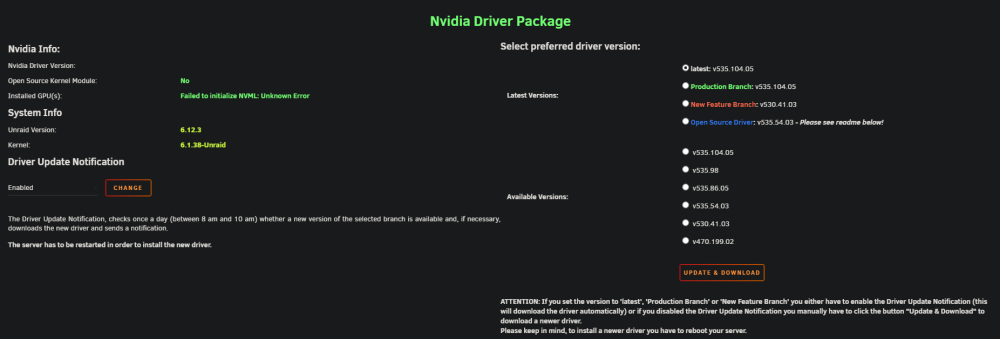
Hello, I have a nvidia quadro p1000 that I am trying to use with my docker containers (specifically plex or jellyfin) and the nvidia driver isn't working with it currently. I've tried changing from latest to specific builds of the drivers and none of them work. What is coming up is posted right below. I also had it bound to vfio at boot before and it was giving me the error of NVIDIA-SMI has failed. Im not entirely sure what im doing wrong here so any help would be greatly appreciated. I've attached my diagnostics file as well if that helps. If you need any more info please let me know! It also looks like the newest driver on nvidia's site and the pics above mismatch, dont know if that means anything. unraidnas-diagnostics-20230925-1917.zip