RedRambo
Members
-
Joined
-
Last visited
-
I did managed to get everything working and backups restored on a new install! When creating the new container, I failed to set the 'Debug Log Output' to true, as I have in the past... I've monitored the logs a lot to check for incompatible mod versions, etc when people connect to the server. Thank you for your reply. This is an example of why I shouldn't take on these projects so late at night! haha
-
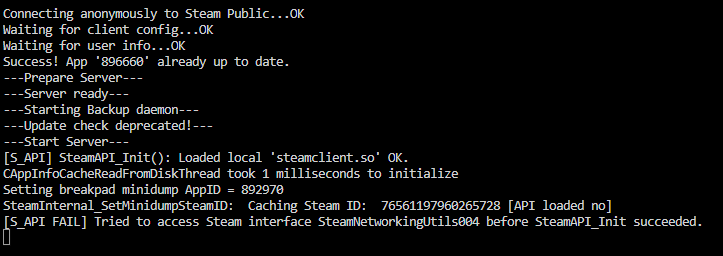
Valheim Dedicated Server won't start Since Valheim came out I've been hosting two Valheim servers simultaneously with no problem in unraid. Well it's been many months since we've played and I went to start the servers today only for them to not update at all. Since I have backups I deleted the entire container from appdata and reinstalled the image from the app library. I left all the container parameters as-is, with the exception of the network, and the container hangs after posting an API error in the log. No matter how long I leave the log open and the container running, the server never starts. I'm on 6.12.13 with no other changes since successfully running servers in the past. I've tried some suggestions from others on this tread (deleted all files in appdata/Valheim, except for .config and backup), to no luck. Thanks!