





TheBelighted
Members
-
Joined
-
Last visited
Everything posted by TheBelighted
-
This is what it is. Looks correct? Not sure what the issue is but it started after the big palworld update. Didn't have an issue before that, so not sure if they changed something. Was mostly curious if others using this docker container were seeing the same issue.


-
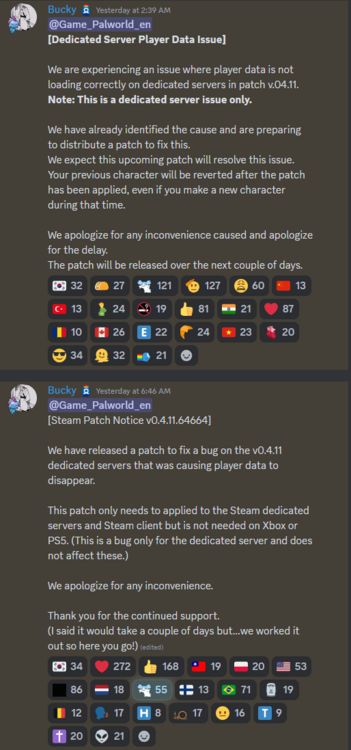
After the Palworld update, logging in promts character creation. Supposedly they released a patch yesterday to fix this issue for dedicated servers but I'm still having this issue with my server.
-
Has anyone tried using the backups yet? Is it just simply copy and pasting the files in after removing the old?
-
How would I go about making a second server for palworld? Want to have 2 seperate ones for 2 seperate groups. Would I just download it as another docker container and rename it to something like palworld2 and change the 8211 port to a different one?
-
I got people outside my network to connect to my server finally. I just uninstalled everything and reinstalled it again. Not sure what happened the first time that caused it to not work. Now I'm struggling getting my domain to link. Using piblicIP:8211 works but using mydomain.com:8211 is not even though cloudflare dns is showing my public ip listed for my domain matching. Edit: Dns record in cloudflare shows my public ip address but typing my domain into a dns lookup gives me a cloudflare associated ip address instead of my public ip. Is that normal? Sounds like it's being a proxy?
-
Found what might be my issue with people outside my network connecting. I'm using cloudflare. When I check in the logs for palworld and Battle metrics, it shows my server as online and shows public ip we will call IP1. When I check my server domain Ip on one of those IP lookup sites, I get a different public Ip we will call IP2. I'm not sure which one is actually my correct public ip for people to connect to.
-
I've got unraid docker palworld container. Config file updated to remove passwords. Port 8211 forwarded on my router. Network in container is set to bridge. I can access the server in palworld using my local ip. Friends outside network can't access using my public ip. Don't sure what to check or troubleshoot to fix this. Also not sure how I can test their connection without them being on to try.


