smug-damnation4228
Members
-
Joined
-
Last visited
-
I'm having an issue with my SMB also but it only happens in Windows, my Macbook can flawlessly access my SMB share. When I try the following command in the console (mv /boot/config/smb-extra.conf /boot/config/smb-extra.conf.bak /etc/rc.d/rc.samba restart), I get the following error message: mv: target 'restart': No such file or directory Am I doing something wrong? I really need to access my SMB from my windows computer for work.
-
Thank you so much. Done it and it's sorted Legend thanks so much again!
-
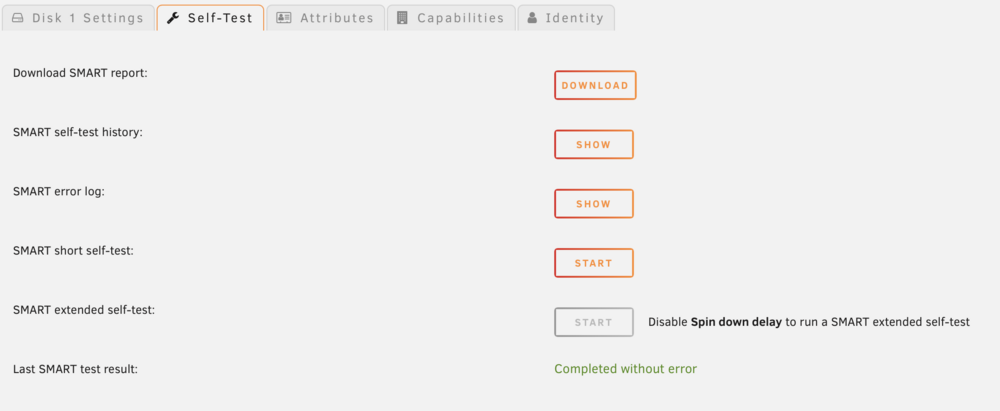
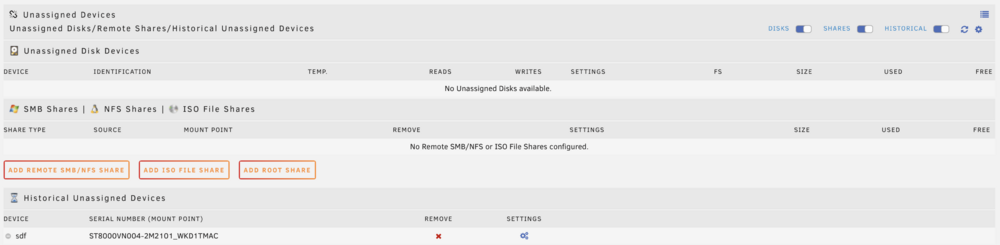
Hi, I'm having an issue with my Unraid. As the title says, one of my drive in the array suddenly went bust and is now showing as unsupported. I'm not sure what could've done it and haven't attempted any troubleshooting so far except hardware ones - replacing the SATA cable etc. The drive is in the correct order on the array and as far as I know, nothing on my end was done to modify or break it. I managed to do a health check on the drive and it's showing completed without error, so I'm not sure whether the drive itself is defective? It also doesn't show on the Unassiged Devices plugin, but does on the Historical part of it a bit below (as pictured). Last little issue, I don't have a parity drive... I know, it's stupid but I have a stupid large 16tb drive and didn't want ot use my biggest drive as a parity drive and lose the space. I never got round to buy another similar or bigger drive in the meantime, so here we are... Any help would be appreciated. I'm really a novice at this as used to have a Synology NAS and I don't interact often enough with it to care too much about the ins and outs. Thanks in advance for any assistance!