




.webp.6a3efdfedb97e59f83a0f6a551ff1f43.webp)
.webp.49bf8a9dc65ae230318ea1b8d3efe001.webp)
chrissl
Members
-
Joined
-
Last visited
-
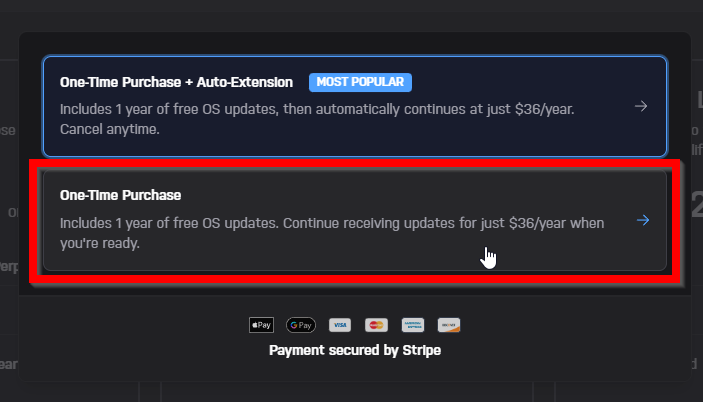
Okay, whatever I do, it doesn't work. I've tried disabling all ad blockers, deleting my browser history, and trying a different browser. I also tested it with "One-Time Purchase + Auto-Extension" but there is also no option to pay with PayPal. I can't find a way to pay with PayPal.
-
I have selected this option. Still no PayPal.
-
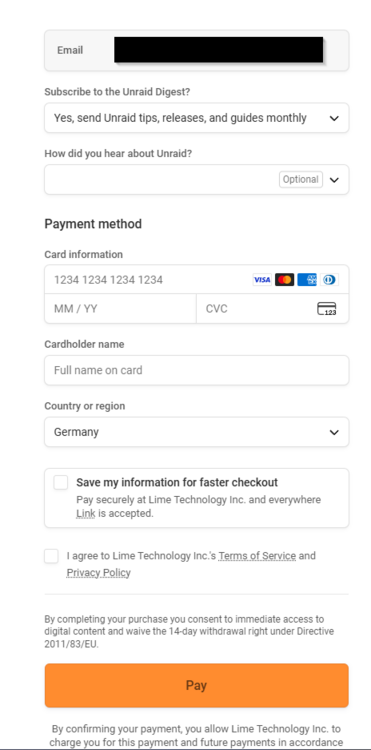
Hi, i wanted to buy Unraid in the sale, but there is no PayPal option? Does this option even exist? I used the Google Chrome Browser Version: Version 142.0.7444.176 (Offizieller Build) (64-Bit) Currently i am in Germany, maybe it has something to do with EU ? Best regards, Chris This is how the Checkout Panel looks like:
-
Hi, I have a few questions. So i purchased a license some time ago but this server is currently offline. When I go to account.unraid.net, under “Manage Servers,” Can I only see servers that are online and connected to the internet? So does my server disappear when it's offline? I also operate a small network that is completely offline. If I purchase another lifetime license and register it (with an internet connection), can I then disconnect the server from the internet, or does it have to connect to the internet every few weeks to verify the license? Ok i found: https://docs.unraid.net/unraid-os/troubleshooting/licensing-faq/ Sorry 😅 Best regards Chris
-
Hi, sorry for the late feedback, I have just been able to test it. It works without any problems. All my data is there, including my Docker containers and my settings. 😄 That was quite surprising, because I also like to test other systems and here such a hardware upgrade didn't cause any problems at all. That is really pleasant. Thanks for the fast response.
-
Okay thanks. I'll give it a try and then I'll let you know when I'm finished 😄
-
Hey everyone, I’m upgrading my hardware and want to make sure I transfer my existing storage (hardware drives) and purchased software license smoothly. Before I dive in, I’d like to avoid any unnecessary troubleshooting or data loss, so I figured I’d ask for advice first. (I have already informed myself before, but unfortunately did not find an answer.) My main concerns are following: Storage loss: I want to move my storage to the new system without risking corruption or access issues. Loosing my license: Can there be any software problems if I simply plug my usb stick into the new computer and boot it up? My questions: Are there any specific steps I should follow to ensure my storage is recognized and accessible on the new hardware? Do I need to prepare anything in advance before moving the drives? What’s the best approach for transferring my license without (re-)activation issues? Any other potential issues I should be aware of? This was my plan: 1. Plug in my old storage into the new machine. 2. Plug in my usb drive and start the machine. (But I'm pretty sure that won't work...) I’d really appreciate any tips from those who’ve done this before. I’d rather take a bit of time to plan than deal with unnecessary headaches later. Thanks in advance! PS: I am unfortunately not a native American speaker, please forgive my grammatical errors
-
Not always, sometimes it is only around 70W 😅 I use this Workstation mainly for testing and machine learning. So the idle is quiet high. 🙂
-
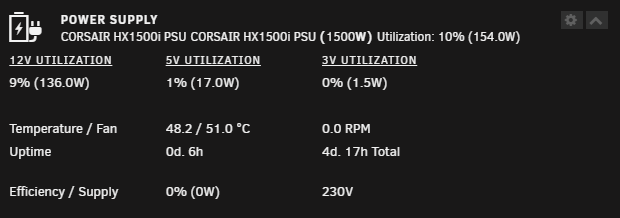
So, I've now looked at the hardware again and couldn't find any errors. So I took another look at the software and after running the diagnostics, I realized that I have an outdated version of this plugin installed... This was completely my fault and it's quite embarrassing... I have now installed the latest version from https://github.com/giganode/corsairpsu-unraid/ and now it is working completely fine 🎉 Thank you, it's not a given that you get help like this. Now everything works. 🙂 Thanks again @giganode 😄
-
So i changed the port multiple times but it doesn't changed anything. I hope that i have next week a free day so i can go deeper into this topic. I will then disassemble and test everything step by step. Thanks for your help so far.
-
So i did this and figured out that hidraw1 is my power supply. But is says "unexpected device". corsairmi /dev/hidraw1 unexpected device: 1b1c:1c1f So maybe i should change the usb header on the mainboard? Or any other ideas? (I have currently no access to the server, so i will change the usb header tomorrow.)

-
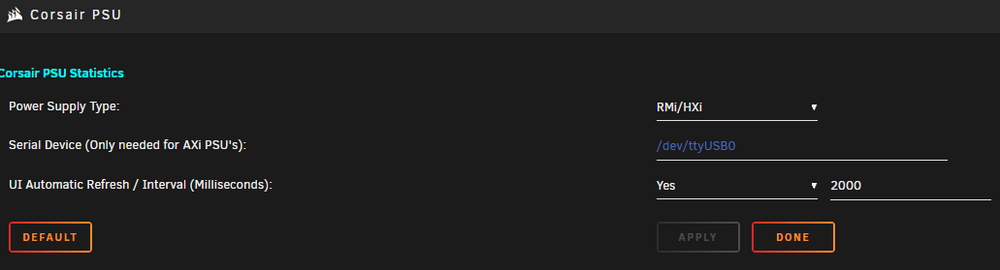
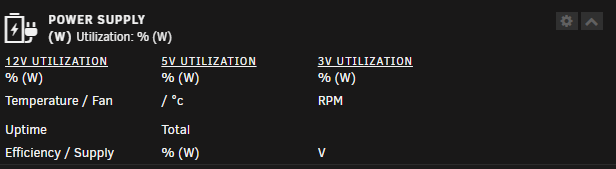
i did, but it says: No compatible devices found. when i i take a look at my system devices i can see my Power Supply: This were my settings i tested: It says i only need to map the ttyUSBx when i have an AXi PSU, so i left it empty. This is my Dashboard: Any ideas what i can do? Thanks

-
Hi, does anyone know if the HX1500i is currently supported? I tried the plugin but it shows nothing. Can anyone help please?
.thumb.webp.e8943b08603fab4ae689de06b17d2908.webp)


