TrivariAlthea
Members
-
Joined
-
Last visited
-
So, I fixed the whole rclone issue by changing the cache dir "--cache-dir=" as by default it caches to ram and the total size of my existing backups overfilled the ram. Changing it to a share fixed the issue I was having all together. (Caching at least for writes is required with pcloud)... The drive issues were not related to it, although I have already ordered a replacement hard drive to fix that too Thanks for all the help with troubleshooting!
-
Correct, it seems that smart checks are failing because of old age. Will buy a new drive and replace it. After that is done I will come back here and update if that solved the issue!
-
@Vitekalso I would agree with you on the fact that it is failing because of delay/network speeds, but it makes little sense because it worked months before... According to my chat with pcloud, there were no changes on their side, and I am not aware of any changes on my side either. @KluthRtried with no compression and the input/output error is now in a different container, in terms of unraid logs itself here is what was popping during the backup process: Aug 25 20:18:46 MS-01 kernel: ata1: EH complete Aug 25 20:18:49 MS-01 kernel: ata1.00: exception Emask 0x0 SAct 0x6c0001c0 SErr 0x0 action 0x0 Aug 25 20:18:49 MS-01 kernel: ata1.00: irq_stat 0x40000008 Aug 25 20:18:49 MS-01 kernel: ata1.00: failed command: READ FPDMA QUEUED Aug 25 20:18:49 MS-01 kernel: ata1.00: cmd 60/a0:d0:f0:02:70/03:00:0e:00:00/40 tag 26 ncq dma 475136 in Aug 25 20:18:49 MS-01 kernel: res 41/40:00:cf:04:70/00:00:0e:00:00/40 Emask 0x409 (media error) <F> Aug 25 20:18:49 MS-01 kernel: ata1.00: status: { DRDY ERR } Aug 25 20:18:49 MS-01 kernel: ata1.00: error: { UNC } Aug 25 20:18:49 MS-01 kernel: ata1.00: configured for UDMA/100 Aug 25 20:18:49 MS-01 kernel: sd 1:0:0:0: [sdb] tag#26 UNKNOWN(0x2003) Result: hostbyte=0x00 driverbyte=DRIVER_OK cmd_age=1s Aug 25 20:18:49 MS-01 kernel: sd 1:0:0:0: [sdb] tag#26 Sense Key : 0x3 [current] Aug 25 20:18:49 MS-01 kernel: sd 1:0:0:0: [sdb] tag#26 ASC=0x11 ASCQ=0x4 Aug 25 20:18:49 MS-01 kernel: sd 1:0:0:0: [sdb] tag#26 CDB: opcode=0x28 28 00 0e 70 02 f0 00 03 a0 00 Aug 25 20:18:49 MS-01 kernel: I/O error, dev sdb, sector 242222287 op 0x0:(READ) flags 0x0 phys_seg 57 prio class 2 Aug 25 20:18:49 MS-01 kernel: md: disk1 read error, sector=242222216 Aug 25 20:18:49 MS-01 kernel: md: disk1 read error, sector=242222224 Aug 25 20:18:49 MS-01 kernel: md: disk1 read error, sector=242222232 Aug 25 20:18:49 MS-01 kernel: md: disk1 read error, sector=242222240 Aug 25 20:18:49 MS-01 kernel: md: disk1 read error, sector=242222248 Aug 25 20:18:49 MS-01 kernel: md: disk1 read error, sector=242222256 Aug 25 20:18:49 MS-01 kernel: md: disk1 read error, sector=242222264 Aug 25 20:18:49 MS-01 kernel: md: disk1 read error, sector=242222272 Aug 25 20:18:49 MS-01 kernel: md: disk1 read error, sector=242222280 Aug 25 20:18:49 MS-01 kernel: md: disk1 read error, sector=242222288 Aug 25 20:18:49 MS-01 kernel: md: disk1 read error, sector=242222296 Aug 25 20:18:49 MS-01 kernel: md: disk1 read error, sector=242222304 Aug 25 20:18:49 MS-01 kernel: md: disk1 read error, sector=242222312 Aug 25 20:18:49 MS-01 kernel: md: disk1 read error, sector=242222320 Aug 25 20:18:49 MS-01 kernel: md: disk1 read error, sector=242222328 Aug 25 20:18:49 MS-01 kernel: md: disk1 read error, sector=242222336 Aug 25 20:18:49 MS-01 kernel: md: disk1 read error, sector=242222344 Aug 25 20:18:49 MS-01 kernel: md: disk1 read error, sector=242222352 Aug 25 20:18:49 MS-01 kernel: md: disk1 read error, sector=242222360 Aug 25 20:18:49 MS-01 kernel: md: disk1 read error, sector=242222368 Aug 25 20:18:49 MS-01 kernel: md: disk1 read error, sector=242222376 Aug 25 20:18:49 MS-01 kernel: md: disk1 read error, sector=242222384 Aug 25 20:18:49 MS-01 kernel: md: disk1 read error, sector=242222392 Aug 25 20:18:49 MS-01 kernel: md: disk1 read error, sector=242222400 Aug 25 20:18:49 MS-01 kernel: md: disk1 read error, sector=242222408 Aug 25 20:18:49 MS-01 kernel: md: disk1 read error, sector=242222416 Aug 25 20:18:49 MS-01 kernel: md: disk1 read error, sector=242222424 Aug 25 20:18:49 MS-01 kernel: md: disk1 read error, sector=242222432 Aug 25 20:18:49 MS-01 kernel: md: disk1 read error, sector=242222440 Aug 25 20:18:49 MS-01 kernel: md: disk1 read error, sector=242222448 Aug 25 20:18:49 MS-01 kernel: md: disk1 read error, sector=242222456 Aug 25 20:18:49 MS-01 kernel: md: disk1 read error, sector=242222464 Aug 25 20:18:49 MS-01 kernel: md: disk1 read error, sector=242222472 Aug 25 20:18:49 MS-01 kernel: md: disk1 read error, sector=242222480 Aug 25 20:18:49 MS-01 kernel: md: disk1 read error, sector=242222488 Aug 25 20:18:49 MS-01 kernel: md: disk1 read error, sector=242222496 Aug 25 20:18:49 MS-01 kernel: md: disk1 read error, sector=242222504 Aug 25 20:18:49 MS-01 kernel: md: disk1 read error, sector=242222512 Aug 25 20:18:49 MS-01 kernel: md: disk1 read error, sector=242222520 Aug 25 20:18:49 MS-01 kernel: md: disk1 read error, sector=242222528 Aug 25 20:18:49 MS-01 kernel: md: disk1 read error, sector=242222536 Aug 25 20:18:49 MS-01 kernel: md: disk1 read error, sector=242222544 Aug 25 20:18:49 MS-01 kernel: md: disk1 read error, sector=242222552 Aug 25 20:18:49 MS-01 kernel: md: disk1 read error, sector=242222560 Aug 25 20:18:49 MS-01 kernel: md: disk1 read error, sector=242222568 Aug 25 20:18:49 MS-01 kernel: md: disk1 read error, sector=242222576 Aug 25 20:18:49 MS-01 kernel: md: disk1 read error, sector=242222584 Aug 25 20:18:49 MS-01 kernel: md: disk1 read error, sector=242222592 Aug 25 20:18:49 MS-01 kernel: md: disk1 read error, sector=242222600 Aug 25 20:18:49 MS-01 kernel: md: disk1 read error, sector=242222608 Aug 25 20:18:49 MS-01 kernel: md: disk1 read error, sector=242222616 Aug 25 20:18:49 MS-01 kernel: md: disk1 read error, sector=242222624 Aug 25 20:18:49 MS-01 kernel: md: disk1 read error, sector=242222632 Aug 25 20:18:49 MS-01 kernel: md: disk1 read error, sector=242222640 Aug 25 20:18:49 MS-01 kernel: md: disk1 read error, sector=242222648 Aug 25 20:18:49 MS-01 kernel: md: disk1 read error, sector=242222656 Aug 25 20:18:49 MS-01 kernel: md: disk1 read error, sector=242222664 Aug 25 20:18:49 MS-01 kernel: ata1: EH complete Aug 25 20:21:57 MS-01 kernel: veth5cc4831: renamed from eth0 Aug 25 20:22:00 MS-01 kernel: eth0: renamed from veth50c9307 Aug 25 20:22:42 MS-01 flash_backup: adding task: /usr/local/emhttp/plugins/dynamix.my.servers/scripts/UpdateFlashBackup update Aug 25 20:24:05 MS-01 kernel: docker0: port 6(vethea6cb41) entered disabled state Aug 25 20:24:05 MS-01 kernel: vethce9f960: renamed from eth0 Aug 25 20:24:05 MS-01 kernel: docker0: port 6(vethea6cb41) entered disabled state Aug 25 20:24:05 MS-01 kernel: device vethea6cb41 left promiscuous mode Aug 25 20:24:05 MS-01 kernel: docker0: port 6(vethea6cb41) entered disabled state Aug 25 20:24:10 MS-01 kernel: docker0: port 6(veth92d2af9) entered blocking state Aug 25 20:24:10 MS-01 kernel: docker0: port 6(veth92d2af9) entered disabled state Aug 25 20:24:10 MS-01 kernel: device veth92d2af9 entered promiscuous mode Aug 25 20:24:10 MS-01 kernel: eth0: renamed from vetha835d21 Aug 25 20:24:10 MS-01 kernel: IPv6: ADDRCONF(NETDEV_CHANGE): veth92d2af9: link becomes ready Aug 25 20:24:10 MS-01 kernel: docker0: port 6(veth92d2af9) entered blocking state Aug 25 20:24:10 MS-01 kernel: docker0: port 6(veth92d2af9) entered forwarding state Also, when the unraid host stops to be reachable after the backup process stops, it displays this in the log: Aug 25 20:25:00 MS-01 winbindd[10145]: [2024/08/25 20:25:00.472105, 0] ../../source3/winbindd/winbindd_samr.c:71(open_internal_samr_conn) Aug 25 20:25:00 MS-01 winbindd[10145]: open_internal_samr_conn: Could not connect to samr pipe: NT_STATUS_CONNECTION_DISCONNECTED Aug 25 20:25:01 MS-01 winbindd[10145]: [2024/08/25 20:25:01.641314, 0] ../../source3/winbindd/winbindd_samr.c:71(open_internal_samr_conn) Aug 25 20:25:01 MS-01 winbindd[10145]: open_internal_samr_conn: Could not connect to samr pipe: NT_STATUS_CONNECTION_DISCONNECTED Just in case, also shared debug logs, the id is: `a9ae0219-8896-467e-8649-36b1f89f27d4`
-
Will check once I get home, completely missed your response as I haven't got a notification... Will aalso try the single core, no compression approach. Hi, would you mind providing a way of doing so? I always worked with rclone only in terms of a direct mount. Thanks a lot!
-
Destination side, you mean the docker image or the rclone/pcloud mount? The array itself is encrypted xfs and cache is encrypted btrfs. rclone/pcloud is "fuse.rclone" according to findmnt "FSTYPE" value Docker.img itself is btrfs placed in /mnt/cache/docker/docker.img
-
Thanks Jonathan for the clarification. Will wait for Kluth to mention what all information he needs. In case there is sensitive information, like with the user scripts, I will try to replace it beforehand.
-
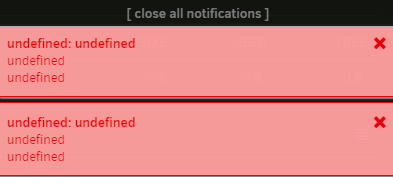
Hi @KluthRis there somewhere where I could message you for support? I was using appdata backup for months, but now it seems to be having issues at 2 specific containers (AMP dockerized and adguard home). I tried recreating them and even changing the permissions, but none of it did work. Error in question: [19.08.2024 17:02:39][❌][AMP] tar creation failed! Tar said: zstd: error 70 : Write error : cannot write block : Input/output error; tar: /mnt/cloud1/appdata/ab_20240819_165101/AMP.tar.zst: Wrote only 4096 of 10240 bytes; tar: Child returned status 70; tar: Error is not recoverable: exiting now The weirdest thing is, once it reaches the 2 containers the whole unraid webgui starts to be unresponsive and this was not happening before (they are the 2 last containers in the order too (first and second from the start order). A few seconds before the whole unraid crash I also get this notification 2 times: I have an rclone mount on /mnt/cloud1 that mounts when array is started for the first time using a custom userscript. my docker.img is in /mnt/cache and my appdata is in /mnt/user/appdata. From my previous discussions with unraid support, this mount path should be fine as I do not have any shares defined there. Could you maybe DM me asking for what you need, including the custom user scripts and if it would help you? I am no longer sure what to do as a week ago it was all still working Thank you for any help.