sagging-disloyalty4148
Members
-
Joined
-
Last visited
Everything posted by sagging-disloyalty4148
-
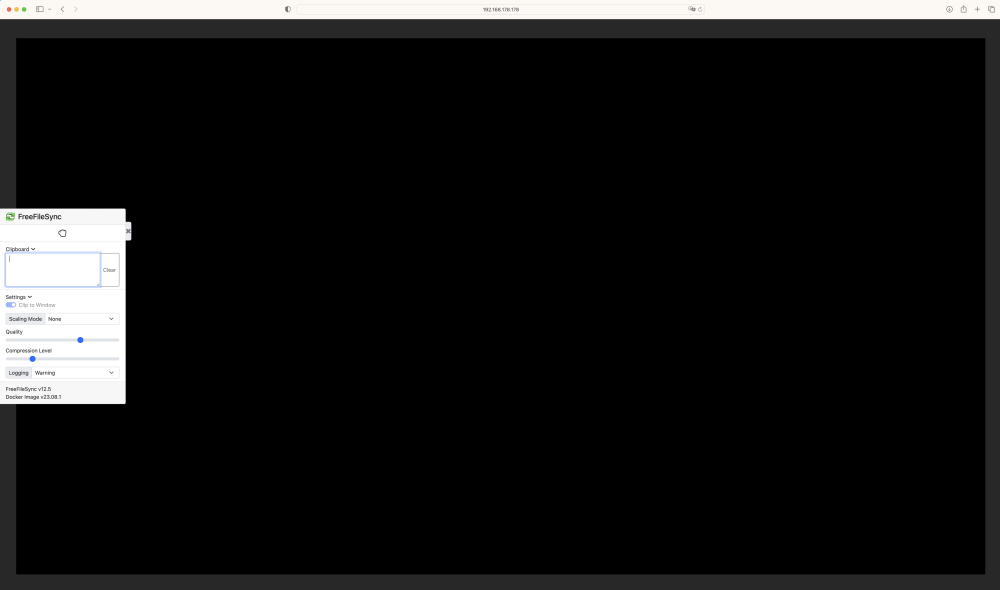
Hi, I installed FreeFileSync on my unRAID server yesterday and started a disk migration of ±9TB. I'm new to both unRAID and FreeFileSync but saw a blue arrow pointing down saying "minimize to notification area" I thought that was meant for the sync/transfer dialog. Instead -everything- was 'minimized' but I don't know where it went or how to get it back and I'm left with a big black screen. Since I'm using unRAID I'm using FreeFileSync from the available apps (which I believe downloads a docker) and then runs from within my browser. Any advice? The transfer is pretty long (40+ hours) and don't want to interrupt that but I can't see the progress either which is kind of annoying. This work-around doesn't seem to do anything for me :<