





Flon22
Members
-
Joined
-
Last visited
-
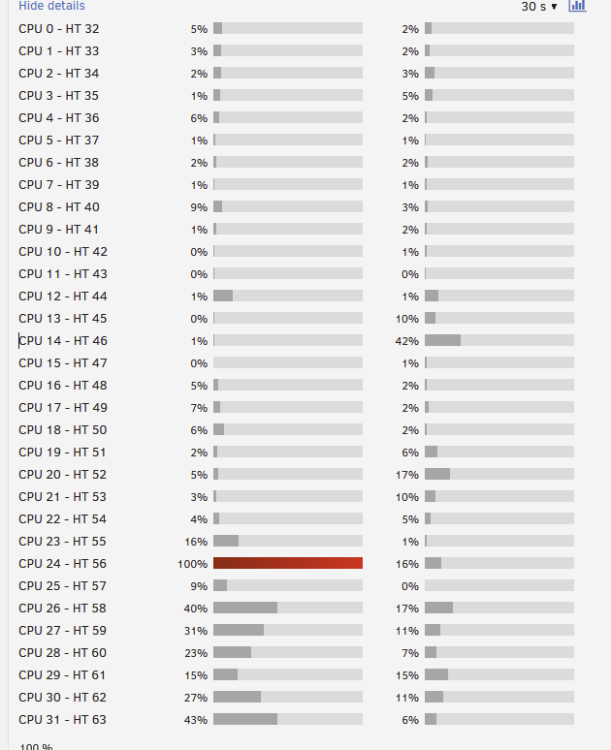
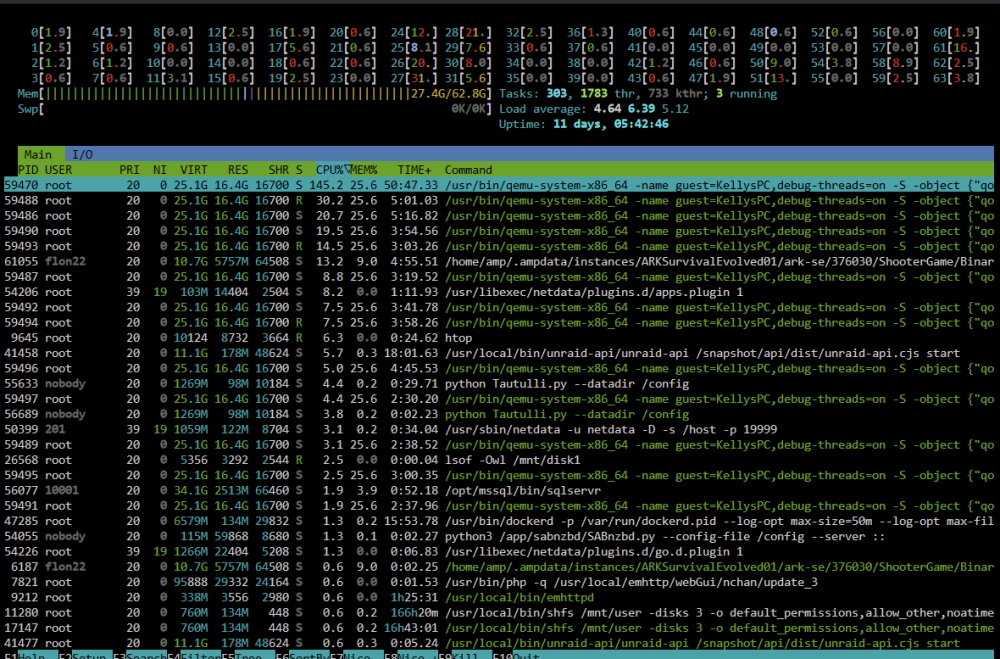
Apolgies for the bump but I really am stuck with this if anyone has any ideas. For a bit more information, here is what it looks like when I'm using the VM: CPU 24 -> 31 and HT 56 -> 63 are isolated. CPU 28 -> 31 and HT 58 -> 63 are pinned to the VM, the other 4 threads have nothing pinned. No idea what is using CPU 24, 25 and HT 56. This is what an average HTOP looks like with the VM running. Note whatever was pegging cpu 24 in the above screenshot had stopped at this point, but the unpinned, but isolated threads were still being used.:
-
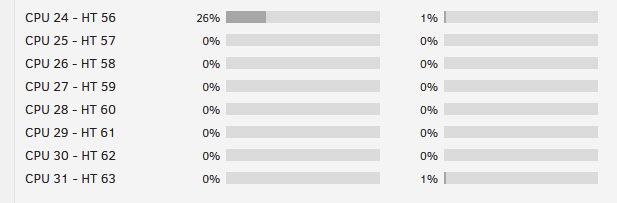
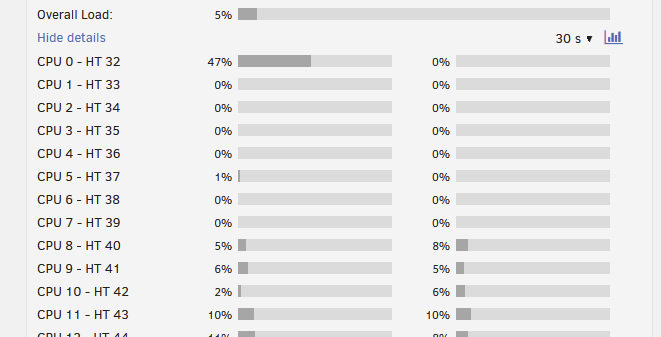
Fair, that makes sense. I'll shift it off the first node to stick with best practice. When I have moved the isolated threads for troubleshooting though, the processes seem to move with it. The first 2-3 isolated threads seem to be used, regardless of which ones I've got isolated. For example, having just moved the isolation to the back 16 threads:
-
I've got a 64 thread Epyc 7551p in my unraid server, with threads 0-7 & 32-39 isolated for use in a vm. This should constitute the first numa node, and the first 8 cores/16 threads. It appears that something is always being scheduled for use on the first 2-3 threads, and it appears to be some process(es?) related to docker, or one of my docker containers. I have tried moving the isolated threads to another numa node but the first 2-3 threads always seem to be in use still. I have also tried pinning docker containers, but that didnt have any affect either. Ive attached a diagnostic. Any help would be appreciated! wiggum-diagnostics-20240227-1038.zip
-
Hey all, I'm getting the xorg issue that I've seen described in this thread a few times, however their fixes haven't worked for me. The container starts, but vnc isnt able to connect. The logging shows that XOrg failed to start. I dont have any other dockers outputting to the gpu. I have a VM that does output to the gpu but it doesn't run all the time. My unraid also isnt displaying a gui. I have a Radeon rx580, and the Radeon TOP plugin installed. It appears to be recognised in the logging. If someone wouldnt mind giving me a hand I'd really appreciate it, thanks! SteamHeadlessLogCopy.txt docker run -d --name='steam-headless' --net='host' -e TZ="Europe/London" -e HOST_OS="Unraid" -e HOST_HOSTNAME="Wiggum" -e HOST_CONTAINERNAME="steam-headless" -e 'USER_PASSWORD'='password' -e 'TZ'='Europe/London' -e 'USER_LOCALES'='en_US.UTF-8 UTF-8' -e 'NVIDIA_PATCH_VERSION'='' -e 'WEB_UI_MODE'='vnc' -e 'NVIDIA_VISIBLE_DEVICES'='all' -e 'NVIDIA_DRIVER_CAPABILITIES'='all' -e 'DISPLAY'=':0' -e 'MODE'='primary' -e 'PORT_NOVNC_WEB'='8083' -e 'ENABLE_VNC_AUDIO'='true' -e 'ENABLE_EVDEV_INPUTS'='false' -l net.unraid.docker.managed=dockerman -l net.unraid.docker.webui='http://[IP]:[PORT:8083]/' -l net.unraid.docker.icon='https://raw.githubusercontent.com/Josh5/docker-steam-headless/master/images/steam-icon.png' -v '/mnt/user/appdata/steam-headless':'/home/default':'rw' -v '/mnt/user/games':'/mnt/games':'rw' --hostname='SteamHeadless' --add-host='SteamHeadless:127.0.0.1' --restart='unless-stopped' --shm-size='2G' --ipc='host' -v '/tmp/.X11-unix/':'/tmp/.X11-unix/':'rw' -v '/tmp/tmp/pulse/':'/tmp/tmp/pulse/':'rw' --ulimit='nofile=1024:524288' --device='/dev/fuse' --device='/dev/uinput' --device-cgroup-rule='c 13:* rmw' --cap-add='NET_ADMIN' --cap-add='SYS_ADMIN' --cap-add='SYS_NICE' --security-opt='seccomp=unconfined' 'josh5/steam-headless:latest' 815bb4c81bf960720b96fc6e352576fac97049c328b41865f6a413d0fdbf2664


