Cagdas
Members
-
Joined
-
Last visited
-
@SpencerJ help
-
https://github.com/unraid/lang-en_US LOCAL TESTING Once the translations are complete and you want to test locally the (intermediate) results, the text files need to be zipped into a single ZIP file. Give the ZIP file the name of your language, e.g. French.zip. In the GUI go to: Tools -> webGUI -> Language (switch to Developer view) By default only the English language is installed (built-in) Choose the ZIP file you have created earlier as the source file If the language name is recognized, it will be automatically selected, otherwise chose the name of the language from the dropdown menu to install. Click on "Upload" will add your translations to the GUI under the selected language name NOTE: If your language is not available from the dropdown menu, please make a request on the Unraid forum Now your language is available for local testing! In the GUI go to: Settings -> Display Settings -> Language Select the preferred language from the dropdown menu. Note that only the available language choices are displayed here.
-
Cagdas changed their profile photo
-
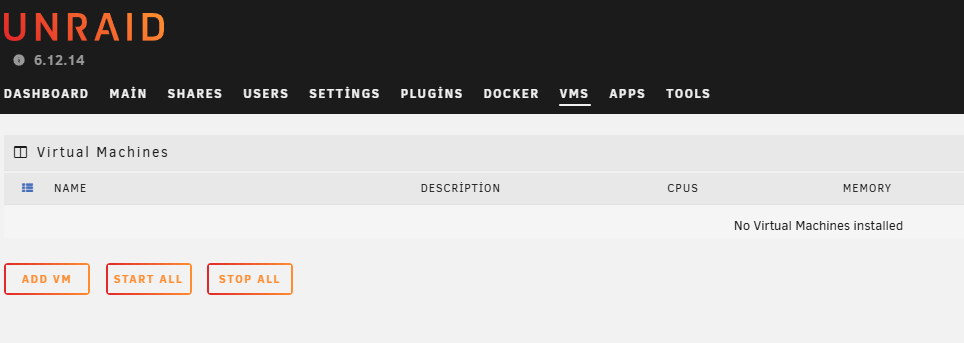
Hello, I have uploaded the translated files for my project, but I have noticed that some sections are still not translated and remain in English. I’ve double-checked the files I’ve uploaded, and they appear to be correct, but the translation is not reflected everywhere. Could you please assist me in resolving this issue? I would appreciate it if you could review the files to ensure all translations are properly applied throughout the project. If there’s anything specific that I may have missed or need to adjust, kindly let me know. Thank you for your support! Example translation error where I experienced: Turkish.zip