





jasonfoknxu
Members
-
Joined
-
Last visited
-
Thanks for your help.
-
Thanks for the reply. I tried to shutdown the server and change the flash drive to a different USB port. After it booted, it seems to be resume normal. Just post the diagnostics for reference. nxu-lab-diagnostics-20240303-0126.zip
-
file server (SMB share) is down. containers (docker) still running, but cannot control in the GUI VM unknown, cannot view in GUI Flash Device Settings > Flash Backup will respond a page 404 NOT FOUND
-
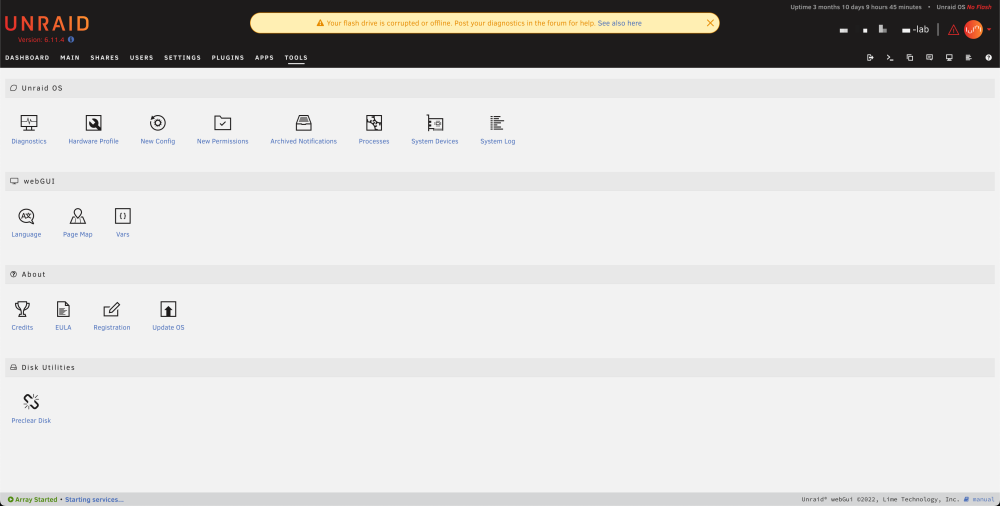
😭 everything are down. What should I do now? The page can still see the boot flash drive. Should I try to reboot the server? diagnostics file is provided. Thanks a lot. nxu-lab-diagnostics-20240302-1626.zip

-
Thanks for the solution. The problem has been solved. I have read the help text before but I thought I have misunderstood the meaning. Thanks a lot.
-
Thanks for the reply. I am using 6.11.4 and have not installed the Mover Tuning plugin. As the cache drive is full, the SMB file share, docker and VM are all affected. So, if I want to clear the cache driver, I need to change the Cache setting to Yes from Prefer? Thanks. here is the diagnostics file. nxu-lab-diagnostics-20230915-1627.zip
-
jasonfoknxu changed their profile photo
-
I have a cache pool but it is full, I would like to clear the cache but I have no idea how to do so. I have tried: - Click the "Move" button - Reboot the server - Disable VM & Docker, then click the "Move" button - Change the cache setting of share (Prefer, Yes, No) But none of the above works, the cache drive is still full. Should I using rm all the files in /mnt/cache using terminal? Would anyone can provide me a solution? The diagnostics is still running, I will upload the file when it is ready. Thanks a lot.





