





JannikGHG
Members
-
Joined
-
Last visited
-
No Crash since a few days without changing anything hmm
-
-
Dateien.ziphmm it's activated already
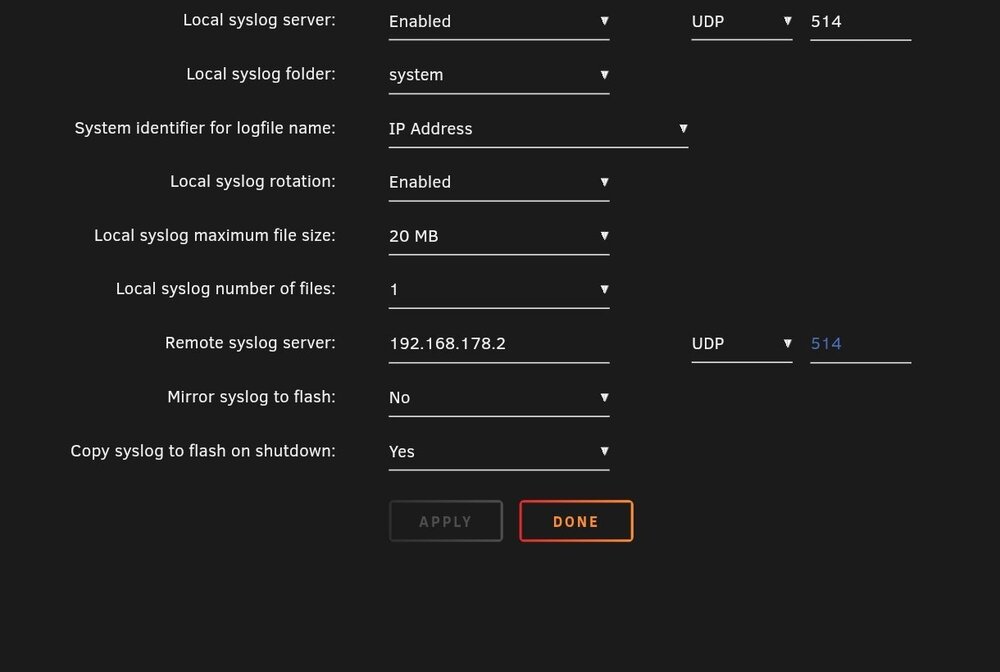 unraid-diagnostics-20250317-2141.zipHey guys, can anyone help me with my server not responding, currently I can't access the web interface and can't gracefully shutdown when I type in username and password for the local terminal nothing happens. This happened the 2nd time now and each time at night. Last time I just rebooted and everything was fine but I would like fix the problem sooo https://privatebin.net/?f427b9a9a0a5662a#8xX7LngF9BuND3KyVgFtFLrRZLx1Cep4HcL3nLUQ4aNN that should be in the time it happenedIm having the same issue hereI found a fix for this, it seems like the intel driver version was the issue https://github.com/strongtz/i915-sriov-dkms/issues/141 also it works now without the virtual display but i prefer to use the better resolutionhow have you configured the parsec or moonlight for it to work, i have now created the virtual displayMaybe that's because I have no actual display for parsec/Moonlight to connect to?Hey newbie here, I have been trying to get this plugin to work with my i5 12600k, in the VM its detected fine, but I can't connect via Parsec or Moonlight.Die Docker Container stehen bei mir schon immer, und immer noch auf bridge, einige auf host. Muss ich das auf eth0 ändern mit eigener IP-Adresse bei MACVLAN? Ich habe keine Domäne und auch keine SMB Einstellungen angepasst, memtest habe ich schon laufen lassen da wurden keine Fehler gezeigt. Habe mir Ersatz Prozessor, Mainboard und RAM bestellt. Bin gerade am Testen, aber es scheint tatsächlich der RAM zu sein, obwohl dieser ja keine Fehler angezeigt hatte und ich hatte jeweils immer nur mit einem getestet sogar also müssten beide defekt sein oder beide Inkompatibel. Aber eigentlich müsste der kompatibel sein. ASUS ROG STRIX B760-I GAMING WIFI Corsair Vengeance, DDR5-4800, CL40 - 32 GB Dual-Kit, schwarz Jetzt habe ich den Kingston FURY Beast Schwarz DDR5 16GB (2x8GB) 5600MT/s DDR5 CL40 DIMM Desktop Gaming Speicher Kit mit 2 - KF556C40BBK2-16 und damit läuft Unraid bisher ohne Fehlermeldungen, mache nachher noch einen Gegentest mit dem alten RAM, jeweils nur ein Riegel.Das hat leider auch nicht geklappt syslog-192.168.178.2 (15).logHat leider nicht funktioniert, ich teste jetzt weiter mit jeweils einen der beiden RAM Sticks, dann der andere. syslog-192.168.178.2 (14).log


