JannikGHG
Members
-
Joined
-
Last visited
Everything posted by JannikGHG
-
No Crash since a few days without changing anything hmm
-
-
Dateien.ziphmm it's activated already
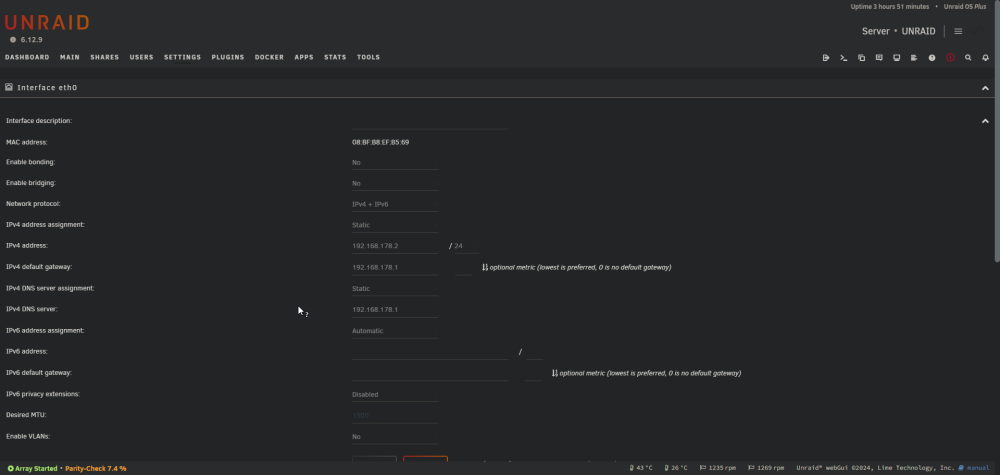
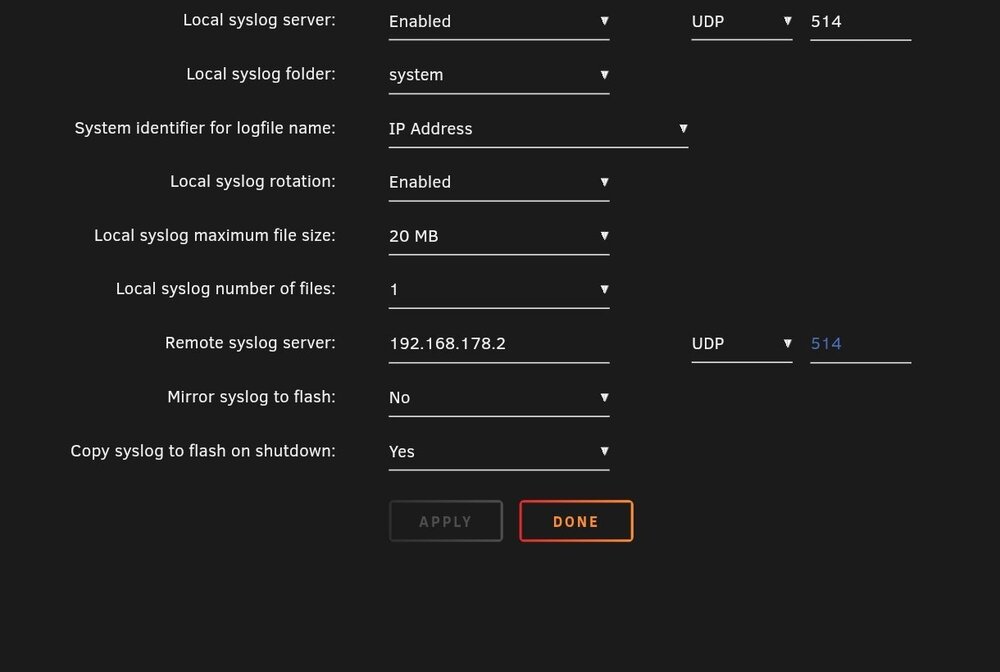 unraid-diagnostics-20250317-2141.zipHey guys, can anyone help me with my server not responding, currently I can't access the web interface and can't gracefully shutdown when I type in username and password for the local terminal nothing happens. This happened the 2nd time now and each time at night. Last time I just rebooted and everything was fine but I would like fix the problem sooo https://privatebin.net/?f427b9a9a0a5662a#8xX7LngF9BuND3KyVgFtFLrRZLx1Cep4HcL3nLUQ4aNN that should be in the time it happenedIm having the same issue hereI found a fix for this, it seems like the intel driver version was the issue https://github.com/strongtz/i915-sriov-dkms/issues/141 also it works now without the virtual display but i prefer to use the better resolutionhow have you configured the parsec or moonlight for it to work, i have now created the virtual displayMaybe that's because I have no actual display for parsec/Moonlight to connect to?Hey newbie here, I have been trying to get this plugin to work with my i5 12600k, in the VM its detected fine, but I can't connect via Parsec or Moonlight.Die Docker Container stehen bei mir schon immer, und immer noch auf bridge, einige auf host. Muss ich das auf eth0 ändern mit eigener IP-Adresse bei MACVLAN? Ich habe keine Domäne und auch keine SMB Einstellungen angepasst, memtest habe ich schon laufen lassen da wurden keine Fehler gezeigt. Habe mir Ersatz Prozessor, Mainboard und RAM bestellt. Bin gerade am Testen, aber es scheint tatsächlich der RAM zu sein, obwohl dieser ja keine Fehler angezeigt hatte und ich hatte jeweils immer nur mit einem getestet sogar also müssten beide defekt sein oder beide Inkompatibel. Aber eigentlich müsste der kompatibel sein. ASUS ROG STRIX B760-I GAMING WIFI Corsair Vengeance, DDR5-4800, CL40 - 32 GB Dual-Kit, schwarz Jetzt habe ich den Kingston FURY Beast Schwarz DDR5 16GB (2x8GB) 5600MT/s DDR5 CL40 DIMM Desktop Gaming Speicher Kit mit 2 - KF556C40BBK2-16 und damit läuft Unraid bisher ohne Fehlermeldungen, mache nachher noch einen Gegentest mit dem alten RAM, jeweils nur ein Riegel.Das hat leider auch nicht geklappt syslog-192.168.178.2 (15).logHat leider nicht funktioniert, ich teste jetzt weiter mit jeweils einen der beiden RAM Sticks, dann der andere. syslog-192.168.178.2 (14).logIch weiß auf jeden Fall, dass der Server ca. einen Tag ohne gestartete Docker Container, mit gestartetem Array und logischerweise auch Plugins fehlerfrei online bleibt, vermutlich auch länger. Also ist Maintanence Mode schon mal unnötig zum Testen und an den Plugins kann es auch nicht liegen, oder?Ich habe versucht, das Problem zu reproduzieren, indem ich die Docker Container einzeln gestartet habe und einige Zeit gewartet habe, aber es sieht so aus, als ob dies mit verschiedenen Docker-Apps verbunden ist, aber nicht mit allen. Zum Beispiel, Jellyfin läuft gut für ein paar Stunden, dann habe ich Krusader verwendet und die Fehler traten wieder im syslog auf. Außerdem hatte ich heute früh Krusader nicht laufen, aber andere Container und der gleiche Fehler trat auf. Ich habe keine Anhaltspunkte, wonach ich noch suchen soll … Letztes Syslog nach dem Start vom Absturz habe ich mit angehängt syslog-192.168.178.2.logSorry for ChatGPT Dear Unraid Forum, Following up to this post in the German community, I am writing to report a recurring issue with my server that started after transitioning to a new Unraid build, utilizing solely used hardware. The server experiences frequent crashes, rendering it inaccessible along with its applications. After some troubleshooting, I suspect the problem might be related to a Docker container or similar, as the server remained stable with plugins, array started, Docker service, and VM Manager running until Docker containers were initiated during a test. Here are the key details: Stress tests on the CPU and Memtest ran without any issues. Diagnostics files have been uploaded. The latest crash occurred around Apr 8 04:38:45, with several peculiar errors visible in the syslog leading up to it. There are indications pointing towards potential Samba issues, such as the following repeated error messages: Additionally, there are errors related to memory allocation and segmentation faults attributed to processes like Plex Media Scan. I have already made adjustments such as configuring Docker containers to use MACVLAN and ensuring proper network settings. However, the issue persists. I kindly request your assistance in diagnosing and resolving this issue. syslog before crash.txt unraid-diagnostics-20240408-1131.zipHabe ich gestern Abend alles tatsächlich noch vor dem letzten Crash auf MACVLAN gestellt. Muss ich die Docker Container die auf bridge stehen alle noch auf eth0 mit eigener IP Adresse umstellen? Anbei noch der Log vor dem Crash und Screenshots bzgl. MACVLAN syslog before crash.txt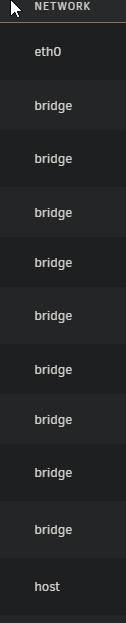
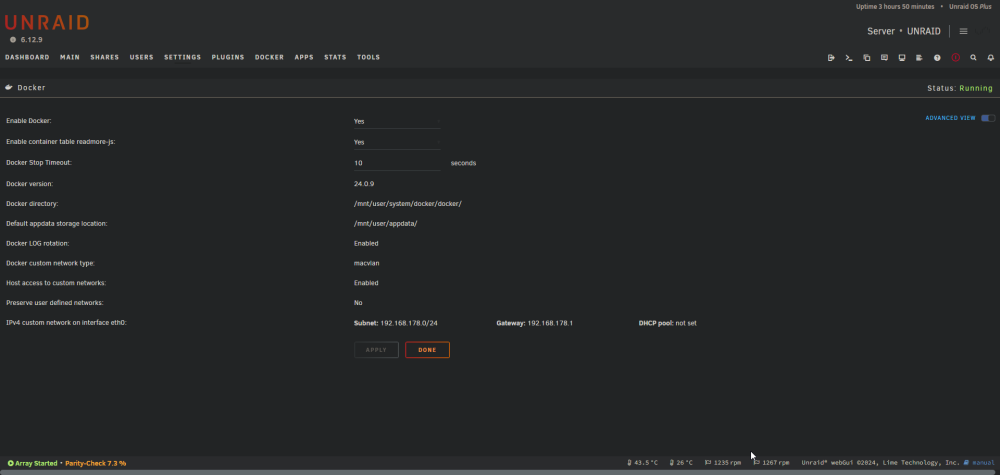 unraid-diagnostics-20240408-1131.zipGuten Tag, seit Wechsel auf neues Unraid Build (nur gebrauchte Hardware) habe ich regelmäßig Abstürze und es lässt sich nicht mehr auf den Server / die Applikationen zugreifen. Ich habe aber die Vermutung, dass es an einem Docker Container oder so liegt, weil der Server lief mit Plugins und gestartem Array und Docker Service und VM Manager länger durch. Bis ich angefangen habe die Docker Container zu starten bei einem Test. Stress Test der CPU und Memtest lief ohne Probleme Diagnostics habe ich mal hochgeladen. Heute der letzte Crash war um spätestens Apr 8 04:38:45 da sind davor auch einige merkwürdige Fehler in dem Syslog sichtbar. Vielen Dank für die Hilfetower-diagnostics-20240304-1933.zipHello, i have this error in startup log of the AdGuard Docker Container so it doesn't start: [fatal] listen tcp 192.168.178.3:80: bind: cannot assign requested address Although i have set fixed ip address to 192.168.178.4 and not .3 Network Type : br0 Any Ideas?Hello I am getting this error on Docker startup and then it aborts startup: SOLVED: This was related to data corruption solved by xfs_repair