





faptaincrunch
Members
-
Joined
-
Last visited
Everything posted by faptaincrunch
-
Thank you for this! Made it super easy to get going. I have a p400 for jellyfin transcoding.. is it preferred to have above 4g decoding on/resizable bar on for this use case? EDIT: searched the thread where you mentioned to other people to enable it. I'll do the same.
-
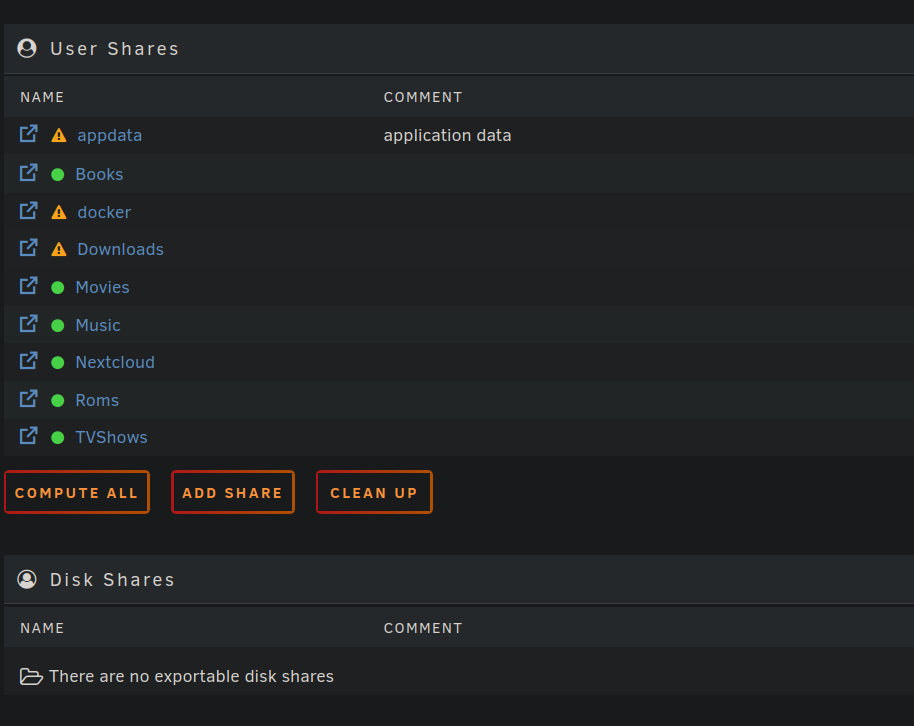
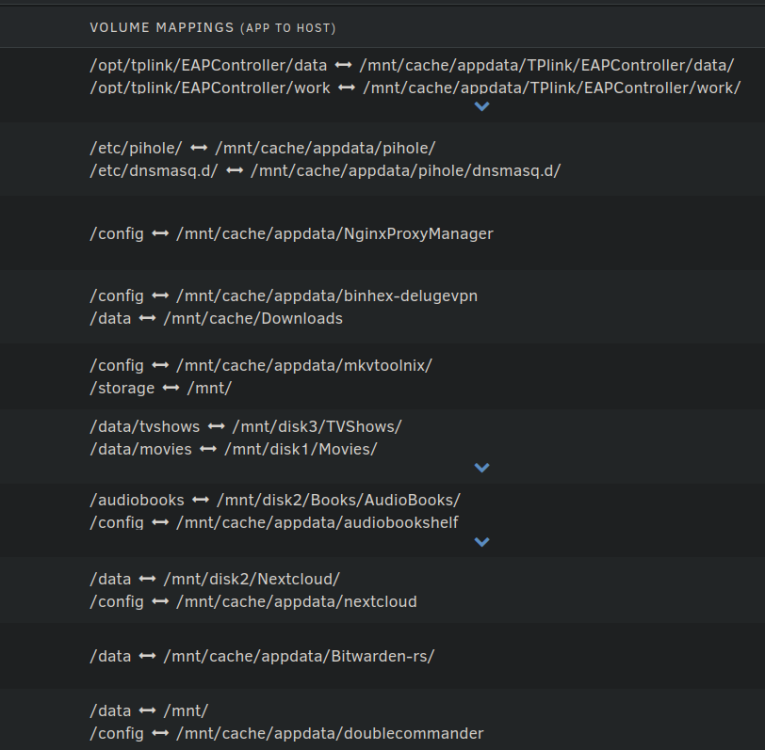
Thanks trurl. Ive been mounting everything as /mnt/cache or /mnt/disk directly but only have user shares set up under shares.. which I think I should have been setting up disk shares instead? Is it possible to convert from one to another? All of my data resides on say /mnt/disk1/Movies, /mnt/disk3/TVshows and no folder is scattered between multiple drives. I apologize if I'm not being clear would just hate to have done things incorrectly.
-
Sorry, I guess it's a multi part question. Would /mnt/user benefit me in anyway if I'm not using the FUSE capabilities? Does making my Downloads share settings cache -> array do anything different than me pointing my download dockers to download to the cache drive then moving them off into the expected folder in the array? I think I'm my head any Share settings only affected the /mnt/user and not /mnt/disk.
-
Hi all. Still getting used to the unraid way of life. Used to run Debian and OMV. I dont love JBOD/Mergerfs type FUSE file systems and have been using unraid as disk shares (also heard its faster than user shares?). I like having the least amount of drives spin up as possible which involves keeping media/pics/whatever on separate drives which I find easier to manage. If I set the downloads share to cache -> array BUT my vpn container is set to download to /mnt/disk2/Downloads.. is that redundant? Would I need to set the vpn mount point to /mnt/user/Downloads for the share setting to take hold? Most mount points for me are set to disk shares going directly to the root folder I specify. If thats the case, do the share settings not apply here and only apply for /mt/user/XXX? Thanks for any clarification!

