





Frankieoc82
Members
-
Joined
-
Last visited
Everything posted by Frankieoc82
-
Here are the new diagnostics. I successfully used a few dockers, streamed from plex and created an Appdata backup that didnt fail this time. I hope it is holding up! htpc-diagnostics-20260430-0707.zip
-
That's great news! I will start an app data backup, and will post new diags tomorrow to follow up. Thanks again!
-
I shut down, replaced the SATA cable with a new one and reseated the power connector, then rebooted and took new diagnostics, attached. htpc-diagnostics-20260429-0823.zip
-
New diagnostics htpc-diagnostics-20260429-0658.zip
-
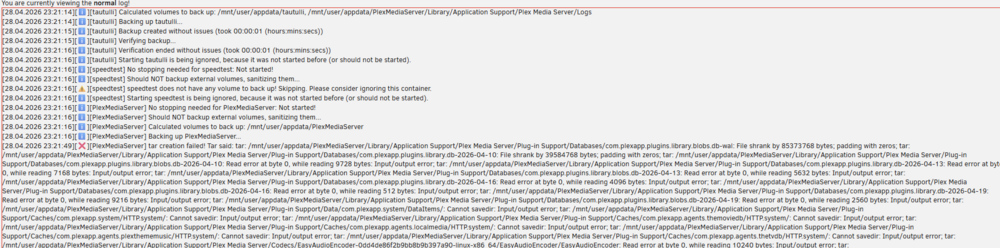
@JorgeB Unfortunately, it looks like I was celebrating a bit too early. The cache drive appears to still be causing some problems after the last steps fixed the unmountable drive issue. The Cache drive is indeed recognized as a mountable drive now. I started the Docker service, and the dockers did all come back in the Docker tab. Just after that, I went to plex to see if media was accessible. Some did load in the media library menu, but none would actually initiate. I then tried to access other dockers through their ip web GUIs and none would load. I decided that before I dig the hole deeper and mess something up even more, I took your advice to install the Appdata Backup plugin and tried to manually run it. The backup failed twice, where a couple of dockers' appdata did get backed up successfully, but several other important dockers failed. The log shows walls of tar errors, like this: Currently, all dockers are stopped, array is started, and I haven't done anything else (not even reboot) for fear of creating more errors. I'd greatly appreciate your help while I continue troubleshooting this!
-
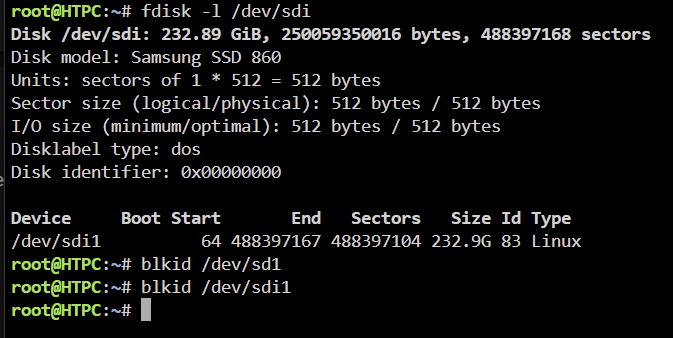
IT WORKED!!!!! YOU ARE A GENIUS!!! THANK YOU SOO MUCH!! For the record and future reference: Yes, blkid /dev/sdi1 did show the following now: With the array stopped, I reimported and remounted the cache pool exactly as described, and started the array. The cache drive mounted! Then I re-enabled Docker in settings and it all came back to life! I can't thank you enough, @JorgeB !! NOW, how do i prevent this from happening again? I think i am at my disk limit so i need to remove a data disk and rebalance before adding another drive for a 2 drive cache pool. I can do that if that is the recommended next step. Also , what is the best way to have automatic backups of cache and appdata? I'm so grateful that this is such a supportive community. Thanks again!

-
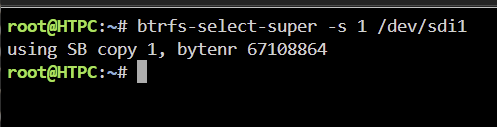
Does this output look as expected? using SB copy 1, bytenr 67108854
-
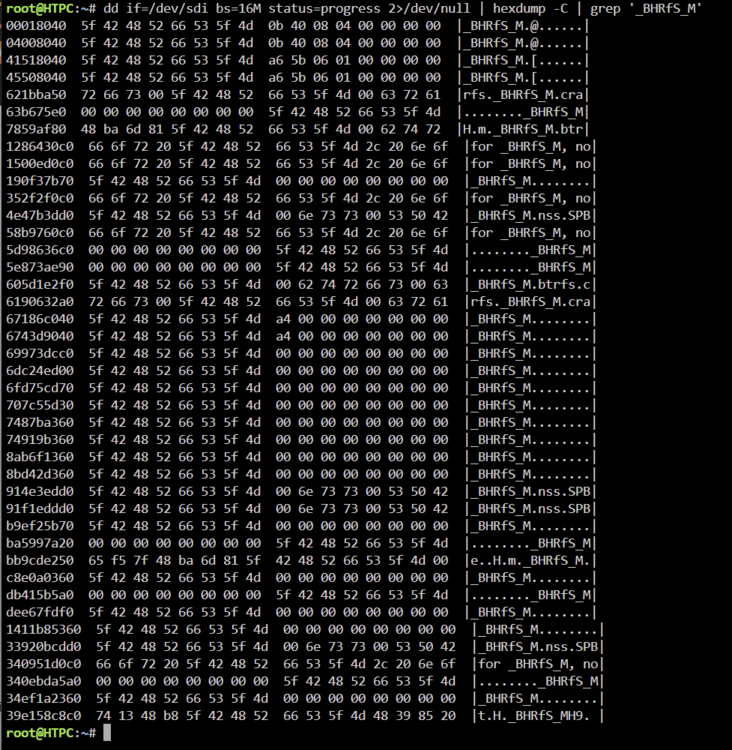
Thanks for checking this out. That prognosis sounds both good and not so good. I'm still hoping for a miracle though. Here is the output:
-
Here is the full output from running the command you requested:
-
Ok great! I will run it again when I get home
-
I usually access the server by local IP from a browser my laptop, then click the command line button from the GUI, which pops open a floating window. I can do it directly from the server though if that is preferable
-
@JorgeB I ran the command above. It started running, printing a new line every couple of minutes. Unfortunately, when I came back, a few minutes later, the terminal window had closed by itself (which has happened a few times before). Would it be detrimental to rerun that same command so i can post the output? Or should i pull some log that could show you the output? Any way I can prevent that from happening again?
-
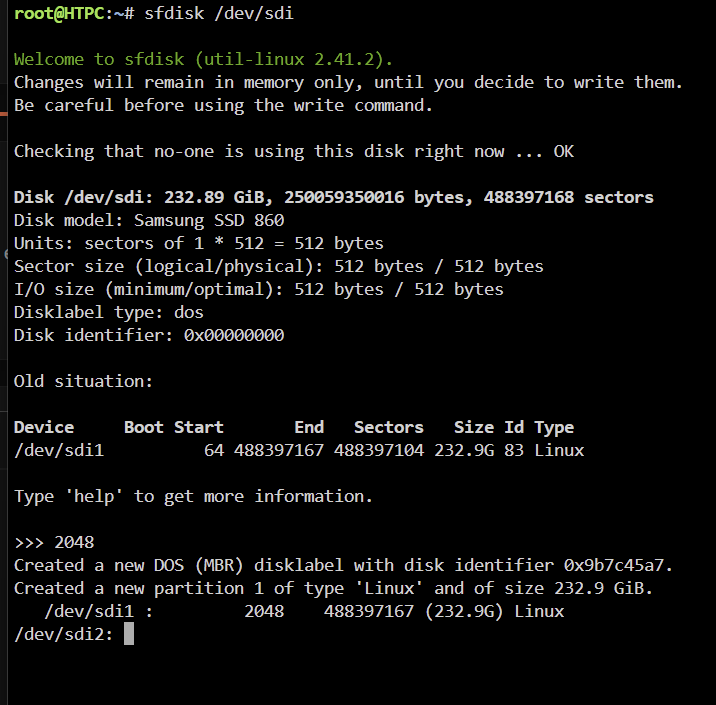
Ok, thank you very much for the guidance! I typed sfdisk /dev/sdi then 2048. Here is the output:
-
Thank you @trurl and @JorgeB for your help! The file system was btrfs. (typing "was" hurts a bit...) Here are the outputs from the commands requested: blkid /dev/sdi1 did not output anything
-
Fair point. I should have said I CHECKED both. and disabled Docker. sorry for any confusion
-
Hello! I would greatly appreciate some help to diagnose my cache drive suddenly showing as "Unmountable: Unsupported or no file system ". Unfortunately, it is a single drive in cache, and I had no idea that CA Backup and Restore was a thing, since I set this up years ago. I first noticed a problem when Plex would not load my shares. Looking into the server, I saw that there was a SMART error flag for my cache drive, and that is was tagged as unmountable. I ran an extended SMART self test, which passed. Then, after reading a few forum posts, I tried the following: Stop array and unassign both pool devices Start array (click checkbox "I want to do this") Stop array Reassign both pool devices Start array, post new diags. Upon reading a suggestion to disable Docker and VM Manager, I did that as well. I thought it best to start a new post with my diagnostics attached before I accidentally dug myself into a deeper hole. I would greatly appreciate any guidance! htpc-diagnostics-20260422-2340.zip



