Glutao
Members
-
Joined
-
Last visited
Everything posted by Glutao
-
Lets get some help from ChatGPT to understand the functions of these commands. Executing them ought to lead to the creation of the mentioned directory and file. Running (`sudo mkdir -p /etc/modprobe.d`): This command creates a directory named `modprobe.d` inside the `/etc` directory. If the directory already exists, the command will not do anything (thanks to the `-p` flag, which prevents errors if the directory exists). The `sudo` prefix ensures that the command is run with superuser (root) privileges, which is necessary because ordinary users typically don't have the permission to create directories under `/etc`. Running (`sudo sh -c "echo 'options i915 enable_guc=2' >> /etc/modprobe.d/i915.conf"`): This command appends the line `options i915 enable_guc=2` to a file named `i915.conf` within the `/etc/modprobe.d` directory. If `i915.conf` doesn't already exist, it will be created. If it does exist, the line is added to the end of the file without altering the existing content. The command is run with `sudo` for necessary privileges, and `sh -c` is used to correctly handle the redirection (`>>`) to a file with elevated permissions. The line added to `i915.conf` is a configuration setting for the Intel graphics driver (`i915`). Specifically, `enable_guc=2` is an option that activates certain features of the Intel graphics hardware. Overall Effect: These commands are typically run by users who need to customize their Linux kernel module behavior, in this case, the behavior of the Intel graphics driver. By adding `options i915 enable_guc=2` to `i915.conf`, the user instructs the system to enable specific features of the Intel graphics hardware (specifically, GuC and HuC functionalities) whenever the `i915` module is loaded. This is a fairly common way to tweak system performance or capabilities, especially in systems where specific hardware functionalities are required or when optimizing the system for specific workloads or preferences.
-
Did you get this to work? sudo mkdir -p /etc/modprobe.d sudo sh -c "echo 'options i915 enable_guc=2' >> /etc/modprobe.d/i915.conf"
-
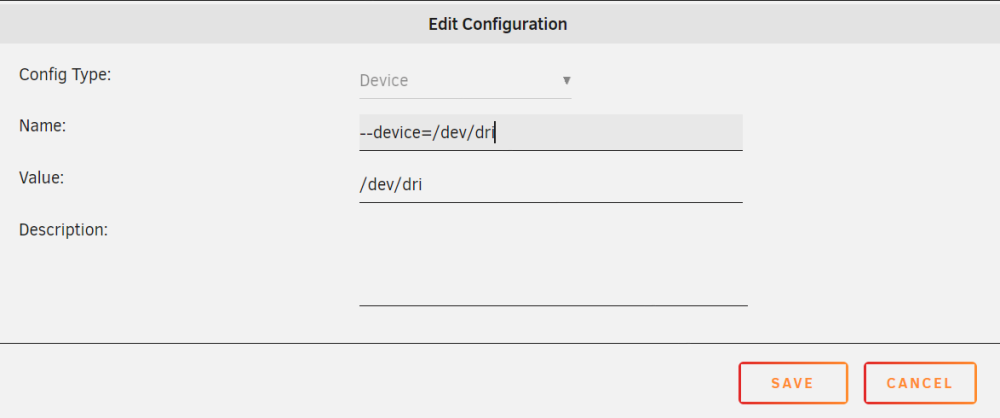
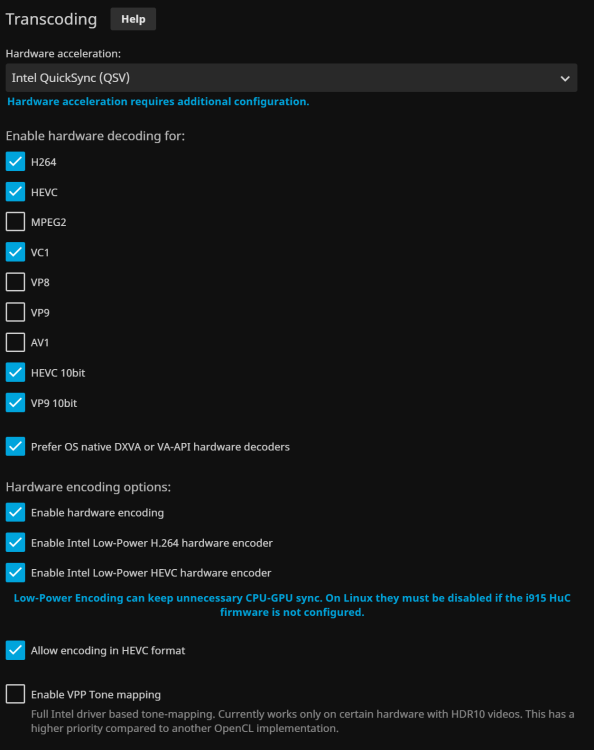
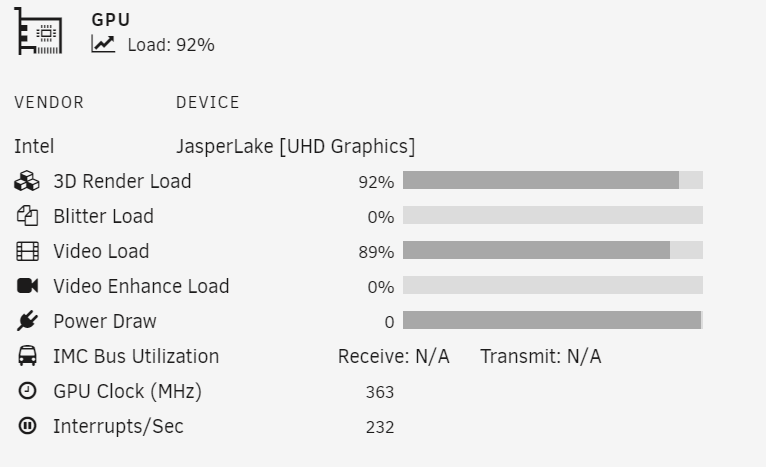
I was in the same boat. Pass the GPU to Jellyfin container like this. Guides: https://jellyfin.org/docs/general/administration/hardware-acceleration/intel/#low-power-encoding In this one the only thing I didn't get to work in terms of command was the Step 3. Make sure you run this and it works: sudo mkdir -p /etc/modprobe.d sudo sh -c "echo 'options i915 enable_guc=2' >> /etc/modprobe.d/i915.conf" Go to /etc/modprobe.d and see if you have the i915.conf file with the options i915... there. Reboot and for me this worked. In terms of setting in Jellyfin is important to have this: Install also Intel GPU TOP plus the GPU Statistics plugins to see if the GPU is working: By the way, I'm using Linuxserver docker image.