dchadd
Members
-
Joined
-
Last visited
-
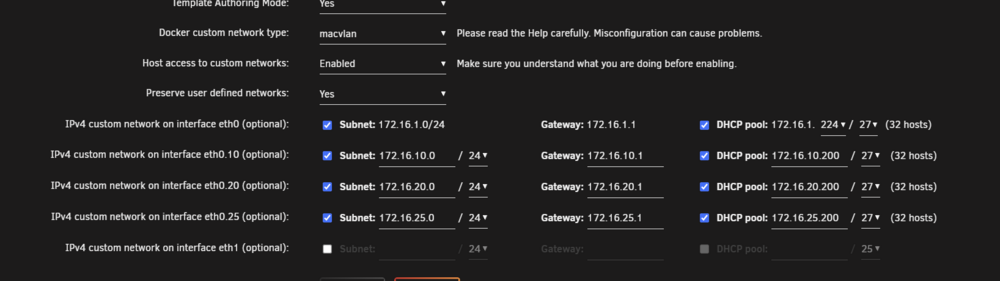
I believe he is saying since we were using a non-standard CIDR you need to switch the last digit of the DHCP range to a 0. For instance for 192.168.20.50 would switch to 192.168.20.0.
-
I only have a month of daily backups so the docker.cfg files are identical to the one I posted since it was modified in September of 2024. Also, I was updating from 6.12.14 if that's helpful.
-
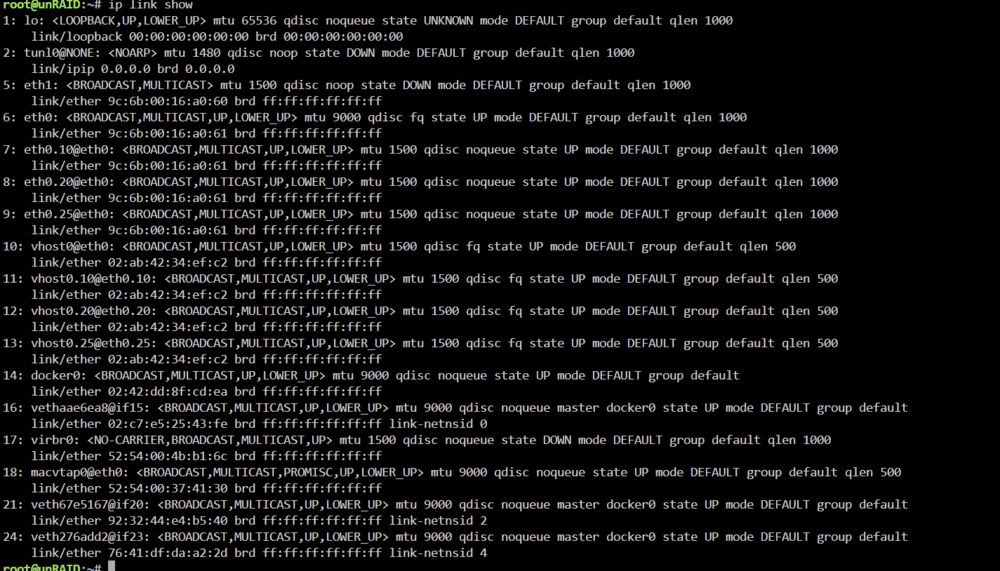
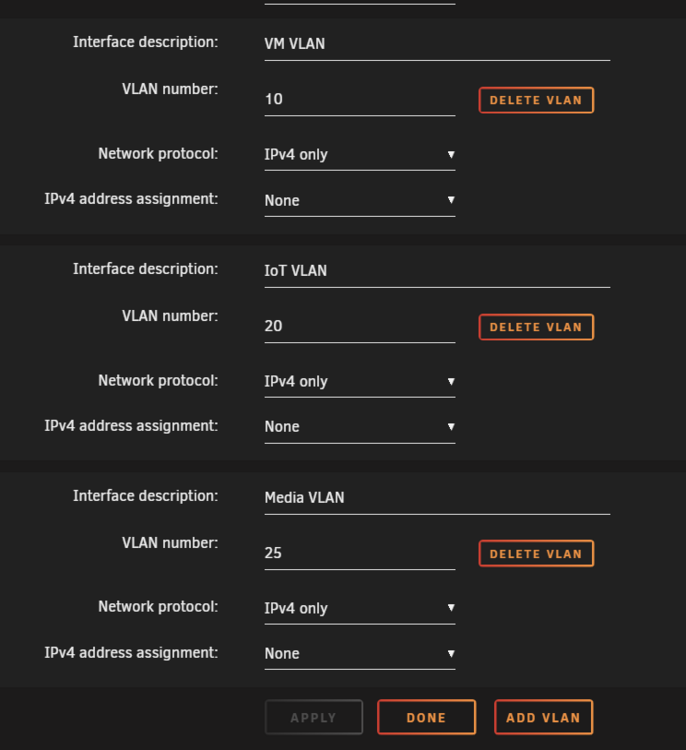
DOCKER_ENABLED="yes" DOCKER_IMAGE_FILE="/mnt/zfs-pool/system/docker/docker.img" DOCKER_IMAGE_SIZE="40" DOCKER_APP_CONFIG_PATH="/mnt/user/appdata/" DOCKER_APP_UNRAID_PATH="" DOCKER_READMORE="yes" DOCKER_PID_LIMIT="" DOCKER_CUSTOM_NETWORKS="eth0.10 eth0.20 eth0.25 eth1 " DOCKER_TIMEOUT="10" DOCKER_LOG_ROTATION="yes" DOCKER_LOG_SIZE="50m" DOCKER_LOG_FILES="1" DOCKER_AUTHORING_MODE="yes" DOCKER_ALLOW_ACCESS="yes" DOCKER_USER_NETWORKS="preserve" DOCKER_DHCP_ETH0="172.16.1.224/27" DOCKER_DHCP_ETH0_10="172.16.10.224/27" DOCKER_DHCP_ETH0_20="172.16.20.224/27" DOCKER_DHCP_ETH0_25="172.16.25.64/26" DOCKER_SUBNET_ETH0_10="172.16.10.0/24" DOCKER_GATEWAY_ETH0_10="172.16.10.1" DOCKER_RANGE_ETH0_10="172.16.10.200/27" DOCKER_SUBNET_ETH0_20="172.16.20.0/24" DOCKER_GATEWAY_ETH0_20="172.16.20.1" DOCKER_RANGE_ETH0_20="172.16.20.200/27" DOCKER_SUBNET_ETH0_25="172.16.25.0/24" DOCKER_GATEWAY_ETH0_25="172.16.25.1" DOCKER_RANGE_ETH0_25="172.16.25.200/27" Here is the docker.cfg from the backup that ran the night before I updated to 7.0. Last modified 9/29/2024. I recall only using the GUI to configure the custom networks. I don't recall doing any commands to get this working originally. But again this is fixed and working as expected now. I have full backups of docker containers and my flash configuration so let me know if there's anything else that will be helpful. Hope this helps.
-
I just want to point out that I've gone through multiple updates with no issues. I was updating from the latest stable prior to 7.0 to 7.0. I may have some backup files that I can look at the configuration and see if that setting was turned on. I'll take a look and see if I can find anything.
-
This worked, thank you so much! Not sure about the setting you mentioned, whether or not it was enabled but it is after the update because i didn't turn it on after the update. Either way this seems to be the fix. David
-
Same issue, only using ipv4. No changes made other than the version 7.0 upgrade.