



Skip to content
View in the app

A better way to browse. Learn more.

Unraid

A full-screen app on your home screen with push notifications, badges and more.

To install this app on iOS and iPadOS
  1. Tap the Share icon in Safari
  2. Scroll the menu and tap Add to Home Screen.
  3. Tap Add in the top-right corner.
To install this app on Android
  1. Tap the 3-dot menu (⋮) in the top-right corner of the browser.
  2. Tap Add to Home screen or Install app.
  3. Confirm by tapping Install.

horrified-error5324

Members
  • Joined

  • Last visited

  1. In my case, I had to power down the NAS and disconnect the power from the hard drive. First, I started the NAS, then I initiated the array. Afterward, I powered down the NAS again, reconnected the hard drive, and powered the NAS back up. I realized that I had discarded many hard drives before understanding that I could rebuild them myself. I would recommend that the Unraid team make this option more evident, perhaps by providing users with a checkbox when the same drive is entered but has a red X, allowing them the choice to rebuild it.
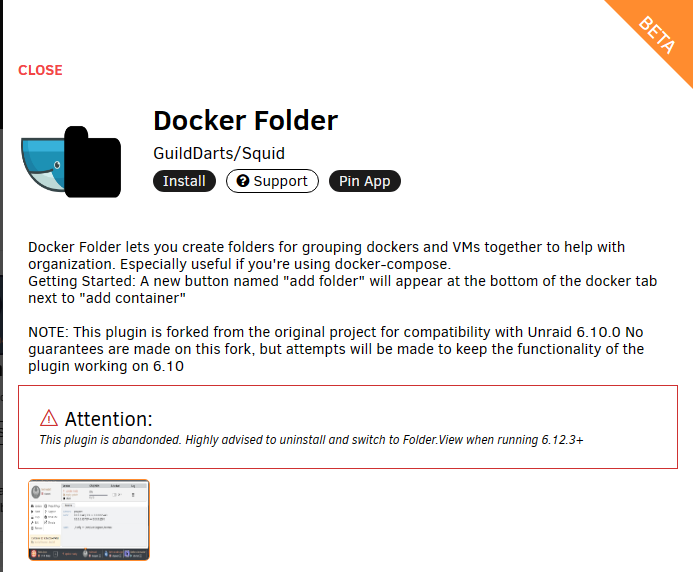
  2. Hey. I had a similar issue. It was bugging the heck out of me. I found had to just remove the installed app below(Docker Folder). I hope this helps someone else or even me if I forget in the future
Account

Navigation

Search

Search

Configure browser push notifications

Chrome (Android)
  1. Tap the lock icon next to the address bar.
  2. Tap Permissions → Notifications.
  3. Adjust your preference.
Chrome (Desktop)
  1. Click the padlock icon in the address bar.
  2. Select Site settings.
  3. Find Notifications and adjust your preference.