





Resserene
Members
-
Joined
-
Last visited
Everything posted by Resserene
-
I misunderstood the documentation of a particular app. A reboot of the system fixed it. I've been trying to delete the post since it got fixed, but the delete button doesn't seem to do anything. Thanks for your reply though.
-
To make an app work I changed the permissions of the folder usr/share by the following command sudo chown 1000:0 -R /usr/share/ I do not understand what this command will do. This is making me nervous. Could a person more knowledgable than me tell me if I need to revert this? And how do I revert this? Thank you
-
Gotcha. Thank you so much for the help. I'll wait a day to make sure its working now and then mark the solution.
-
Any way to know why the global settings were not having any effect? Ideally an over-ride shouldn't be necessary.
-
Yes, they are now showing after I set it up for all disks individually. I am wondering why the settings in smart-one.cfg and disk.cfg were not correctly written when I used the Disk Settings to configure it for all disks at once. Any idea?
-
Yes, it's adding temp settings to that file for the other disks too. Any idea how I could solve the disk utilisation % problem?
-
It wasn't there. Then I changed the temperature settings of a drive individually, now the file is showing in that folder.
-
Okay I'll update it, however, since this has been a problem for the last 6 month (where I was mostly up to date) I'm not sure that will solve it. Where do I look for the smart-one.cfg file locally?
-
Already done that above ☝️
-
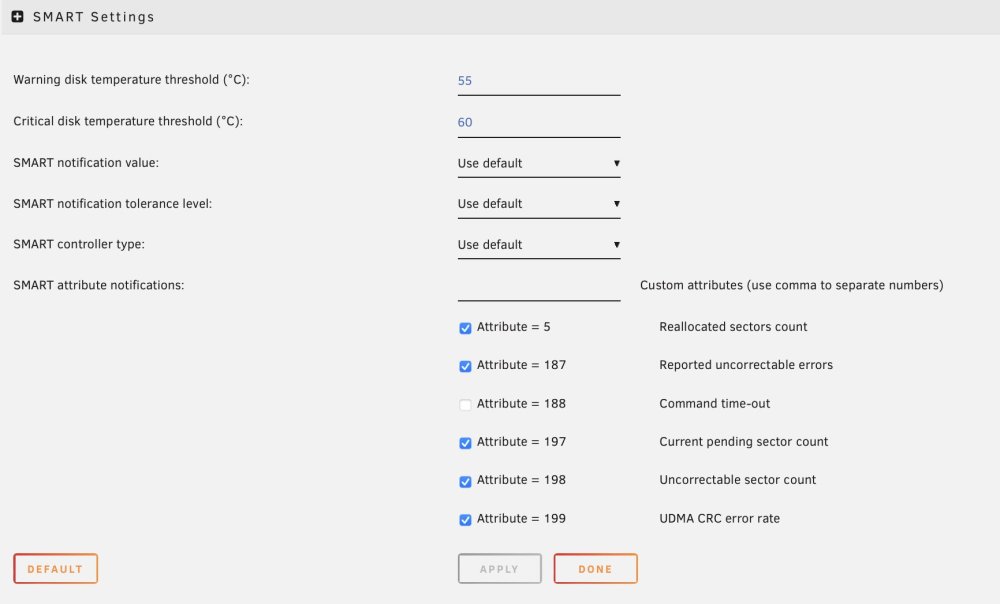
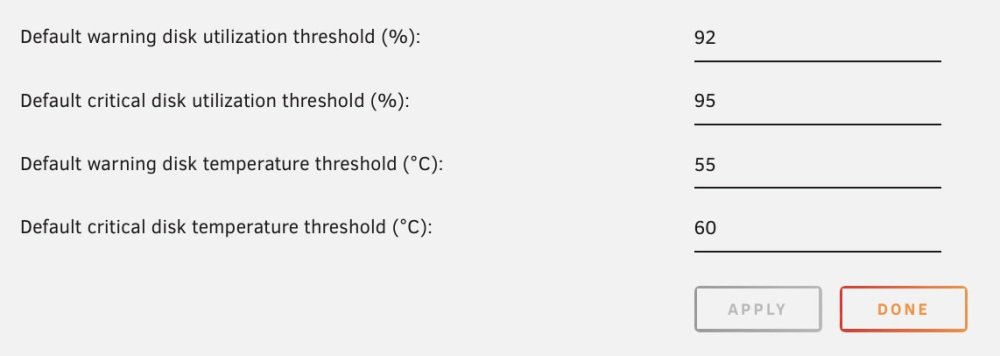
They are all individually set to the same settings as in the screenshot.
-
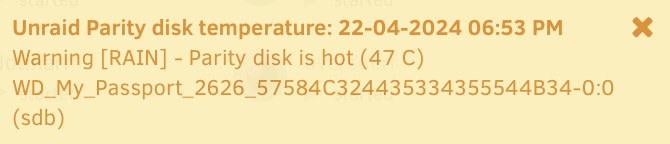
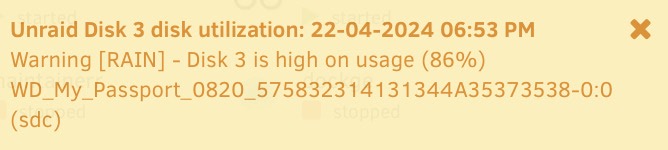
Been using unRAID for the last 6 months and since the beginning I've been getting these warning notification even though they are below the threshold set by me. e.g. Disk temperature warnings at 47 even though threshold is 55, or disk utilization warning at 86% even though threshold is set ay 92%. Please help. Attaching screenshots of my settings and notifications, and diagnostics. Thanks. rain-diagnostics-20240423-1028.zip
-
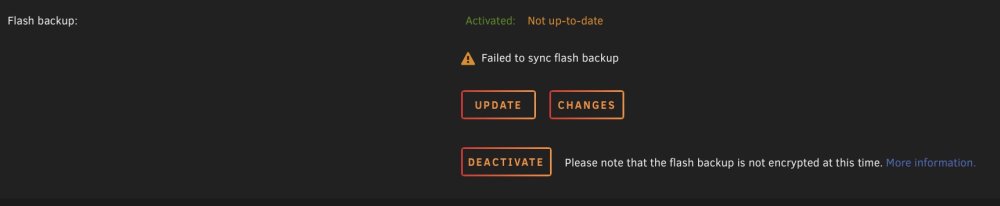
I installed the Unraid Connect plugin yesterday and then tried to backup my Flash drive online. This is the error I'm getting - Any idea why this is happening? Thanks. rain-diagnostics-20231123-0954.zip
-
Is there any way to correct this? USB disks are all I have right now.
-
I did as you said and found the drive had spun down after 20 mins. I took diagnostics at that point. But only sometime later I found it spinning again without any new writes to it. I took diagnostics here as well. Attaching both. rain-diagnostics-20231120-1447.zip rain-diagnostics-20231120-1504.zip
-
I added a parity drive to my setup for the first time a couple of days ago. Even after completing the initial process, the drive is not spinning down whether I set it to spin down in 15 mins or 1 hour. Not even when I click the green button next to it in the "Main" menu. I've also ensured that there were no writes to any drives in the last 6 hours. I also have an SSD pool where new writes should go anyway. What am I doing wrong? rain-diagnostics-20231118-1916.zip
-
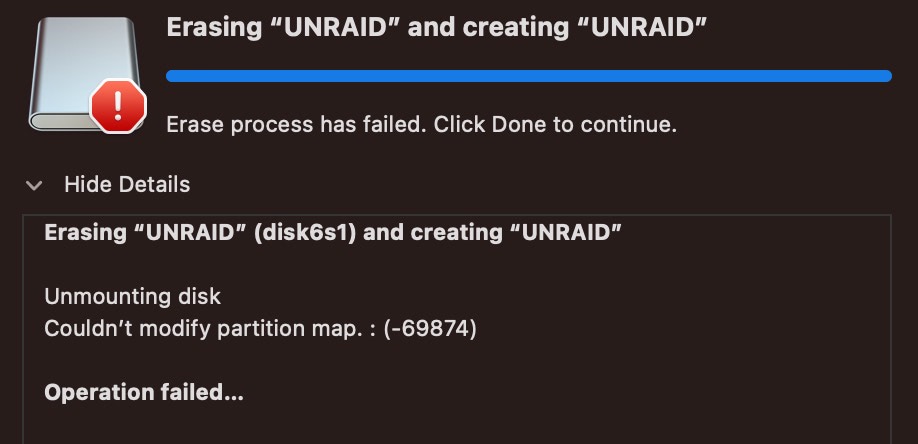
I formatted the drive and got an error (screenshot included). I'm assuming the drive is defective and the problem I was facing was because of it? So, I installed the flash backup on another drive. But it is not allowing me to resume my Unraid trial because of the drive change. It says - "The registered GUID does not match the USB Flash boot device GUID Trial installations are only valid with the originally registered USB Flash device. To continue using this installation with this USB Flash device, you may purchase a Registration key." So at this point I either purchase a product that has already been problematic since the beginning or start a new trial losing all the work I did in the last 10 days?
-
Backup the flash drive? And by redo you mean reinstalling Unraid on it?
-
New diagnostics attached. Also attached a screenshot of when clicking the logo on top right. The restart button is not doing anything. rain-diagnostics-20231025-1526.zip

-
I just checked again and surprisingly found the GUI very snappy without any apparent reason. Rebooted it out of safe mode and it is still snappy. However, I'm getting the following error - USB flash drive failure: 25-10-2023 15:09 Alert [RAIN] - USB drive is not read-write Cruzer_Blade (sda)
-
Yes, I just did. Took 15 mins to reboot into safe mode, and still no difference in speed.
-
Hi, I'm new to Unraid and currently running a trial. In the last 1 week the GUI has become unbearably slow taking 5 minutes or more to open things like settings or apps, etc. Sometime things don't even end up opening. My machine has i5 8500T and 8GB DDR4 RAM. I am not running a lot of plugins or containers. Anything I could do about this? Any help is appreciated. Thanks. rain-diagnostics-20231025-1222.zip
-


