DScamp
Members
-
Joined
-
Last visited
-
I went ahead and removed that rule. As far as Hairpin NAT, it is the first time I've heard about this unfortunately. After reading up on it a bit, unifi "should" have the rules on automatically but I do not know how to check but I kind of understand what you're saying. My son would be playing on his PS5, but it doesn't have a choice for selecting LAN so I cannot really test it that way. The only other people that would join are a few cousins which are also on PS5s and me (PC). Is there any way I could test that the Hairpin NAT is working? Thank you so much!
-
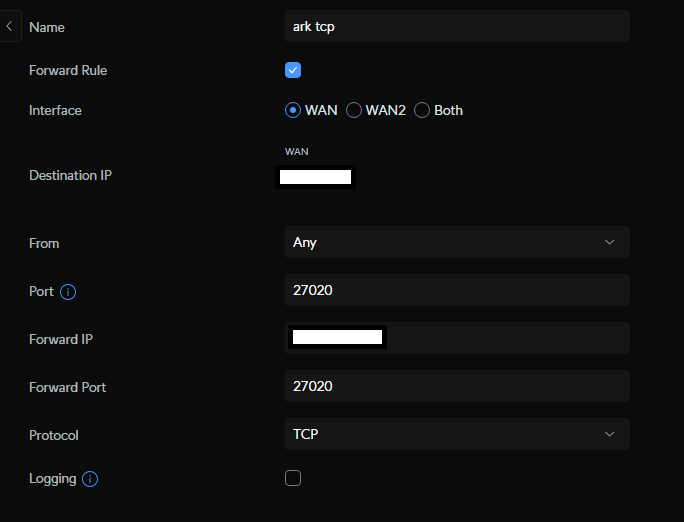
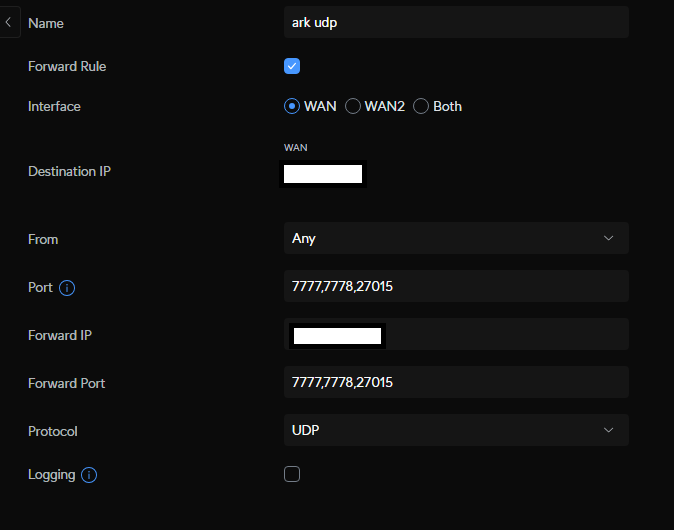
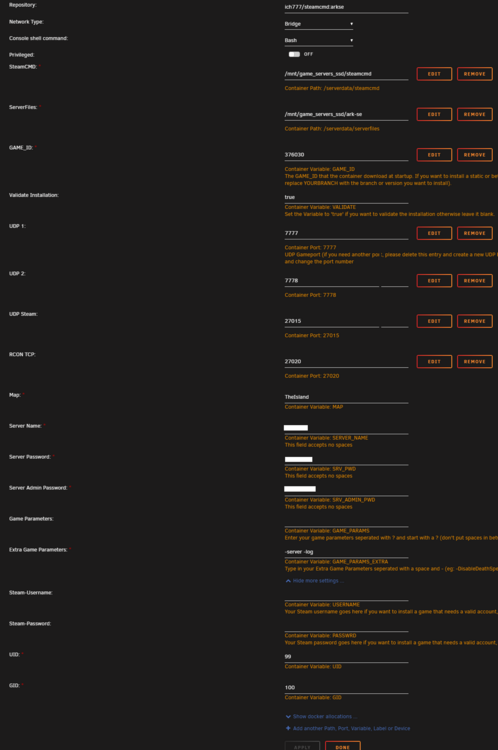
Hello guys, I was wondering if someone would be able to help me setting up an Ark server for my son. I got the container running and configured, but I can only access the server through LAN. I have forwarded the ports but I am completely stuck and I am at the full extent of my knowledge unfortunately. I have also tried setting up a minecraft server but I have the same issue. I'm pretty certain that I'm not under a CGNAT. If anyone could help me, I would be immensely grateful! Thanks in advance!