





jayx
Members
-
Joined
-
Last visited
Everything posted by jayx
-
It seems that I'm not the only one experiencing this issue. It looks like the problem is related to the Unraid patch/kernel, but I'm unsure how to resolve it. Does anyone have any other suggestions?
-
Hiya I tried all the options above but non worked. I am getting black screen on VNC and no signal on the monitor that is directly plugged into the video card. I also tested the graphic card in a pc build and it ran just fine.
-
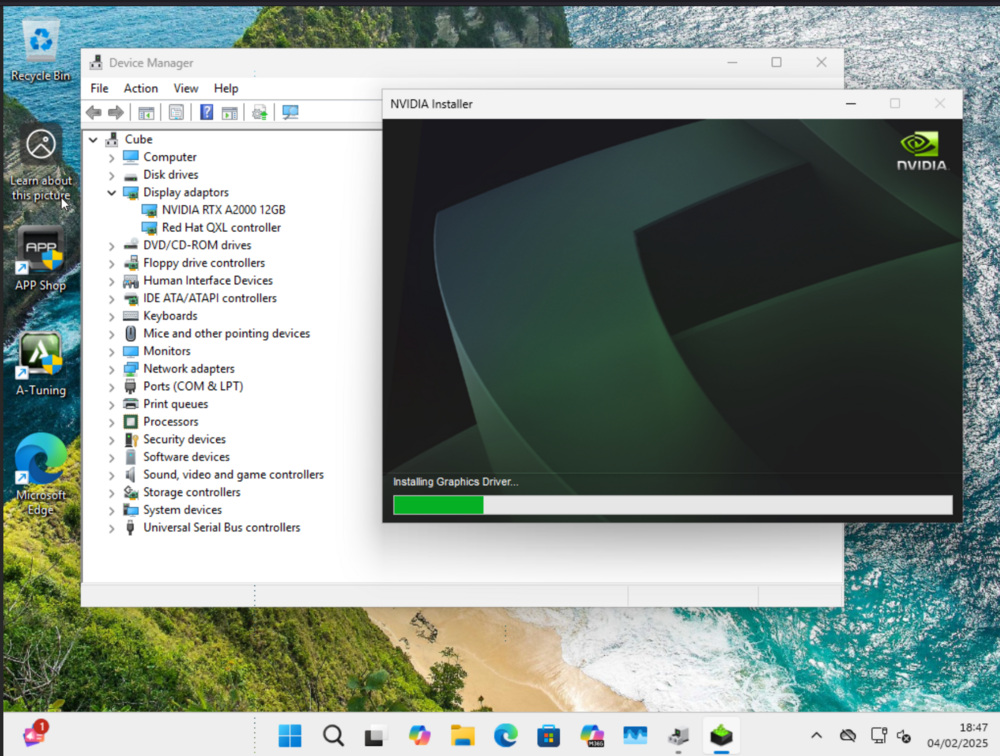
This is great! I didn't know this is possible... Getting there and now I can see the GPU! Thank you! The only issue I have now is that every time I attempt to install the drivers, the screen gets stuck on the below: Then it goes black and then gets stuck on this and the only way around it is to force shutdown ... and then same thing keeps happening Did you have this issue when installing the drivers? This is my XML just incase I did something wrong <?xml version='1.0' encoding='UTF-8'?> <domain type='kvm'> <name>Windows 11</name> <uuid>be36c243-aec9-2840-678d-2be8756cb635</uuid> <metadata> <vmtemplate xmlns="unraid" name="Windows 11" icon="windows11.png" os="windowstpm" webui=""/> </metadata> <memory unit='KiB'>8388608</memory> <currentMemory unit='KiB'>2621440</currentMemory> <memoryBacking> <nosharepages/> </memoryBacking> <vcpu placement='static'>6</vcpu> <cputune> <vcpupin vcpu='0' cpuset='8'/> <vcpupin vcpu='1' cpuset='9'/> <vcpupin vcpu='2' cpuset='10'/> <vcpupin vcpu='3' cpuset='11'/> <vcpupin vcpu='4' cpuset='12'/> <vcpupin vcpu='5' cpuset='13'/> </cputune> <resource> <partition>/machine</partition> </resource> <os> <type arch='x86_64' machine='pc-i440fx-9.1'>hvm</type> <loader readonly='yes' type='pflash'>/usr/share/qemu/ovmf-x64/OVMF_CODE-pure-efi-tpm.fd</loader> <nvram>/etc/libvirt/qemu/nvram/be36c243-aec9-2840-678d-2be8756cb635_VARS-pure-efi-tpm.fd</nvram> </os> <features> <acpi/> <apic/> <hyperv mode='custom'> <relaxed state='on'/> <vapic state='on'/> <spinlocks state='on' retries='8191'/> <vpindex state='on'/> <synic state='on'/> <stimer state='on'/> <vendor_id state='on' value='none'/> </hyperv> </features> <cpu mode='host-passthrough' check='none' migratable='on'> <topology sockets='1' dies='1' clusters='1' cores='6' threads='1'/> <maxphysaddr mode='passthrough' limit='39'/> </cpu> <clock offset='localtime'> <timer name='hpet' present='no'/> <timer name='hypervclock' present='yes'/> </clock> <on_poweroff>destroy</on_poweroff> <on_reboot>restart</on_reboot> <on_crash>restart</on_crash> <devices> <emulator>/usr/local/sbin/qemu</emulator> <disk type='file' device='disk'> <driver name='qemu' type='raw' cache='writeback' discard='ignore'/> <source file='/mnt/user/domains/Windows 11/vdisk1.img'/> <target dev='hdc' bus='virtio'/> <serial>vdisk1</serial> <boot order='1'/> <address type='pci' domain='0x0000' bus='0x00' slot='0x0c' function='0x0'/> </disk> <disk type='file' device='cdrom'> <driver name='qemu' type='raw'/> <source file='/mnt/user/isos/Windows 11/Win11_23H2_EnglishInternational_x64.iso'/> <target dev='hda' bus='ide'/> <readonly/> <boot order='2'/> <address type='drive' controller='0' bus='0' target='0' unit='0'/> </disk> <disk type='file' device='cdrom'> <driver name='qemu' type='raw'/> <source file='/mnt/user/isos/virtio-win-0.1.240-1.iso'/> <target dev='hdb' bus='ide'/> <readonly/> <address type='drive' controller='0' bus='0' target='0' unit='1'/> </disk> <controller type='usb' index='0' model='piix3-uhci'> <address type='pci' domain='0x0000' bus='0x00' slot='0x01' function='0x2'/> </controller> <controller type='pci' index='0' model='pci-root'/> <controller type='ide' index='0'> <address type='pci' domain='0x0000' bus='0x00' slot='0x01' function='0x1'/> </controller> <controller type='virtio-serial' index='0'> <address type='pci' domain='0x0000' bus='0x00' slot='0x02' function='0x0'/> </controller> <interface type='bridge'> <mac address='52:54:00:95:fd:95'/> <source bridge='br0'/> <model type='virtio'/> <address type='pci' domain='0x0000' bus='0x00' slot='0x0b' function='0x0'/> </interface> <serial type='pty'> <target type='isa-serial' port='0'> <model name='isa-serial'/> </target> </serial> <console type='pty'> <target type='serial' port='0'/> </console> <channel type='unix'> <target type='virtio' name='org.qemu.guest_agent.0'/> <address type='virtio-serial' controller='0' bus='0' port='1'/> </channel> <input type='tablet' bus='usb'> <address type='usb' bus='0' port='1'/> </input> <input type='mouse' bus='ps2'/> <input type='keyboard' bus='ps2'/> <tpm model='tpm-tis'> <backend type='emulator' version='2.0' persistent_state='yes'/> </tpm> <graphics type='vnc' port='-1' autoport='yes' websocket='-1' listen='0.0.0.0' sharePolicy='ignore'> <listen type='address' address='0.0.0.0'/> </graphics> <audio id='1' type='none'/> <video> <model type='qxl' ram='65536' vram='65536' vgamem='16384' heads='1' primary='yes'/> <address type='pci' domain='0x0000' bus='0x00' slot='0x0e' function='0x0'/> </video> <hostdev mode='subsystem' type='pci' managed='yes'> <source> <address domain='0x0000' bus='0x01' slot='0x00' function='0x0'/> </source> <address type='pci' domain='0x0000' bus='0x00' slot='0x08' function='0x0'/> </hostdev> <hostdev mode='subsystem' type='pci' managed='yes'> <source> <address domain='0x0000' bus='0x01' slot='0x00' function='0x1'/> </source> <address type='pci' domain='0x0000' bus='0x00' slot='0x09' function='0x0'/> </hostdev> <memballoon model='virtio'> <address type='pci' domain='0x0000' bus='0x00' slot='0x0d' function='0x0'/> </memballoon> </devices> <seclabel type='dynamic' model='dac' relabel='yes'/> </domain>

-
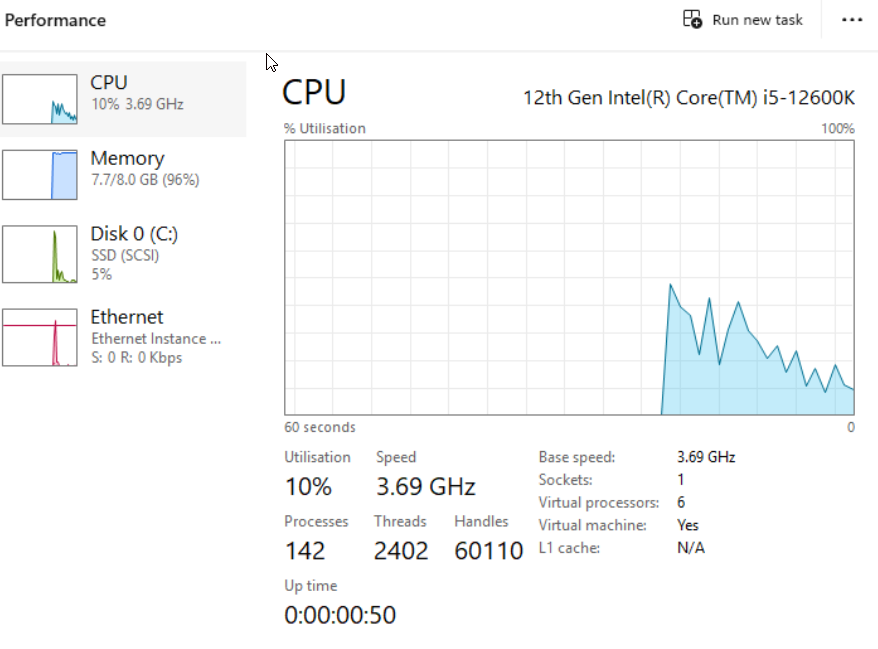
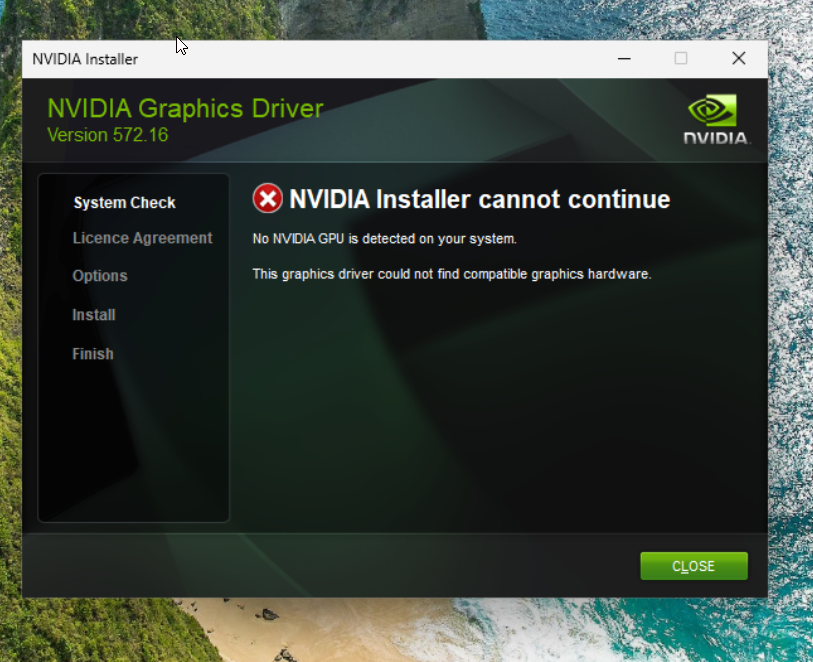
Hiya, I tried to install the drivers, but they won't install as Windows isn't detecting the GPU when selecting VNC. I also tried binding the GPU, but still, nothing changed. Am I doing something wrong here ? Thanks again!
-
Thank you so much for responding! Adding "maxphysaddr" seems to solve the VFIO_MAP_DMA failed error in logs, but the VM is still not outputting to the screen as there's no signal and and I got this new error: 2025-02-04 14:07:57.611+0000: Domain id=7 is tainted: high-privileges char device redirected to /dev/pts/2 (label charserial0) 2025-02-04 14:08:00.358+0000: Domain id=7 is tainted: custom-monitor Would you, by any chance, have any idea of how you might be able to solve this error? Thanks!
-
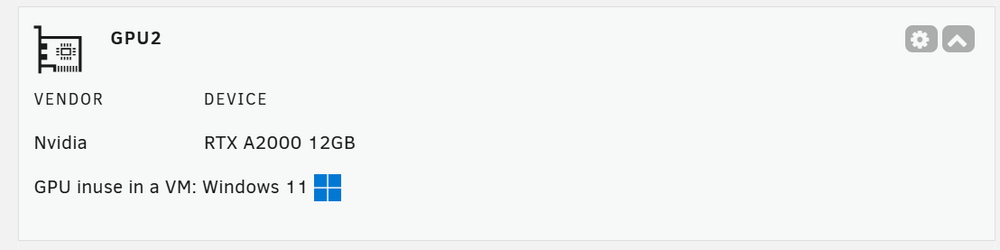
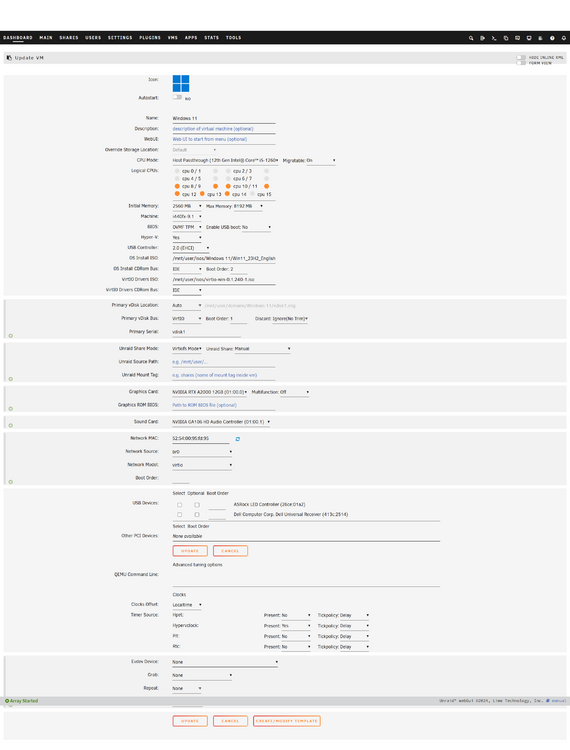
Hello, I hope everyone is doing well! I have been experiencing an error (which has been driving me crazy since last month and is making me consider moving away from Unraid!) when launching a Windows or Ubuntu VM in Unraid with an Nvidia GPU. The VM works fine when launching it on a Virtual Graphic Card but not when selecting the physical Nvidia RTX A2000 GPU and its sound card. I tried everything recommended online, but nothing worked. Can anyone please help me with this? 🤞 Please find the information below: 1. Error code: 2025-02-03T12:03:08.605185Z qemu-system-x86_64: VFIO_MAP_DMA failed: Invalid argument 2025-02-03T12:03:08.605205Z qemu-system-x86_64: vfio_container_dma_map(0x55e9884c7260, 0x383800000000, 0x200000000, 0x154a3b000000) = -22 (Invalid argument) 2025-02-03T12:03:08.606773Z qemu-system-x86_64: VFIO_MAP_DMA failed: Invalid argument 2025-02-03T12:03:08.606787Z qemu-system-x86_64: vfio_container_dma_map(0x55e9884c7260, 0x383a00000000, 0x2000000, 0x154a39000000) = -22 2. I also checked that the graphic and sound cards are grouped together and utilised in the VM (I tried binding and unbinding, and it didn't make a difference). Please see below: 3. I changed the PCIe ACS override in all states (disabled, downstream, multi-function, and both), but nothing changed. 4. I also checked: IOMMU: Enabled Resizable BAR and Above 4G Decoding: Enabled VT-d: Enabled 5. I attempted to grab the vbios of the GPU and boot from it, but nothing made a difference. 6. The VM template is the following: Thanks!

-
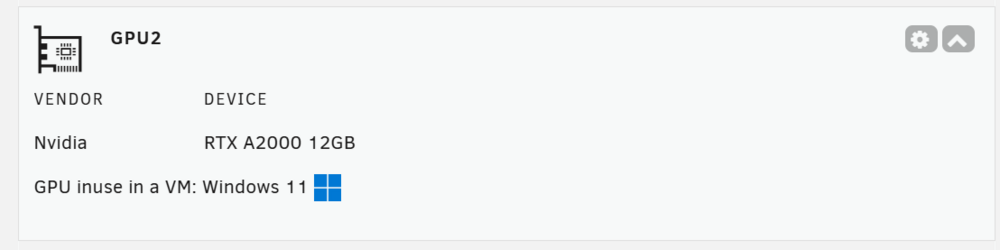
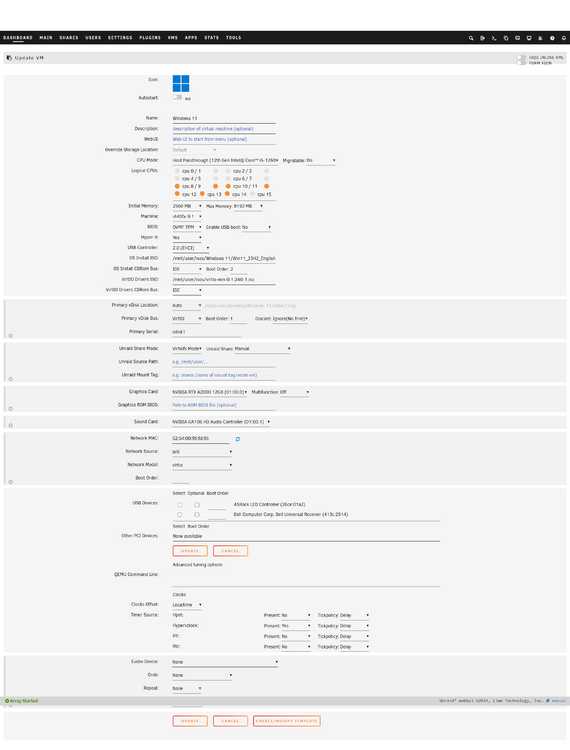
Hello, I hope everyone is doing well! I am currently experiencing the same error with my Nvidia RTX A2000. Has anyone solved the issue, and are there any recommendations? 🤞 Please find the information below: 1. Error code: 2025-02-03T12:03:08.605185Z qemu-system-x86_64: VFIO_MAP_DMA failed: Invalid argument 2025-02-03T12:03:08.605205Z qemu-system-x86_64: vfio_container_dma_map(0x55e9884c7260, 0x383800000000, 0x200000000, 0x154a3b000000) = -22 (Invalid argument) 2025-02-03T12:03:08.606773Z qemu-system-x86_64: VFIO_MAP_DMA failed: Invalid argument 2025-02-03T12:03:08.606787Z qemu-system-x86_64: vfio_container_dma_map(0x55e9884c7260, 0x383a00000000, 0x2000000, 0x154a39000000) = -22 2. I also checked that the graphic and sound cards are grouped together and utilised in the VM (I tried binding and unbinding, and it didn't make a difference). Please see below: 3. I changed the PCIe ACS override in all states (disabled, downstream, multi-function, and both), but nothing changed. 4. I also checked: IOMMU: Enabled Resizable BAR and Above 4G Decoding: Enabled VT-d: Enabled 5. I attempted to grab the vbios of the GPU and boot from it, but nothing made a difference. 6. The VM template is the following: Thanks!

-
Hey Unraid Community! I'm diving into Unraid and Docker, and I'm excited to install a GitHub project called privateGPT (https://github.com/imartinez/privateGPT/). However, my noobness is showing, and I could really use some guidance. I've cloned the repo, checked the Docker files, and opened Unraid's Docker interface. But from here, I'm a bit lost. If anyone could share a step-by-step on setting up and running privateGPT using the provided Docker files, I'd be extremely grateful. Thanks for helping out a newbie! Best,


