





kokni
Members
-
Joined
-
@JorgeB Nonetheless the numbers posted are impressive. Unraid practically has just this problem with the array performance. Maybe LT could give it another thought or is it a definitely off the table?
-
Ok, got it. I don't see a relevant mapped folder on any container, but will keep looking. I also deleted the share, and wait to see if anything crashes/complains. Thanks for the insights!
-
After upgrading to 7.3, I got a new share named "admin" which I really don't remember creating. I also get the following warning from fix common problems: I really don't know what to do here, just delete the share?

-
Yes, target pool is cache. The problem was I created the directory but did not touch the files (I thought they would be auto-created). Touched them and now logs appear normally. Thanks! Regarding the path rewrite, the simplification "/data:/mnt/user" did not work out of the box. I had to change the "Movies Series" (folder names in host) to "movies tvshows" (which is how jelly knows them). Now everything looks ok. Thanks for the reply, great plugin !
-
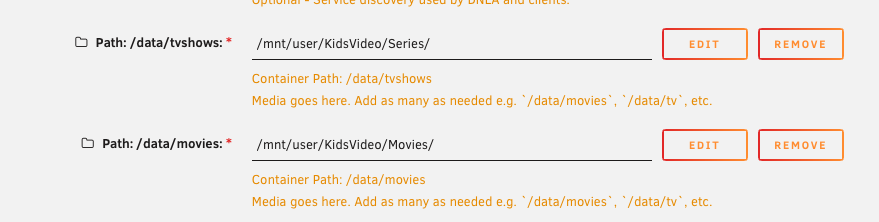
Regarding cache-mover, some help please. I have two problems: 1) I don't see anything in cache-mover-log and cache cache-mover-lists, despite having enabled unraid notify and syslog, and despite seeing the cache populated. 2) If I try to introduce a second server rewrite directory, I get the binary operator expected error. Any suggestions for the these problems? Here is my config: root@myserver:~# cat /boot/config/plugins/cache-mover/cachemoversettings disks="" pool="cache" subfolders="Series Movies" filetypes=".mkv .mp4" wait_todo="120" move_excl="" move_excl_list="/mnt/user/system/mover/mover_excl.txt" move_tune_list="/mnt/user/system/mover/mover_ignore.txt" rsync_mode="folder" rsync_move="" rsync_copy="rsync --stats -azht --mkpath" switch_mode="switch" time_keephours="168" time_keephours_sub="720" subfolder_keep_sub="" target_keephours="user0" use_recycle="no" recycle_folder=".Recycle.Bin" unraid_note="yes" unraid_syslog="yes" script_cron="*/10 * * * *" clean_cron="5 7 * * *" mediaserver_type="jelly" mediaserver_url="http" mediaserver_host="192.168.200.2" mediaserver_port="8096" mediaserver_key="secret" mediaserver_only="only" script_cron_state="started" clean_cron_state="started" exclusions="" rewrite_source="/data/tvshows/:/mnt/user/KidsVideo/Series/ /data/movies/:/mnt/user/KidsVideo/Movies/" And here is the jelly dirs:
-
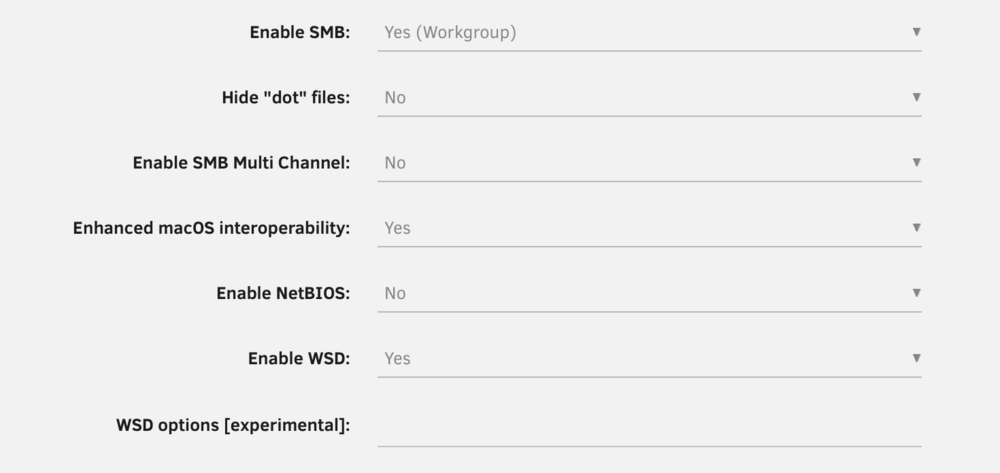
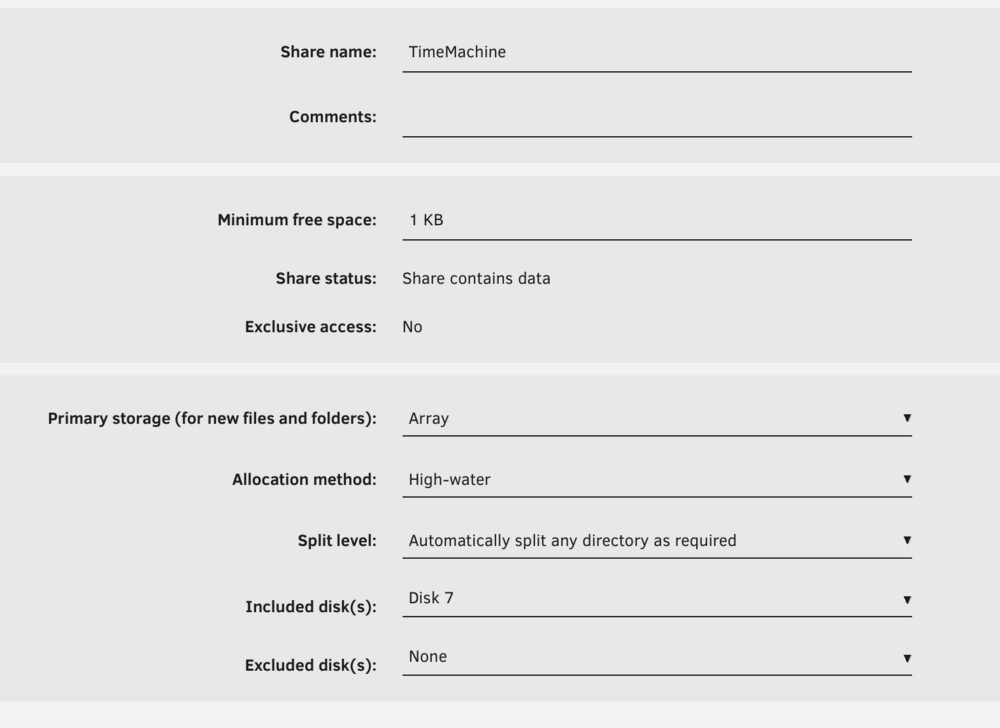
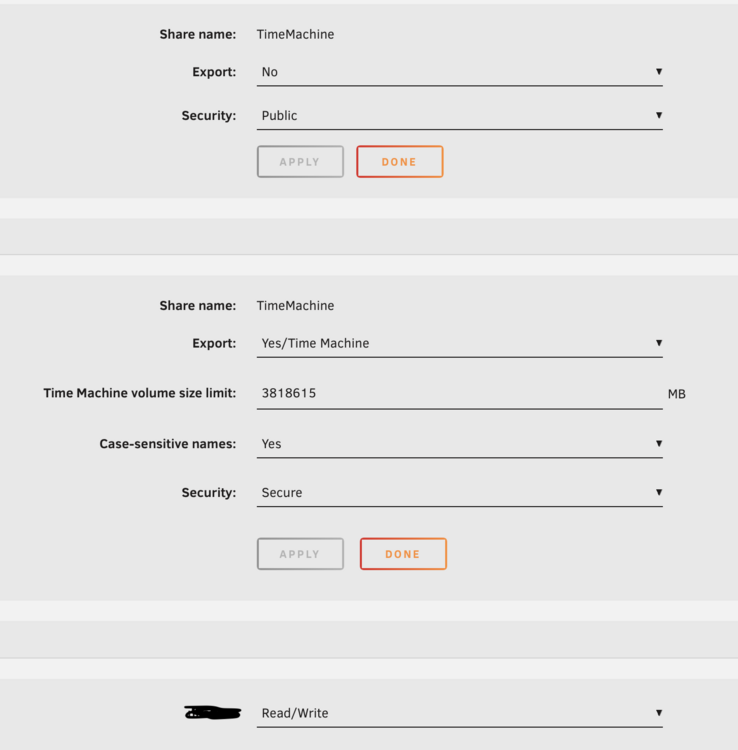
I am too having problems: Time Machine fails with the message that it can't create the disk image. Unraid Version 7.2.3 and macOS Tahoe 26.2 I have recreated the Unraid share and the time machine disk on the Mac, but still no joy myserver-diagnostics-20251219-2328.zip
-
Yes, that worked. Thanks
-
One nvme from a two-way zfs mirror mysteriously dropped from the pool and the pool was degraded. I rebooted it a couple of times, I removed and reseated it, and after a reboot it came back online. However, unraid would not let me put it back in its original place, but it let me do it with an inverted order (was 1-2, now 2-1). Anyway, it resilvered and scrubbed correctly, and now the pool gets reported as healthy and online root@myserver:~# zpool status pool: nvme state: ONLINE scan: scrub repaired 0B in 01:51:08 with 0 errors on Thu Jun 19 02:33:02 2025 config: NAME STATE READ WRITE CKSUM nvme ONLINE 0 0 0 mirror-0 ONLINE 0 0 0 nvme0n1p1 ONLINE 0 0 0 nvme1n1p1 ONLINE 0 0 0 errors: No known data errors However, unraid reports one nvme drive as new and unassigned. Every time the array starts, I get a message that the disk will be formatted (but it doesn't). What do I do? Diagnostics attached, the pool in question is named "nvme", it should have two disks (112105060300857 and 112105060300860). myserver-diagnostics-20250620-1912.zip

-
Maybe a stupid question, but with EPC and PowerBalanceFeature disabled, will the disks still enter to stand-by (spun down) mode when not used ?
-
Ah, thanks for this clarification. How should I proceed then, leave it as is despite the warnings or destroy the pool and start over? Also, I hope to upgrade to 4gb mirror soon. When I will replace the first 2tb with a 4tb, will the zfs pool resilver without problems with one disk being MBR and the new GPT?
-
It looks deceptively normal, but please note that it is disktype=dos instead of disktype=gpt and moreover testdisk recognizes "intel" partition table type instead of "efi-gpt". Indeed, all drives were previously on a QNAP QTS 5.0 system, which I believe is the root of all problems. I had the (wrong?) immersion that bringing the drives into Unraid, assigning them to arrays/pools and formatting them through the GUI would also take care of the correct MBR/GPT. Apparently, this sequence causes problems with drives coming from a QNAP QTS5.0 system? edit: also, not sure about the 512 sector being optimal, investigating this now.
-
I worked with gdisk, I restored the backup to the main entry and everything is OK with no data loss. Thanks for your guidance !!! However, at this point I have zero faith in how Unraid handled the installed disks, so as a precaution I checked my mirrored zfs pool, which seemingly works for the moment. But see below: fdisk -l /dev/nvme0n1 Disk /dev/nvme0n1: 1.86 TiB, 2048408248320 bytes, 4000797360 sectors Disk model: TEAM TM8FPD002T Units: sectors of 1 * 512 = 512 bytes Sector size (logical/physical): 512 bytes / 512 bytes I/O size (minimum/optimal): 512 bytes / 512 bytes Disklabel type: dos Disk identifier: 0x00000000 Device Boot Start End Sectors Size Id Type /dev/nvme0n1p1 2048 4000797359 4000795312 1.9T 83 Linux and root@myserver:~# gdisk /dev/nvme0n1 GPT fdisk (gdisk) version 1.0.9.1 Partition table scan: MBR: MBR only BSD: not present APM: not present GPT: not present *************************************************************** Found invalid GPT and valid MBR; converting MBR to GPT format in memory. THIS OPERATION IS POTENTIALLY DESTRUCTIVE! Exit by typing 'q' if you don't want to convert your MBR partitions to GPT format! *************************************************************** Warning! Secondary partition table overlaps the last partition by 33 blocks! You will need to delete this partition or resize it in another utility. Disk /dev/nvme0n1 - 2048 GB / 1907 GiB - CHS 1953514 64 32 Current partition structure: Partition Start End Size in sectors No ext2, JFS, Reiser, cramfs or XFS marker 1 P Linux 1 0 1 1953514 21 16 4000795312 1 P Linux 1 0 1 1953514 21 16 4000795312 Warning: Bad starting sector (CHS and LBA don't match) No partition is bootable @JorgeB this was a pair of nvme's, installed and assigned as a zfs mirrored pool, formatted through the GUI and that's it. How on earth did the above happened, which is a disaster waiting to happen? I really do not understand what destroyed all the GPT/MBR entries.
-
Hello Jorge, many thanks for your help. while waiting for dd to finish a clone I did some testing: 1) I recreated with a spare disk the exact steps, the resulting EFI GPT partition table is: Disk /dev/sdd - 14 TB / 12 TiB - CHS 212766 255 63 Current partition structure: Partition Start End Size in sectors 1 P Linux filesys. data 8 3418095610 3418095603 So, this is what I should try to recreate I guess. 2) On the *failed* disk, testdisk shows Disk /dev/sdb - 14 TB / 12 TiB - CHS 212766 255 63 Current partition structure: Partition Start End Size in sectors Bad GPT partition, invalid signature. Trying alternate GPT 1 P Linux filesys. data 8 3418095610 3418095603 but the next step takes ages and more alarmingly, it fins partitions from the previous raid5 membership on a qnap system. I also run gdisk. It finds the following: GPT fdisk (gdisk) version 1.0.9.1 Caution: invalid main GPT header, but valid backup; regenerating main header from backup! Warning: Invalid CRC on main header data; loaded backup partition table. Warning! Main and backup partition tables differ! Use the 'c' and 'e' options on the recovery & transformation menu to examine the two tables. Warning! Main partition table CRC mismatch! Loaded backup partition table instead of main partition table! Warning! One or more CRCs don't match. You should repair the disk! Main header: ERROR Backup header: OK Main partition table: ERROR Backup partition table: OK Partition table scan: MBR: not present BSD: not present APM: not present GPT: damaged Found invalid MBR and corrupt GPT. What do you want to do? (Using the GPT MAY permit recovery of GPT data.) 1 - Use current GPT 2 - Create blank GPT Selecting "Use current GPT" I get Partition GUID code: 0FC63DAF-8483-4772-8E79-3D69D8477DE4 (Linux filesystem) Partition unique GUID: 89773B4D-0457-4CD3-AE4D-A6CE3B7B16D1 First sector: 8 (at 32.0 KiB) Last sector: 3418095610 (at 12.7 TiB) Partition size: 3418095603 sectors (12.7 TiB) Attribute flags: 0000000000000000 Partition name: '' Which looks the same as testdisk. I do not understand well the testdisk program, and the old (raid5) partitions that appear scare me. So, the question: use the command suggested by you above, or use gdisk and try to copy the backup to the main (described here) ?
-
I have some understanding of the command line, and I can certainly say that I have not run any disk-related commands. The only close hit that I can relate with, is that some days ago I installed the unassigned drives plugin, and using destructive mode precleared the two additional disks. But these operations were performed with the array online and the disk in question (single member of the array) was not an option anyway for me to mess with by mistake. Anyway, that was a zfs formatted drive with unraid. Is there any chance to recover data (it was nearly full) or is it a write off? If it matters, the disk in question was previously on a QNAP QTS 5.0 system. I removed it, installed it in a vanilla Unraid system, assigned it to the array, formatted through the GUI and used it. At that time I did not know about plugins, pre clearing etc. Could it be that the partitions from QNAP QTS were carried over and hence the problem now or am I talking nonsense?
-
this is the output: root@myserver:~# fdisk -l /dev/sdb Disk /dev/sdb: 12.73 TiB, 14000519643136 bytes, 3418095616 sectors Disk model: ST14000NM001G-2K Units: sectors of 1 * 4096 = 4096 bytes Sector size (logical/physical): 4096 bytes / 4096 bytes I/O size (minimum/optimal): 4096 bytes / 4096 bytes for comparison, the other two (unassigned, just pre cleared) disks: root@myserver:~# fdisk -l /dev/sdc Disk /dev/sdc: 12.73 TiB, 14000519643136 bytes, 3418095616 sectors Disk model: ST14000NM001G-2K Units: sectors of 1 * 4096 = 4096 bytes Sector size (logical/physical): 4096 bytes / 4096 bytes I/O size (minimum/optimal): 4096 bytes / 4096 bytes Disklabel type: dos Disk identifier: 0x00000000 Device Boot Start End Sectors Size Id Type /dev/sdc1 1 4294967295 4294967295 16T 0 Empty root@myserver:~# fdisk -l /dev/sdd Disk /dev/sdd: 12.73 TiB, 14000519643136 bytes, 3418095616 sectors Disk model: ST14000NM001G-2K Units: sectors of 1 * 4096 = 4096 bytes Sector size (logical/physical): 4096 bytes / 4096 bytes I/O size (minimum/optimal): 4096 bytes / 4096 bytes Disklabel type: dos Disk identifier: 0x00000000 Device Boot Start End Sectors Size Id Type /dev/sdd1 1 4294967295 4294967295 16T 0 Empty




