





Masteraleur
Members
-
Joined
-
Last visited
-
Yeah figured as much... I bought it used along with some others that dont seem to have any issues. My question is in unraid how can I move everything from Disk 1 to Disk 2 without messing everything up? My dockers etc are all on my cache drive
-
A few days ago Disk 1 of my array started making this sound. And it keeps making it. No errors on long smart test. Sound mostly happens when qbittorent is actively seeding or when watching a movie through plex. Audio: https://imgur.com/a/42w9SGr Disk: 8 TB Ironwolf The things that happened before the HDD started making this noise: Updated to 6.12.10 Was on CGNAT from my isp changed it to static Ip and my seeding speeds increased a lot ( am on 1gbps connection ) It is really getting on my nerves as I can hear it even when watching a movie with surround sound. serverfractal-diagnostics-20240423-2006.zip
-
thanks for the docker ich777! Everything works great except there is a weird lag/glitch like rubber banding i dont know if it is something I did wrong or due to the game. Also is there a way to Save before closing the docker or do I just stop it when i want to restart ( due to the memory leak ).
-
Thanks! That worked. no errors now.
-
Replaced the 2 ram sticks with 2 new ones. and still get these errors. will also memtest the new ones just in case i am unlucky

-
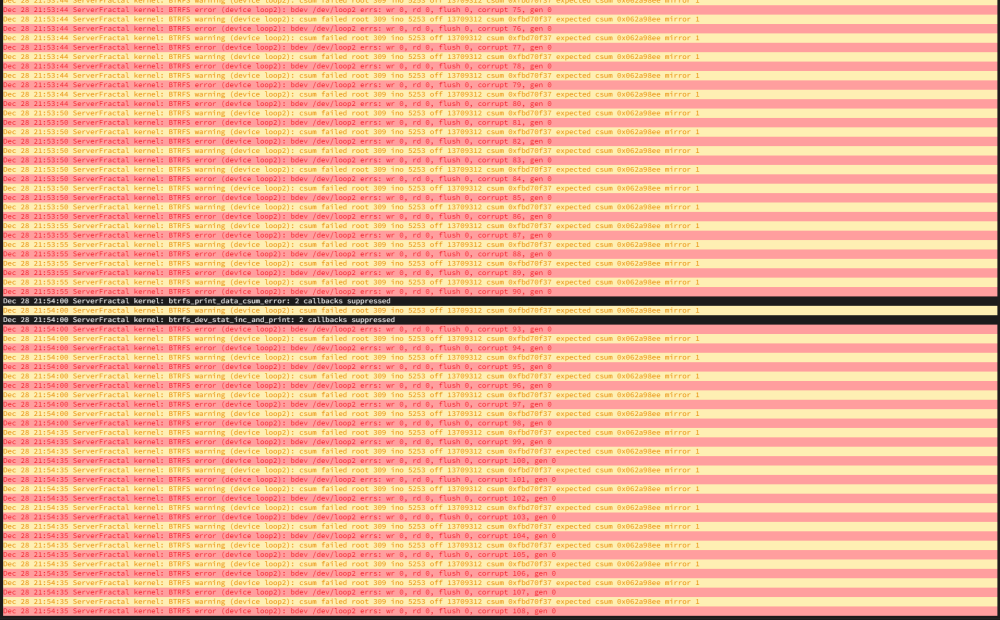
Hi all. new unraid build I keep getting all kinds of errors in the system log and I am at a loss as to how to fix them. Reading other posts I tried to rebuild the docker image as I read that device loop2 is the docker but either I did wrong or ? serverfractal-diagnostics-20231227-1319.zip
.thumb.jpg.1cfefa306f8614bfc8e517412f3048f4.jpg)


.jpg.bb057a4cb2ea31931f5125725ade9d3f.jpg)
