





VRA
Members
-
Joined
-
Last visited
-
The issue happened again after a restart of the server. I fixed it again, this time using `Docker Safe New Permissions`. However, after a few hours it returned one more time. And now running the Docker Safe New Permissions is not helping If anyone has any ideas on what I could do to fix it I would be grateful for any help. EDIT: The problem seems to be with the config location of qbittorrent. The `Fix Common Problems` plugin told me to change the appdata location to `cache`. This is what broke qbit. I moved it back to array for now, and it started to work again. However, if its better to have the appdata on cache, it would be nice to figoure it out and solve this issue somehow.
-
I have fixed the issue by running the `Tools -> New Permissions`! Running it broke sonnar and radarr but those I can resetup without any problem, so I'm happy with the result.
-
Thank you, I've written in the appropriate thread. I got some notices about read errors from disk1, I'm attaching new diagnostics. tower-diagnostics-20240408-1451.zip
-
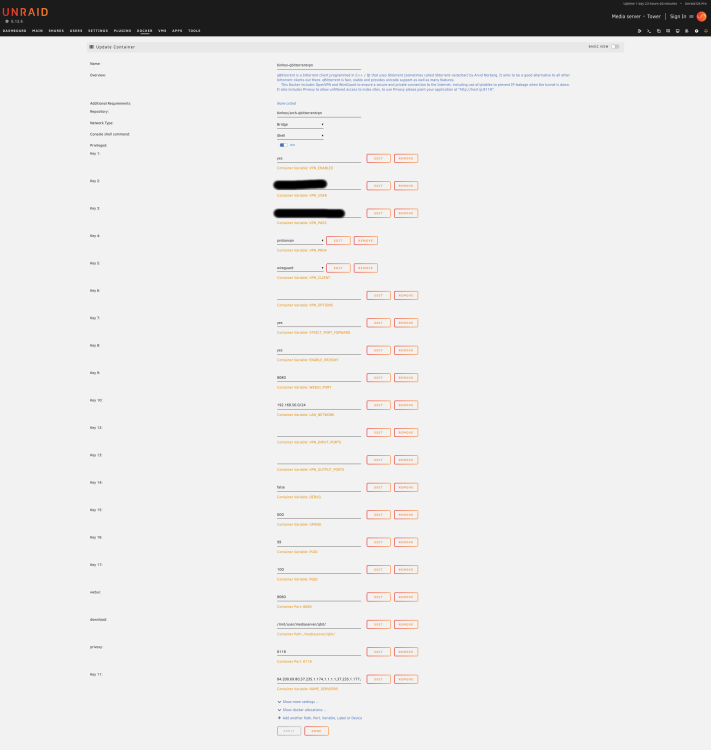
Hello! after I had a hardwere issue, all of my docker apps dissapeard, I reinstalled them from `previous apps`, and it looks like I'm having permission issues on `binhex-qbittorrentvpn` app. It has read permissions but it cannot write. From logs: File error alert. Torrent... error: Permission denied When it tries to download anything, it immidietly errors out. How can I fix this? Edit: attached an image of the config of the container. I've read that for others the solution was to delete everything and reinstall. I'd really like to avoid that as I have over a 1000 torrents with different categories etc. Edit2: If I reset a torrent that was already existing before the hardware failure, the qbit is able to actually download it. Only newly added torrents are erroring out
-
There is one more issue. Since I lost all of the apps, I reinstalled them from `previous apps`, and it looks like I'm having permission issues on `binhex-qbittorrentvpn` app. It has read permissions but it cannot write. From logs: File error alert. Torrent... error: Permission denied When it tries to download anything, it immidietly errors out. How can I fix this?
-
Ok, I'll start and RMA for the disk. Thank you for all of the help!
-
Swapping the cable with a different disk was allowing me to add the disk back to the array. I did not do that, but I thought I mention it as it was not possible before the cable swap. I removed the `-n` and did the filesystem check on the emulated disk. I'm attaching diagnostics after performing the check. Both with the array in maintenance mode and in normal mode. I'm also attaching the full log of the filesystem check. Edit: the file system check seemed to brought back a lot of (if not all of) previously missing data! That is awesome! Edit2: adding smart test results of the drive. When trying to watch a movie on plex it was lagging a lot. tower-diagnostics-20240406-1528-maintenace.zip fileSystemCheckLog.txt tower-diagnostics-20240406-1530.zip tower-smart-20240406-1842.zip
-
I have checked the cables already, and it looked like the power cable was a bit loose on the drive that failed. I unplugged and plugged everything again. Attaching new diagnostics. I'm also attaching a screenshot of the `Main` screen. I have 4 disks in total. 1 parity and 3 data drives. tower-diagnostics-20240406-1333.zip
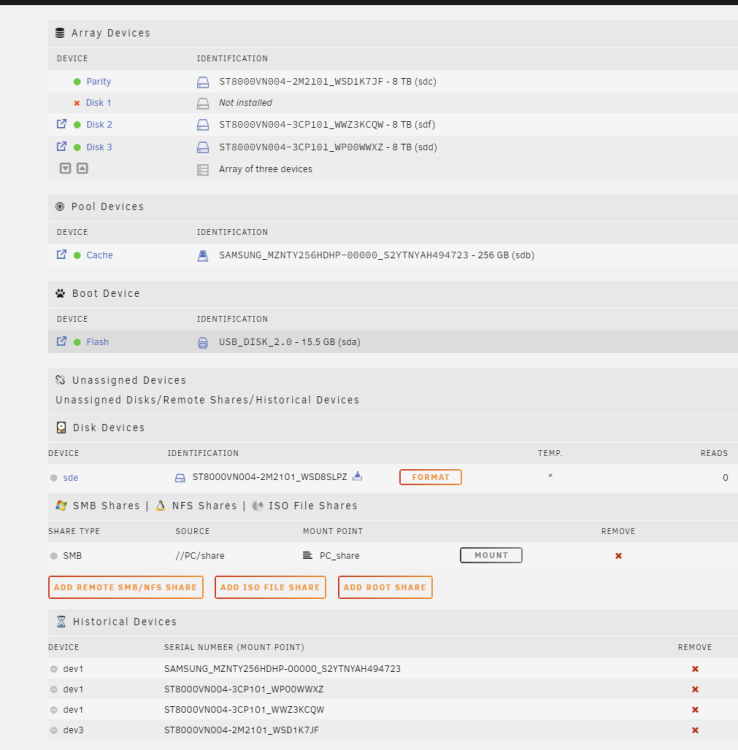
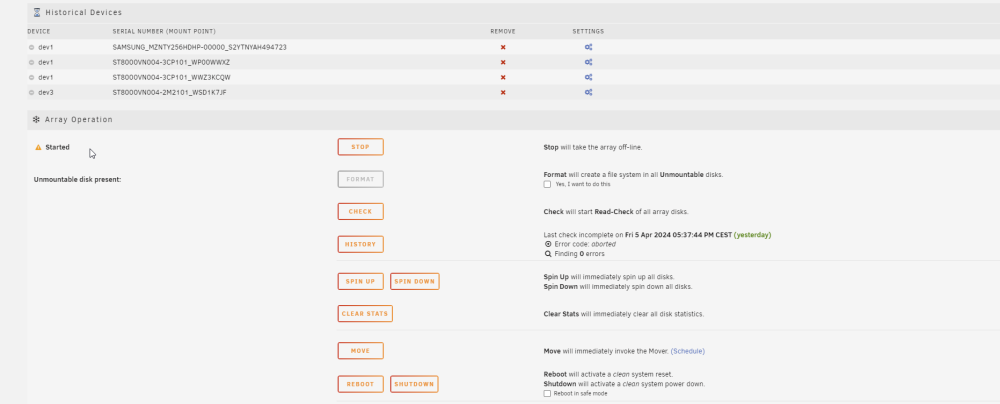
-
Hello, My unraid setup seems to have died overnight. Last evening all was good, and this morning I checked and it was showing one disk with errors. I managed to download diagnostics but the system was not responding to any other action. I reseted the pc, after that drive that was errored appears as unassigned. I can see that there are errors on the disks log. I don't really know what to do with this. Can anyone tell me how should I proceed? I'll be grateful for any help. Edit: I started the array with the missing disk beeing emulated. Looks like I lost all of the docker apps. Edit2: it looks like I lost some of the data... tower-diagnostics-20240406-1023.zip Apr 6 103545 Tower kernel ata7.00 .txt
-
This has happened again Looking at the protonVPN the config should be valid until next year. I don't really undestand why it seems to "expire" (or just stop working) after a while. Is there something I might be doing wrong? Either on generation of them or on the configuration on unraid?
-
Thank you, it did work after I replaced the wg0.conf. However a few hours later it happened again. This time I did not do anything, qbit just lost the ability to connect. Generating another wg0.conf helped again. I hope that this time it will continue to work.
-
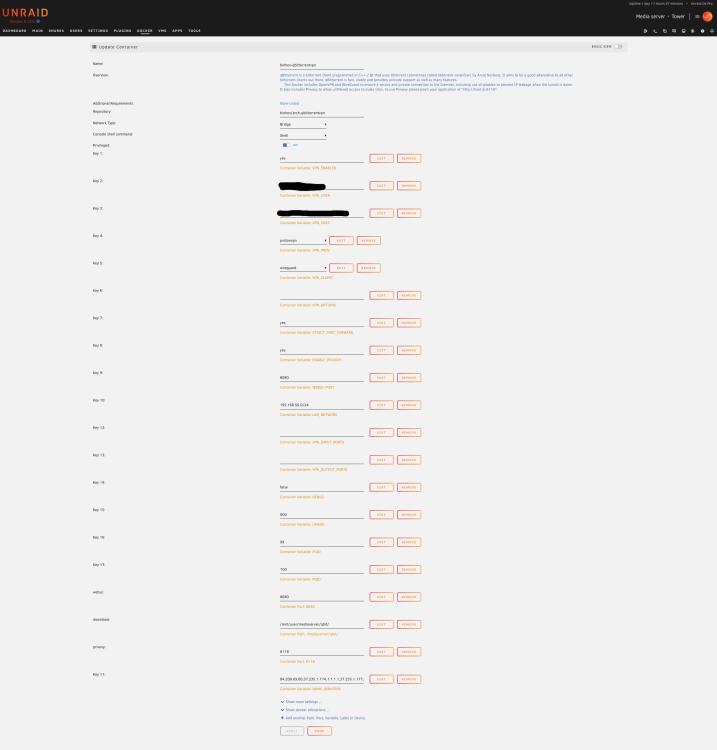
Hello, I had a fully working qbittorrent with protonvpn. Yesterday I added a disk to an array. After that the qbittorrent fails to start up. The web UI is not accesible. I have made no other changes. All other containers are working normally. I'm attaching the log, the vpn config, and the container config. I'm not sure whats wrong and how can I fix it. supervisor.log dockerContainer.log wg0.conf
-
I have managed to fix it! It was the `LAN_NETWORK` variable that was incorrect. I forgotten to change that. Now all works well
-
Hello, I'm unable to access the webui of qbittorrent. I'm trying to configure it with protonvpn. If I switch the VPN off it works. I see nothing in the logs, it looks like all is working fine. Attaching the logs. I will be grateful for any help. supervisord.log




