gutenmorgenuhu
Members
-
Joined
-
Last visited
-
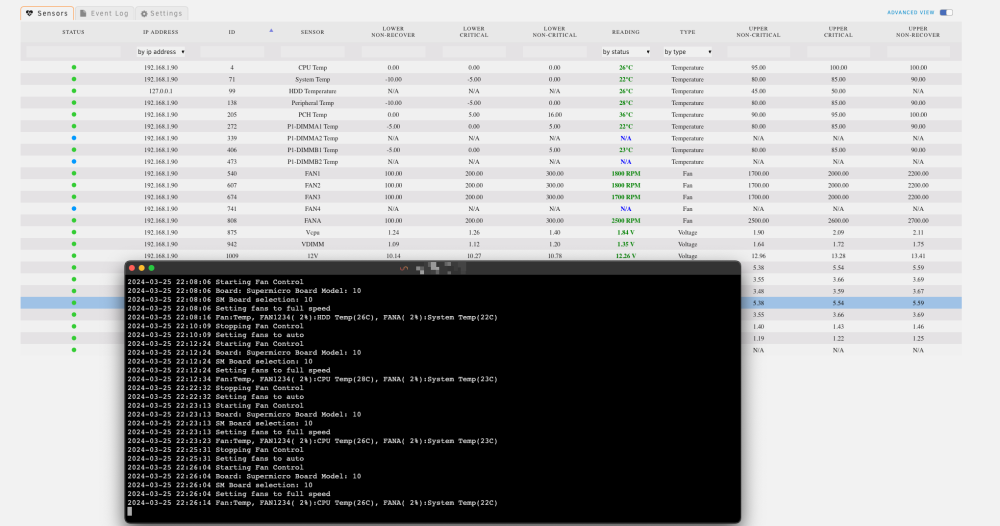
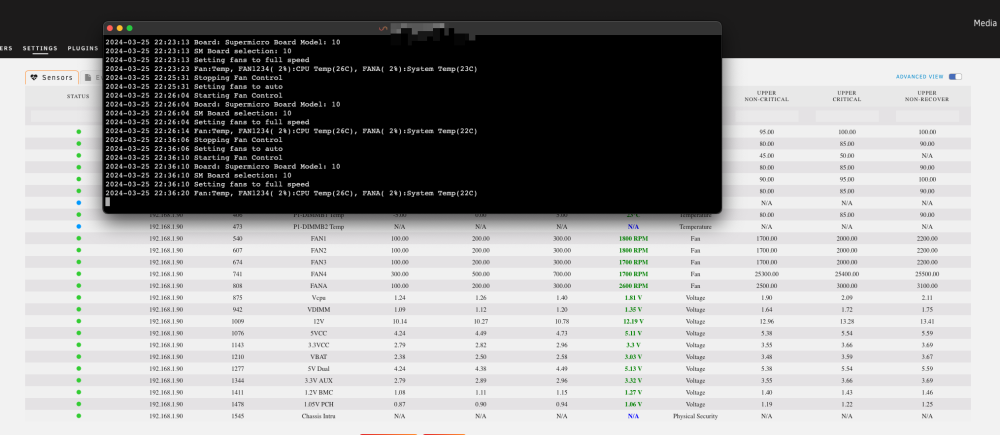
BTW: It does not make a difference, when I set the critical threshholds higher:
-
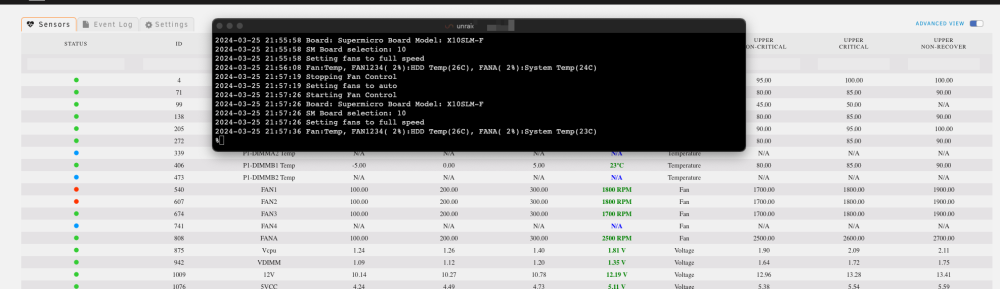
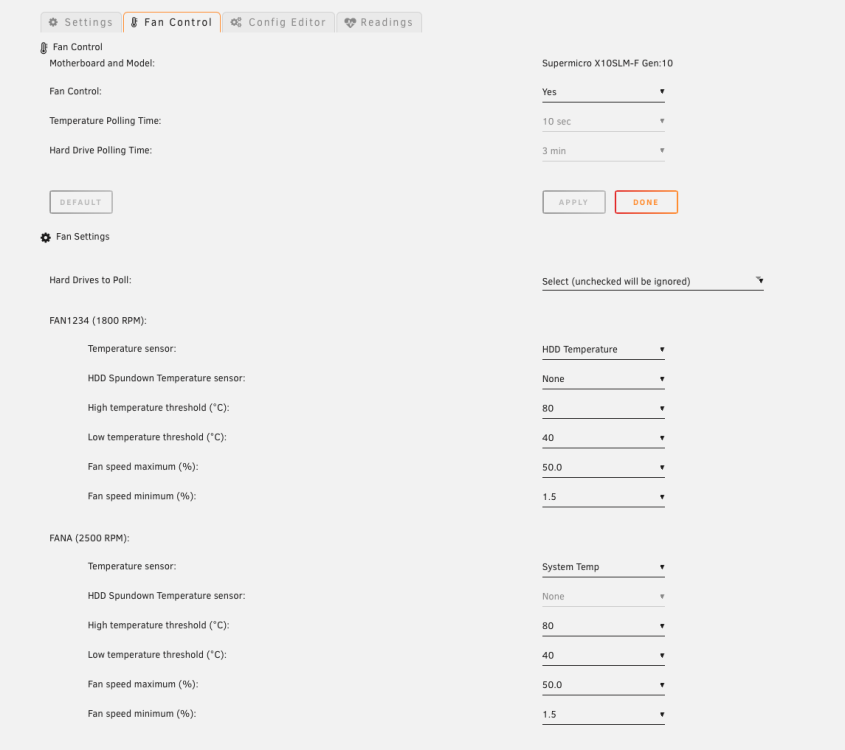
My fans are only spinning down for maybe half a second then they go back to full speed. (I only rebooted because I changed my PSU). Before the reboot, everything was working perfectly. I somehow seems that something overwrites the settings, that the plugin makes and sets the fans back to 100%. The Log says, that the plugin sets my fans to 2% speed. But the RPM stays at the absolute max:
-
Unfortunately. After a reboot, everything is back to the state before (Fans spinning at max). The last "fix" was just accidentially it seems:

-
I fixed it. I rebootet the ipmi system via wegui. Sorry for the hazzle
-
I changed my settings to match yours and the log output looks goot, but the fans dont react. Do I have to set a special Fan Mode in the IPMI web UI?

-
Thanks for trying to help. I did that, but it did not change anything. I even disconnected the fans briefly. Now one is even running at RPM:


-
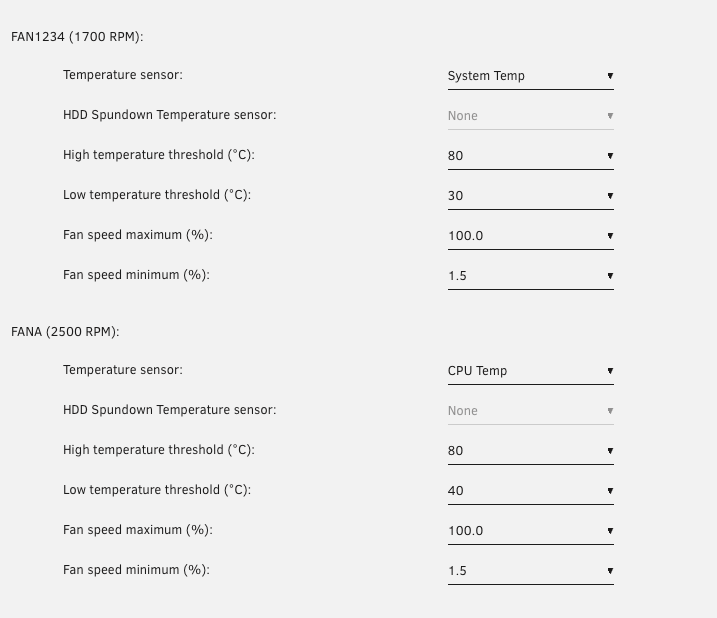
Thank you for the fast reply. I connected the fan: Unfortunately this did not change anything. Even when I change the fan-Speed maximum to 50%, there is no change in RPM: Always Full throttle

-
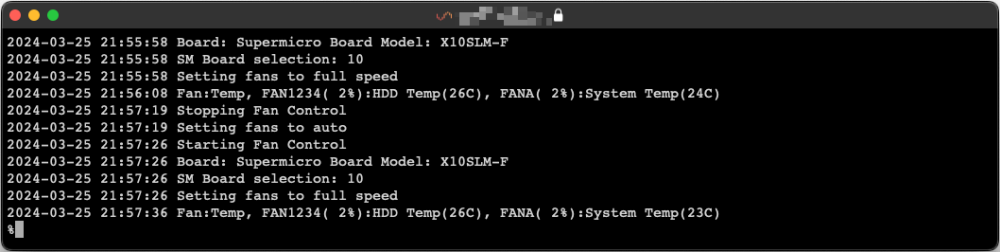
I have the same problem with a Supermicro X10SLM. After activating Fan Control, the fans spin up to max (1700 RPM) and stay there FAN1: HDD Fans FAN2: Chassis Fans FANA: CPU This is the log output: Should it output a temperature polling success line after 1 minute?