





RobFlix
Members
-
Joined
-
Last visited
Everything posted by RobFlix
-
Not sure how to proceed. I've tried upgrades, downgrades, latest firmware, BIOS at default. Would really appreciate any insight that could be offered. Keeps happening with way too much frequency. TAI, -Rob -diagnostics-20240704-1631.zipsyslog-192.168.50.100.log
-
Lidarr has worked really well for the past 6 months but now the docker just refuses to start. Can you offer some guidance on troubleshooting steps? No recent changes to the system.
-
OK, I'm pretty much whole again. I had issues with multiple Dockers. The above was just an example. I went through each folder in appdata on the old drive, found the corresponding files on on the new cache pool, deleting them, and copying over the old files. Once I did that and fired the containers back up almost everything was back as it was. I did need to re-apply the api key from Prowlarr to all of the indexers in my *arr suite and qBitorrent may or may not be using my VPN. That's the last issue I need to resolve. Appreciate the pointers.
-
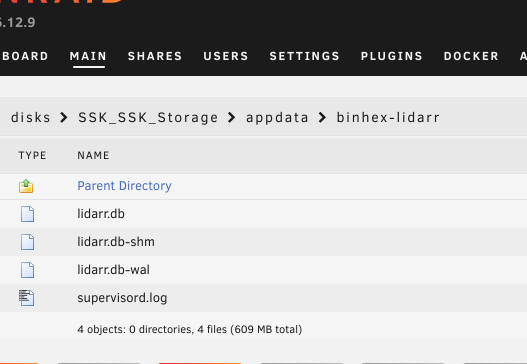
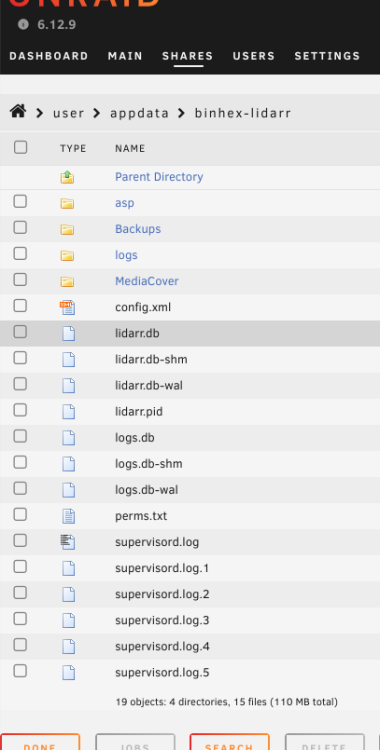
Ok, I guess I'm not exactly sure what I'm seeing here and how I can use what I have to help restore all my settings. Any guidance would be appreciated. I'm attaching a couple of screenshots showing the contents of the lidarr folder as an example. One is of the contents of the current cache pool and the other is of the contents of the old cache SSD which is now in a USB enclosure. I'm not sure what I should copy from the old drive to the new one or if I'm just stuck doing all the setting from scratch again.
-
OK, good news. I got a SSD enclosure and everything seems to be there. Now I'm nervous. Should I copy the contents of the entire drive over? Should I copy just the contents of each individual folder? I guess I don't have anything to lose by copying folder contents.
-
Great idea! Just ordered an enclosure from Amazon. Will report back in a couple of days.
-
My original build only included one 2TB SSD which I later realized was way too big. I realized I really need two m.2 SSD's so they could be mirrored. Buying two 500GB SSD's was a good deal cheaper than buying another 2TB so that's what I bought. I set appdata to use the array as a secondary device, set it to move from cache to array, ran mover, turned off VM and docker in settings, shut down the array and made the switch. I formatted the new SSD's, added them to the new cache pool, set appdata to copy from array to cache, ran mover, and thought I was good. Somehow I seem to have lost all my docker settings though. I do have appdata backup installed and ran a backup just before I did all this. Restoring it seems to have no effect. I dread the thought of having to reconfigure my *arr suite, etc. I still have the 2 TB SSD that has not been formatted. Can anyone suggest the path of least resistance or am I hosed and need to start configuring from scratch? Thanks in advance! robflix-diagnostics-20240409-2017.zip syslog-192.168.50.100.log
-
Thanks, I have it backed up via Connect.
-
OK, apparently Dynamix flaked out during the storage upgrade. It's now re-installed and I'm back in action. Sometimes it's the little things. Thanks for your help folks.
-
I don't have Dynamix File Manager installed. Here's my diag if it's helpful.
-
I just went through the arduous process of a parity swap, moving the old parity to storage, and adding a new storage drive. Everything is back up and running great except for one hiccup. If I browse to a share I can't select files or folders. The little check boxes on the left that used to be there are missing so I can't move, copy, or delete anything. I did create a test folder in the shares but now I can't manipulate it. I tried searching the support forum and Google but no luck. What am I missing? Permission issue? TIA

