




Skip to content
View in the app

A better way to browse. Learn more.

Unraid

A full-screen app on your home screen with push notifications, badges and more.

To install this app on iOS and iPadOS
  1. Tap the Share icon in Safari
  2. Scroll the menu and tap Add to Home Screen.
  3. Tap Add in the top-right corner.
To install this app on Android
  1. Tap the 3-dot menu (⋮) in the top-right corner of the browser.
  2. Tap Add to Home screen or Install app.
  3. Confirm by tapping Install.

FunkyJamma

Members
  • Joined

  • Last visited

  1. I found some one who had the same issue a few months back on this thread. Apparently the only way to connect to it is to open up steam go to favorites and manually add it as ipaddress:27016 and this allows it to be discovered. This is not the game port apparently its the discovery port. 🤷‍♂️
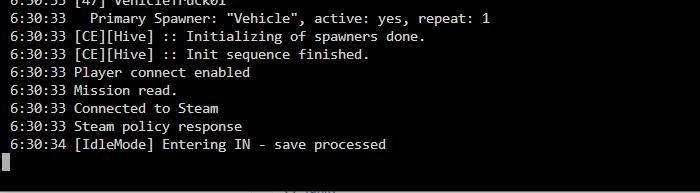
  2. Hey guys having a bit of an issue here, I have installed the dayz container i left all settings default the server then runs as you can see from the screenshot but I cannot connect to it. I am trying to connect through lan using the unraid ip. I have tried checking the lan tab on dayz as well as on steam but they dont show up, I have also tried to direct connect but nothing happens at all not even an error message.
Account

Navigation

Search

Search

Configure browser push notifications

Chrome (Android)
  1. Tap the lock icon next to the address bar.
  2. Tap Permissions → Notifications.
  3. Adjust your preference.
Chrome (Desktop)
  1. Click the padlock icon in the address bar.
  2. Select Site settings.
  3. Find Notifications and adjust your preference.