





ajs
Members
-
Joined
-
Last visited
Everything posted by ajs
-
Thank you @JorgeB That brought the pool back with data. Last question. VMs came online but Docker says there are no containers. Is this just a matter of me recreating each container and pointing it back to its AppData folder?
-
Attached is the diagnostic file. mothership-diagnostics-20240916-1109.zip Thanks for looking at this @JorgeB
-
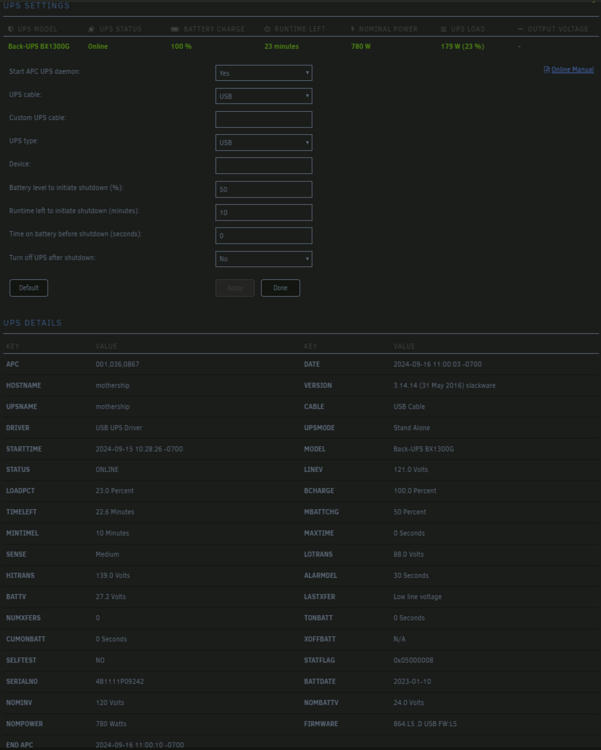
Over the weekend I unplugged my UPS to do some cleaning. All systems were running off of battery normally. Based on my configuration (below) my Unraid initiated a shutdown after the battery levels/duration criteria was met. However, when I went to turn the Unraid server back on, it booted to BIOS instead of Unraid. After further review, the computer couldn't see the Unraid USB Flash. I plugged the USB Flash into a Windows PC that stated it was corrupted. I used a data recovery tool to image the Flash and see if data was recoverable. For the most part it seemed I could pull most data of the drive, albeit it not gracefully. I ended up formatting/reinstalling Unraid on the same USB Flash (new one ordered) and copied my /config over. The system came back up (based on the older backup I had). Any idea why the USB Flash got corrupted? Any logs I can review?
-
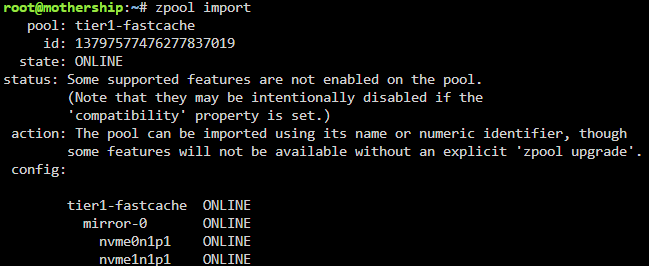
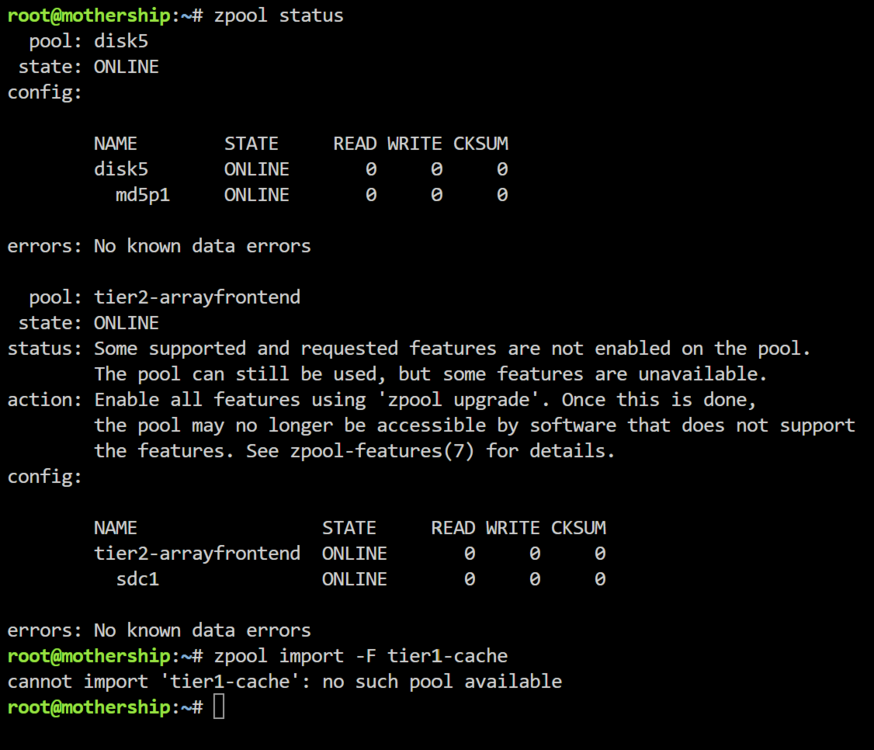
Good Morning, here is the output from "zpool import". Looks like I have the pool name wrong. This is likely from the backup being older and missing the current configuration. What would you suggest is the corrective? (I will open a new thread on the UPS "graceful" auto-shutdown nuked my USB)
-
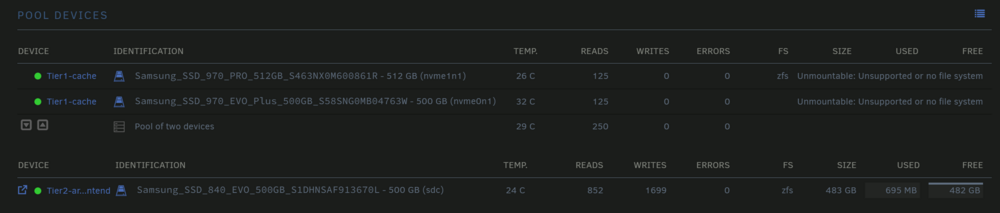
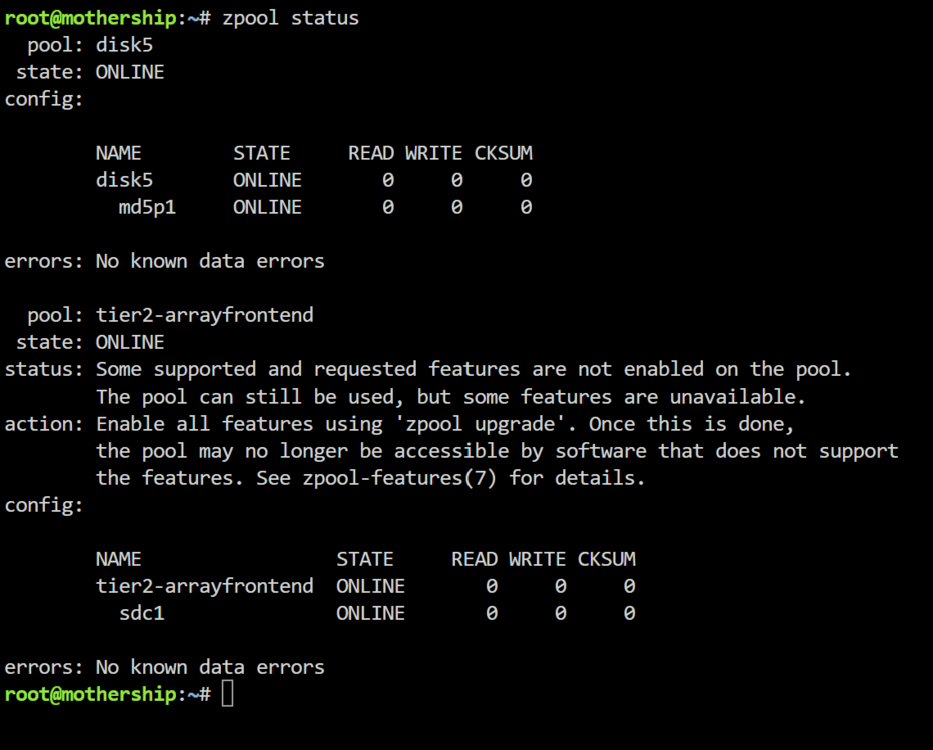
Hey Unraid Community. My Unraid auto-shutdown when my UPS had about 10 minutes of battery left during a power outage, as configured. However, when I powered it back on, the USB got corrupted and it wouldn't boot. I tried to do some data recovery on the USB, but at the end of the day I had an 8 month old back up of the Flash USB and just formatted the same USB key (another on order), got Unraid back on it, copied /config and booted back into Unraid. However, at least one of two cache (tier1-cache) did not come back up and gives the error: "Unmountable: Unsupported or no file system" The backup is several months old, Nov 2023 and I am unsure if potential changes between then and now is causing the problem with the caches. When the array is offline, I can see the two NVMEs, however the only option Unraid is currently giving me is to format. As these were front-end cache for AppData and Domains, I'd prefer not. Most of the data is backed up offline if I really need to recover. Here are some screenshots, home

-
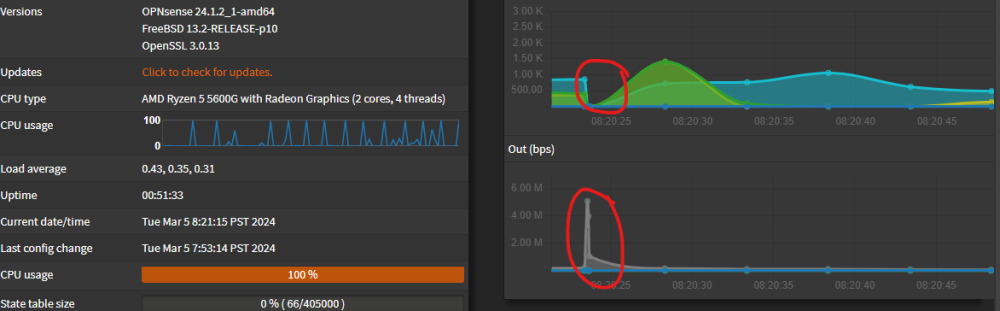
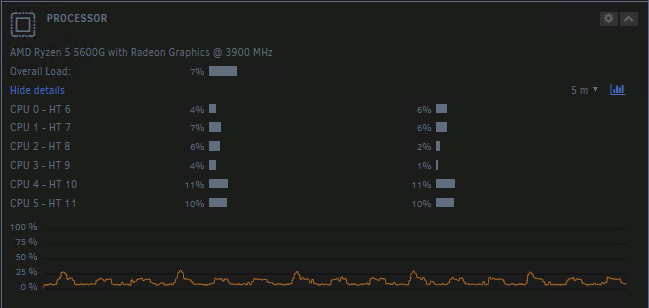
Hey Community, I installed OPNSense as a VM over the weekend, connecting bridge interfaces to the firewall. While OPNSense is running, I've noticed every 30-60 seconds OPNSense hangs/unresponsive for about 5-10 seconds, recovers with 100% CPU (in the VM's dashboard), then returns to normal before repeating the cycle. I had initiated a forum post over at OPNSense and they suggested it could be Unraid's emulation of the NIC and to passthrough NIC instead. This is not ideal as I'd like to use bridge interfaces to firewall VMs and containers. Here are some observations: NIC is a quad port Intel Corporation 82571EB/82571GB Gigabit Ethernet Controller (Copper) (rev 06) There is no load on FW, no traffic is being sent through it It feels like VM is waiting for CPU or IO Threw more CPUs and RAM as well as dedicated CPUs which had no effect (AMD CPU) Unraid host CPU does not spike, but I do see a CPU increase pattern which seems correlated with the OPNSense VM issue (Screenshot) Configured hypervisor to use e1000 as the card is an HP/Intel chipset with no effect Unchecked disable hardware offload options with no effect I sifted through Unraid logs and wasn't seeing anything odd and my Google-fu has not found any similar problems either. I tend to believe it is a driver issue and wondering if anyone has any solutions?
-
Got the Unraid server back up and running! Between being able to pull the files off the (corrupted) cache pool and the back ups (VM Backup and AppData Backups), I was able to fully recover. Now if anyone can tell me how the file got corrupted! Thanks @JorgeB!
-
Thank you for the reply. I gave it 4 hrs of memtest (passed). I was able to follow the above and get access to the files. As you mentioned the corrupt didn't cp. Thank you backups! Next steps, is it safe to assume I need to just format the disks or should I recreate the entire cache? Second, a few weeks ago my docker.img got corrupted which was a strange, but on the same disks. Since memory passed, any other reasons I would have seen this corruption error? Neutrinos?
-
Hello, I woke up to a downed Unraid server. Problem I logged into Unraid to see all CPUs at 100% Qemu was the process that seemed to be having the problem Shutting down via GUI and CLI did not work, hard reboot was performed On restart, Unraid is stuck on "Array Starting - Mounting Disks" with half CPUs at 100%, though top command does not identify any processes eating up those cycles I pulled a diagnostic file (attached) Noticed in syslog: "status: One or more devices has experienced an error resulting in data corruption. Applications may be affected." Executed command /usr/sbin/zpool status -PLv tier1-cache (adding -v) which identified a single file on one of the NVME's in a cache is corrupted The file is a qcow2 file, my Home Assistant vm. Note: I had received an error from Home Assistant regarding a file being corrupted, but assumed it was benign Currently I can boot it into safe mode and mount array within maintenance mode Other Info Luckily, I do have much of the data from this cache backed up via vm and appdata backups however unsure how to proceed with accessing those files and moving them over I did short SMART scans on both NVMEs and they came back with no errors mothership-diagnostics-20240207-2306.zip


