





Monokel
Members
-
Joined
-
Last visited
-
Thank you! Can I try testing each Docker container one by one by reinstalling them according to the suggested scripts? If I happen to reinstall the misconfigured one, will the storage usage go down? Could this approach work in general?
-
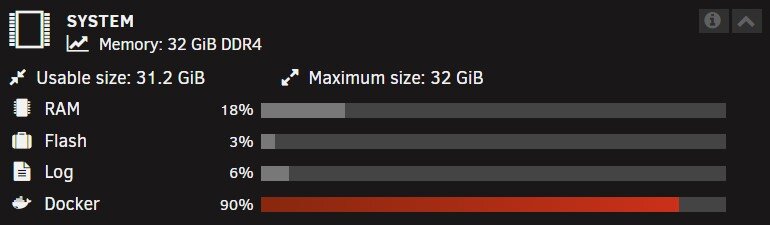
Hello, My "Docker" storage usage is almost fully utilized. From my understanding, I likely have a misconfigured Docker container that is saving data to the docker.img file instead of the intended array. Could you help me figure out how to identify which Docker container is misconfigured? Thank you!
-
Backup Issue with Plex - Tar Creation Failed, "Structure Needs Cleaning" Error Hi everyone, I'm encountering an issue when trying to back up my Plex server using the "Appdata Backup" tool. The backup process fails with the following error: [❌][plex] tar creation failed! Tar said: tar: /mnt/user/appdata/plex/Library/Application Support/Plex Media Server/Media/localhost/2/80a9a8e3b87819fba3f0b3a874d68512b980b6e.bundle/Contents/Chapters/: Cannot savedir: Structure needs cleaning; tar: Exiting with failure status due to previous errors It seems like there’s an issue with a specific file or folder, and the error "Structure needs cleaning" suggests there might be some kind of file system corruption. Do you have any idea?
-
I created a completely new system and tried to set up a path for docker. bit as mentioned it says ‚path does not exist’. hailmary-diagnostics-20240210-0730.zip
