





Wassabi
Members
-
Joined
-
Last visited
-
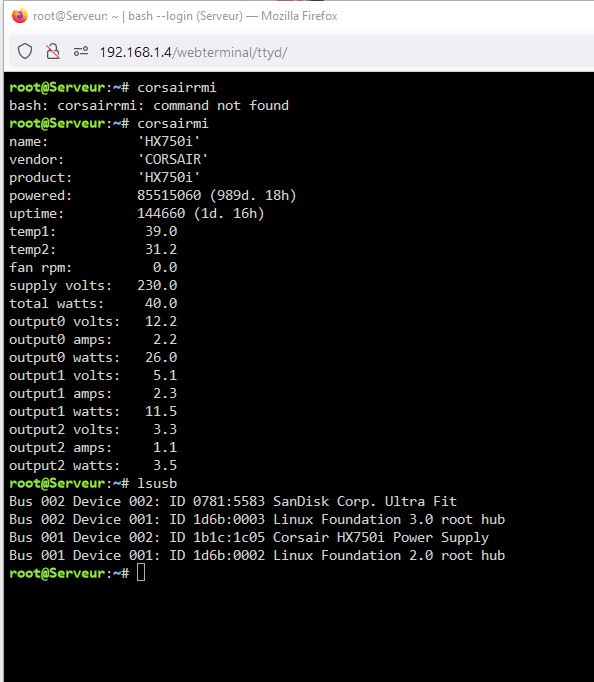
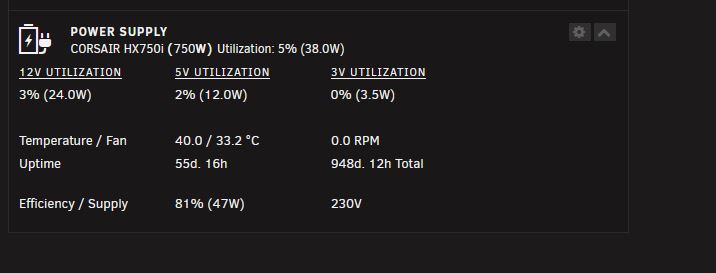
Good morning, I updated the Unraid version to 6.12.6 as requested. The Power Supply values remain blocked. I tried changing the values from /dev/ttyUSB0 to /dev/ttyUSB9 to test but the values are not updating. serveur-diagnostics-20240211-1121.zip
-
ok I will update to 6.12.6 as soon as possible
-
Yes it worked before I've been using it for about a year It's since the Unraid update to 6.12 that it no longer works. I apologize in advance if I don't write English correctly but I use an online translator serveur-diagnostics-20240210-1838.zip
-
Wassabi changed their profile photo
-
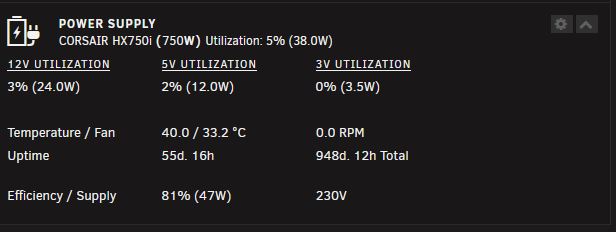
If I recharge the dashboard, the values stay stuck at 38W Currently I consume 110w with my UNRAID but this is not displayed correctly on the dashboard. I can move POWER SUPPLY to several places on my UNRAID screen but the values remain stuck Same if I reboot my unraid server, it remains wrongly stuck at 38W all the time
-
Updated image
-
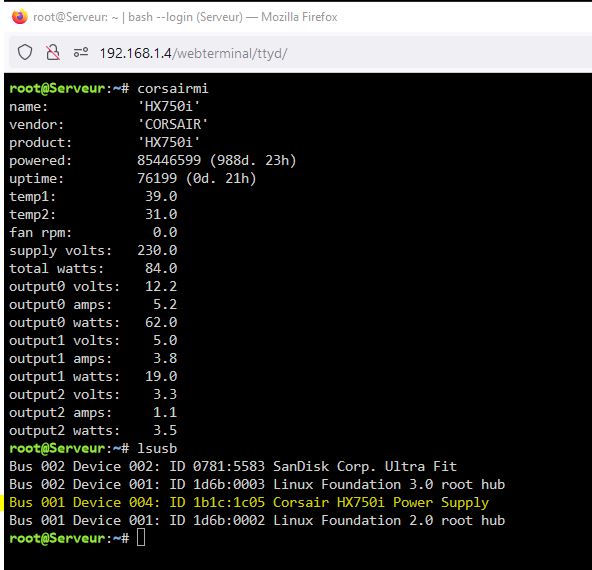
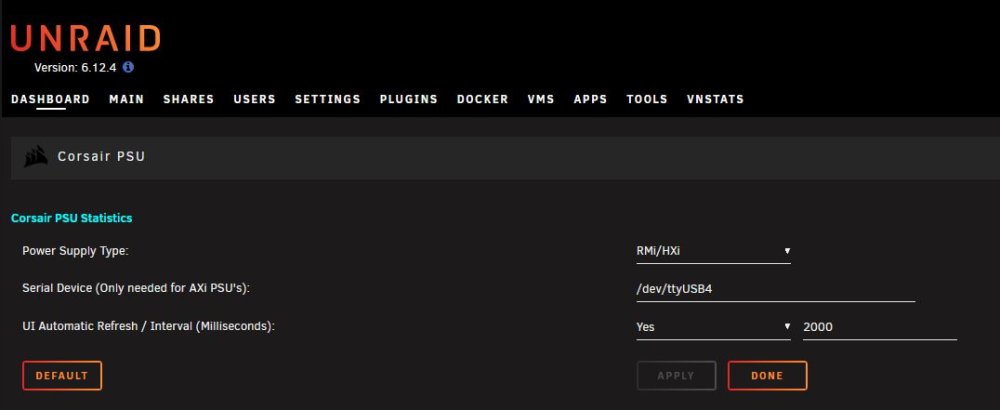
Good morning giganode UNRAID 6.12.4 and CORSAIR HX750i USB cable correctly connected The DASHBOARD remains fixed and the values are not up to date
-
Wassabi joined the community
-
Hello Amapo, is it possible for you to create a fork of xmrig for our unraid? I have Unraid 6.12.4 and would like to use the latest version of xmrig on my server. the version of @Lnxd is no longer updated and does not have all the latest functionality of xmrig in 6.21.0 thank you in advance for your help


