





Chris H
Members
-
Joined
-
Last visited
-
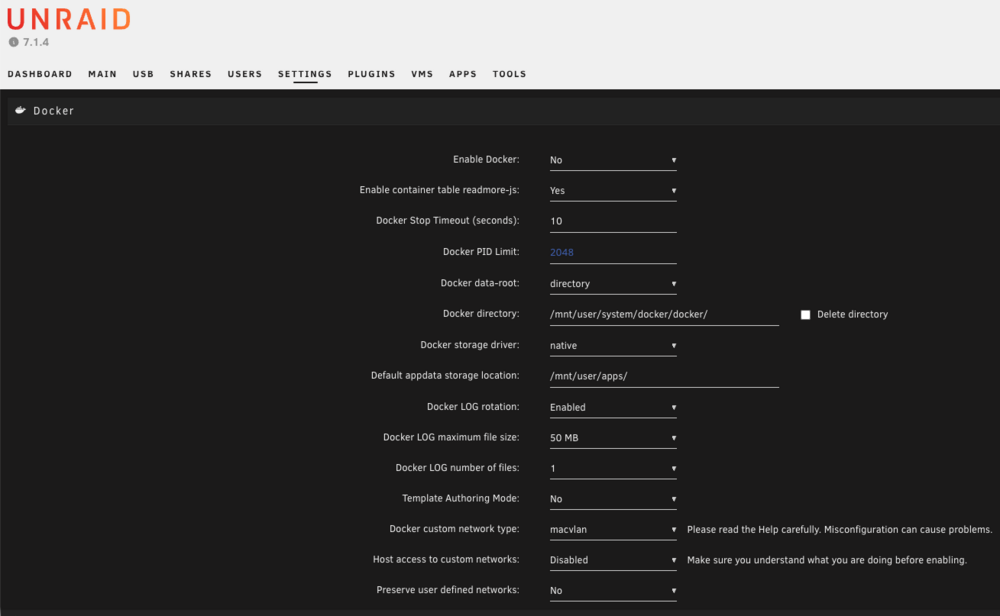
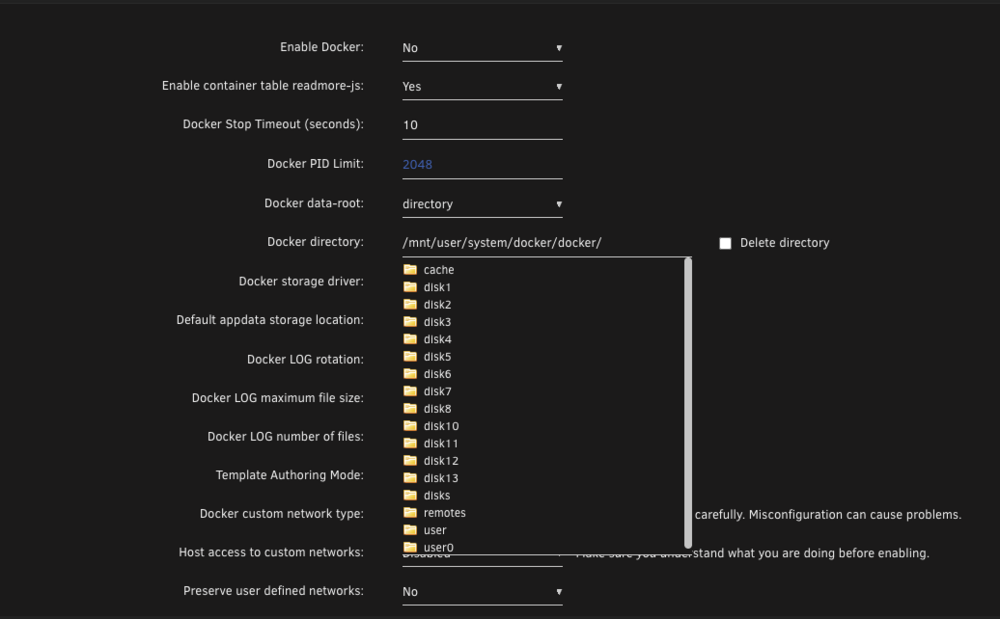
@Squid, thank you for the above - it got my containers back up. However, I don't understand the settings for cache: ONLY here as in 7.1 I don't see an option for it. Could you explain/expound a bit? Thanks! unraid01-diagnostics-20251102-1856.zip
-
I installed the application from the UNRAID Apps and while the installation was smooth with no issues and the docker app shows it is running, it isn't accessible. I checked the logs and have this showing up: text error warn system array login composed: false, currentTarget: Window {}, defaultPrevented: false, eventPhase: 2, srcElement: null, target: Window {}, returnValue: true, timeStamp: 0, type: "unhandledrejection", promise: Promise { <rejected> Error: database is locked at async Object.openKv (ext:deno_kv/01_db.ts:10:15) at async ZX (file:///silverbullet.js:135:13238961) at async U.Nj [as actionHandler] (file:///silverbullet.js:135:13240503) at async U.execute (file:///silverbullet.js:24:8601) at async U.parseCommand (file:///silverbullet.js:24:6314) at async file:///silverbullet.js:183:6492 }, reason: Error: database is locked at async Object.openKv (ext:deno_kv/01_db.ts:10:15) at async ZX (file:///silverbullet.js:135:13238961) at async U.Nj [as actionHandler] (file:///silverbullet.js:135:13240503) at async U.execute (file:///silverbullet.js:24:8601) at async U.parseCommand (file:///silverbullet.js:24:6314) at async file:///silverbullet.js:183:6492 } Unhandled rejection: PromiseRejectionEvent { bubbles: false, cancelable: true, composed: false, currentTarget: Window {}, defaultPrevented: false, eventPhase: 2, srcElement: null, target: Window {}, returnValue: true, timeStamp: 0, type: "unhandledrejection", promise: Promise { <rejected> Error: database is locked at async Object.openKv (ext:deno_kv/01_db.ts:10:15) at async ZX (file:///silverbullet.js:135:13238961) at async U.Nj [as actionHandler] (file:///silverbullet.js:135:13240503) at async U.execute (file:///silverbullet.js:24:8601) at async U.parseCommand (file:///silverbullet.js:24:6314) at async file:///silverbullet.js:183:6492 }, reason: Error: database is locked at async Object.openKv (ext:deno_kv/01_db.ts:10:15) at async ZX (file:///silverbullet.js:135:13238961) at async U.Nj [as actionHandler] (file:///silverbullet.js:135:13240503) at async U.execute (file:///silverbullet.js:24:8601) at async U.parseCommand (file:///silverbullet.js:24:6314) at async file:///silverbullet.js:183:6492 } Unhandled rejection: PromiseRejectionEvent { bubbles: false, cancelable: true, composed: false, currentTarget: Window {}, defaultPrevented: false, eventPhase: 2, srcElement: null, target: Window {}, returnValue: true, timeStamp: 0, type: "unhandledrejection", promise: Promise { <rejected> Error: database is locked at async Object.openKv (ext:deno_kv/01_db.ts:10:15) at async ZX (file:///silverbullet.js:135:13238961) at async U.Nj [as actionHandler] (file:///silverbullet.js:135:13240503) at async U.execute (file:///silverbullet.js:24:8601) at async U.parseCommand (file:///silverbullet.js:24:6314) at async file:///silverbullet.js:183:6492 }, reason: Error: database is locked at async Object.openKv (ext:deno_kv/01_db.ts:10:15) at async ZX (file:///silverbullet.js:135:13238961) at async U.Nj [as actionHandler] (file:///silverbullet.js:135:13240503) at async U.execute (file:///silverbullet.js:24:8601) at async U.parseCommand (file:///silverbullet.js:24:6314) at async file:///silverbullet.js:183:6492 } Will run SilverBullet with UID 99, inferred from the owner of /space (set PUID environment variable to override) Running SilverBullet as silverbullet (configured as PUID 99 and PGID 100) Will run SilverBullet with UID 99, inferred from the owner of /space (set PUID environment variable to override) Running SilverBullet as silverbullet (configured as PUID 99 and PGID 100) Will run SilverBullet with UID 99, inferred from the owner of /space (set PUID environment variable to override) Running SilverBullet as silverbullet (configured as PUID 99 and PGID 100) Any suggestions?
-
It took a while but I figured this out - commenting for others. When you add a share, you have the option of the Penguin icon or the Windows icon. There is no description of either and since I'm on a Linux (or MacOS) I automatically picked the Penguin icon. What I found is the Penguin icon stands for NFS and the Windows icon stands for SMB. Once I picked the Windows icon it prompted me for the username and password. Mind you, I am still baffled by the use of icons and no text as it isn't accessible at all and I don't think it is intuitive (obviously) but that might just be me.
-
@HAMANYA related question I'm having (at least, I think it is related) is permissions. I have two unRAID servers with local drives and I want to cross mount between the two servers. I created shares, set the NFS and SMB to secure and on SMB I set the user and permissions. When I mount the shares using Unassigned Devices plug in, they mount fine but the permissions are for guest and they are read only. Is there a different plug in to mount with authentication? I know how to do this with the command line but I really would prefer to keep it in the GUI if possible since others aren't as savvy with the command line. I appreciate any insight you might have.
-
Settings from the Apps entry for Docker Compose Manager takes me to the page to edit the stacks, not a settings page. I might have something messed up on my side. I did also check for each stack but those settings haven't changed. EDIT: I found it under the Settings for unRAID, down at the bottom. Thanks!
-
I installed the new version but I don't see anywhere in settings for this. Can you point to how to set the global compose file location?
-
Outstanding! Thanks for the reply.
-
Chris H joined the community
-
Hi all. New to unRAID and the Docker Compose Manager (not new to docker or containers or compose). I didn't see this in the configuration but instructions might be elsewhere - how do I tell Docker Compose Manager to put the docker-compose.yml in a different directory than /boot/config/plugins/compose.manager/projects/ I apparently did this once but can't figure out how I did it so my compose files are stored there rather than where I can easily back them up. Thanks in advance for any insight!



