vedadechiee
Members
-
Joined
-
Last visited
-
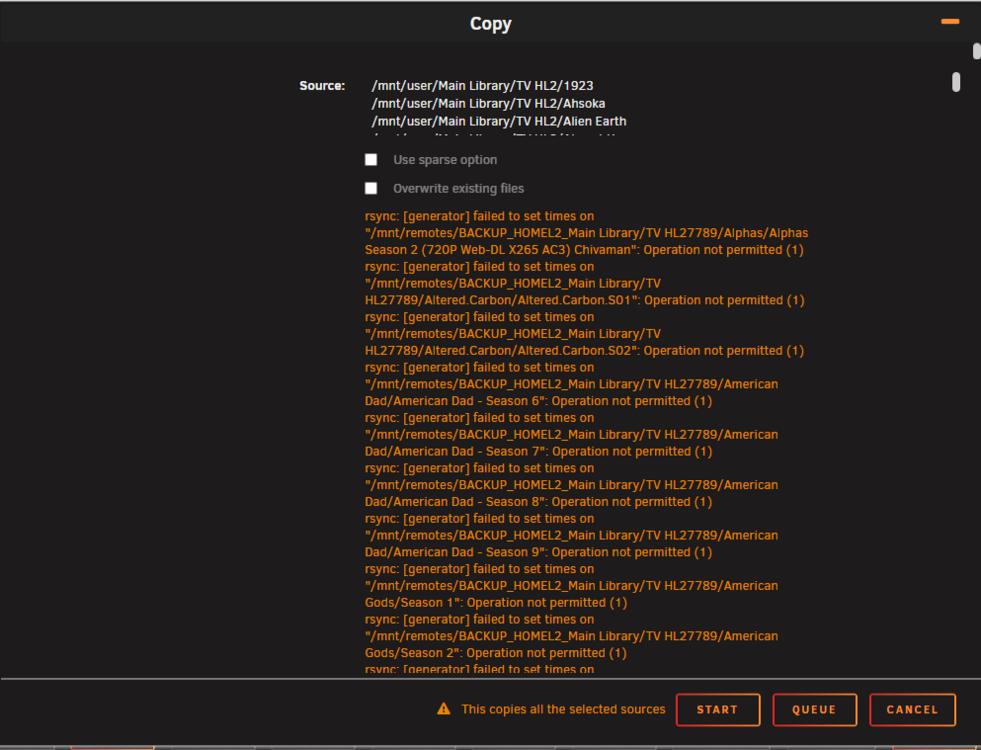
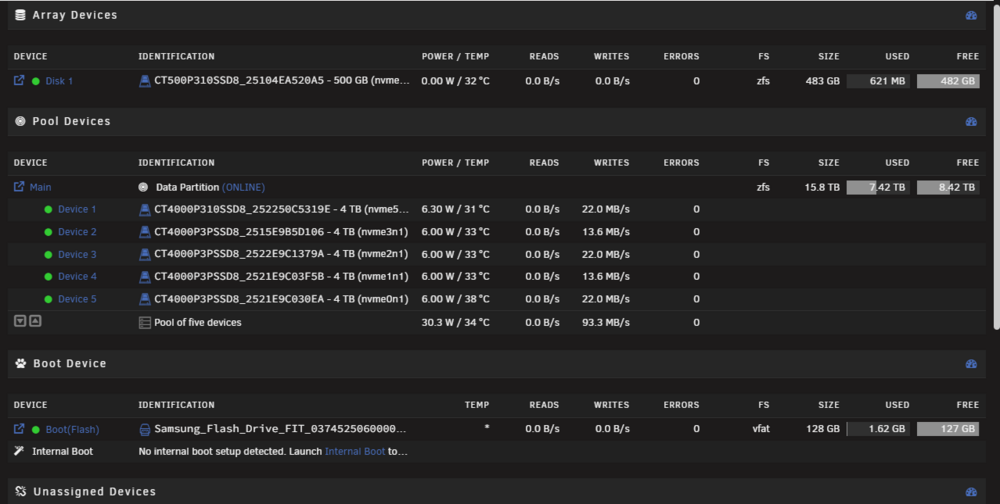
ok i think i figured out both the data transfer speed issue and the rsync issue data transfer - factory reset every network device i have still have the issue. bought a usb to ethernet adapter. file transfer from my laptop to back up jumped to 35mbps. rsync issue - i tried over writing files on the (HomeL2 Nvme) server from the (backup) server the error popped up. i deleted all files on the (backup) server then tried transferring again the error went away. so for this rsync error i was under the assumption that if i tried transferring the same files from one server to another they would be treated like windows does (do you want to overwrite files) that doesn't seam to be the case. so the rsync issue is fixed. but the file transfer issue is now confirmed its a network issue and i have some issues i need t work on. I have factory reset my (HomeL2 Nvme) its not (MediaHub). i have the drives set and 1 drive on the array section. i had issues setting up my dockers so i just created a 1 drive array for my dockers. i moved the 5 other nvme drives into a pool raidz1. id like to ask anything i should do different other than the array drive
-
i checked the permissions on the remote server. i have all the shares set to public on the remote but still the same issue. here's the diagnostics for the remote server backup-diagnostics-20260521-2144.zip
-
negative just showing the error for all the folders and files ive chosen.
-
if needed homel2-diagnostics-20260520-2309.zip
-
i also used my secondary Ethernet ports on both servers to bridge with a direct connection between the servers and the transfers very fast but limited by the hdd on the backup server until this error occurred
-
im still in the process of transferring 12tbs of data from the server im still having slow transfer speeds from named (HomeL2 Nvme) to my secondary backup server named (backup) i have them linked smb transfer through Unassigned Devices. This error started then i decided to updated both servers to 7.3.0, but that didn't help.
-
im running into an issue with transferring anything from the server with the issue to my back up. ive tried the google fixe but id what im doing and i feel like the lines of commands im putting in are wrong.
-
I changed the storage for my main library share to cashe then to array for the requested transfer speed test. Also I've noticed while I'm transferring anything from windows to unraid accessing a different folder has a long delay before the other section ive selected loads up.
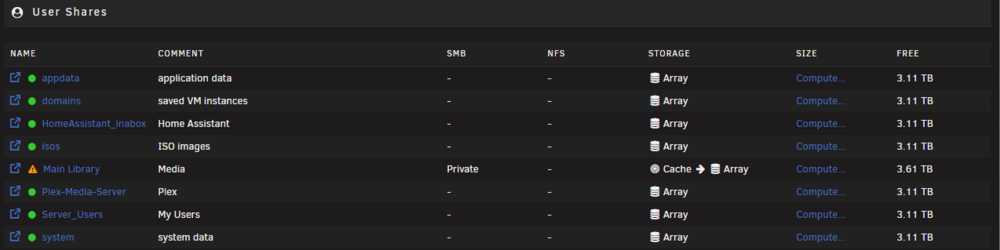
-
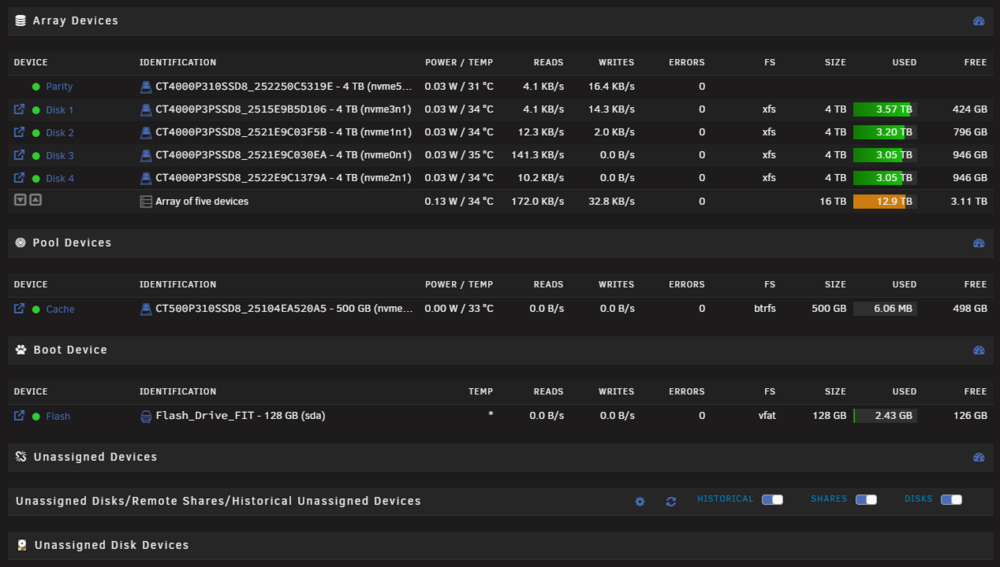
nope fast around 100mbs to 230mbs. This is how I have the drives set up. Should I have set my drives in the pool devices section to be able to use the trim function and for transfer speeds?
-
apologies for the wait i was at work. I have ran the iperf3 on my unraid server and a spare raspberry pi. With this test I am now more convinced its how I set it up. One of my drives is at 90% the rest are at 80%, 76%, and 76% would the speeds be cut down from the lack of free space on the drives? raspberry pi side [ ID] Interval Transfer Bitrate Retr Cwnd [ 5] 0.00-1.00 sec 115 MBytes 965 Mbits/sec 0 373 KBytes [ 5] 1.00-2.00 sec 111 MBytes 933 Mbits/sec 0 373 KBytes [ 5] 2.00-3.00 sec 112 MBytes 944 Mbits/sec 0 373 KBytes [ 5] 3.00-4.00 sec 111 MBytes 933 Mbits/sec 0 373 KBytes [ 5] 4.00-5.00 sec 111 MBytes 933 Mbits/sec 0 373 KBytes [ 5] 5.00-6.00 sec 111 MBytes 933 Mbits/sec 0 373 KBytes [ 5] 6.00-7.00 sec 112 MBytes 944 Mbits/sec 26 294 KBytes [ 5] 7.00-8.00 sec 111 MBytes 933 Mbits/sec 0 448 KBytes [ 5] 8.00-9.00 sec 111 MBytes 933 Mbits/sec 0 448 KBytes [ 5] 9.00-10.00 sec 111 MBytes 933 Mbits/sec 0 448 KBytes - - - - - - - - - - - - - - - - - - - - - - - - - [ ID] Interval Transfer Bitrate Retr [ 5] 0.00-10.00 sec 1.09 GBytes 938 Mbits/sec 26 sender [ 5] 0.00-10.00 sec 1.09 GBytes 936 Mbits/sec receiver unraid server side. [ ID] Interval Transfer Bitrate Retr Cwnd [ 5] 0.00-1.00 sec 114 MBytes 955 Mbits/sec 39 283 KBytes [ 5] 1.00-2.00 sec 112 MBytes 942 Mbits/sec 0 283 KBytes [ 5] 2.00-3.00 sec 112 MBytes 942 Mbits/sec 0 283 KBytes [ 5] 3.00-4.00 sec 112 MBytes 941 Mbits/sec 0 283 KBytes [ 5] 4.00-5.00 sec 112 MBytes 941 Mbits/sec 0 283 KBytes [ 5] 5.00-6.00 sec 113 MBytes 945 Mbits/sec 0 283 KBytes [ 5] 6.00-7.00 sec 112 MBytes 938 Mbits/sec 0 283 KBytes [ 5] 7.00-8.00 sec 112 MBytes 941 Mbits/sec 0 283 KBytes [ 5] 8.00-9.00 sec 114 MBytes 952 Mbits/sec 0 286 KBytes [ 5] 9.00-10.00 sec 112 MBytes 937 Mbits/sec 0 5.66 KBytes - - - - - - - - - - - - - - - - - - - - - - - - - [ ID] Interval Transfer Bitrate Retr [ 5] 0.00-10.00 sec 1.10 GBytes 943 Mbits/sec 39 sender [ 5] 0.00-10.00 sec 1.10 GBytes 941 Mbits/sec receiver I would prefer not to add any hdd to this system do to the on road vibrations this server will be subjected to. Mr.trurl if i decided to start from scratch and only use nvme drives how should i set up the drives? should i put all drivers in the "pool section" and leave the array section empty? im willing to try anything. i also have a backup unraid server that i can transfer all my files to and start from scratch it that is the way i need to go. and as always thank you for your help it is appreciated
-
why would it be better to have them in pools for outside the array? if thats a better course to take how do i keep the data on the drives as i transition? The reason why i have all nvme is im planning to have this as a mobile server as i travel and my other unraid server is all hhd as a full back up.
-
hello im relatively new to unraid so any help is appreciated. My current set up now is 1 x MACHINIST X99 Dual CPU Motherboard, Intel LGA 2011-V3 2 x Intel Xeon E5-2698 V3 SR1XE 16-Core 5 x Crucial P3 Plus PCIe Gen4 NVMe 4TB SSD 1 x Crucial P310 500GB nvme 4 x A-Tech 32GB Kit DDR4 2933MHz PC4-23400 ECC RDIMM 2 x ASUS Hyper M.2 X16 PCIe 3.0 X4 1 x CORSAIR RM1000x Fully Modular ATX Power Supply - 80 Plus Gold The initial issue was one day unraid denied access to my unraid shares. I read a couple of forums and tried fixes and got smb to work but thats where the slow transfer speeds started. My current transfer speed is 10-15mbs from my windows 11 computer to my unraid share. I didn't have this issue a few months ago as my transfer speeds were close to 80-100mbs. I have already preformed a few online forum fixes that unfortunately haven't solved the issue. I've disabled windows smb signing added a cashe drive started using my local ip address to access disk settings are set to reconstruct write switched to using 2 asus hyper m.2 expansion card for all my drives instead of using the boards nvme slots checked my network switch for any issues. i have added my diagnostics file with the hope of a fix. any help is appreciated thank you homel2-diagnostics-20260509-2010.zip
-
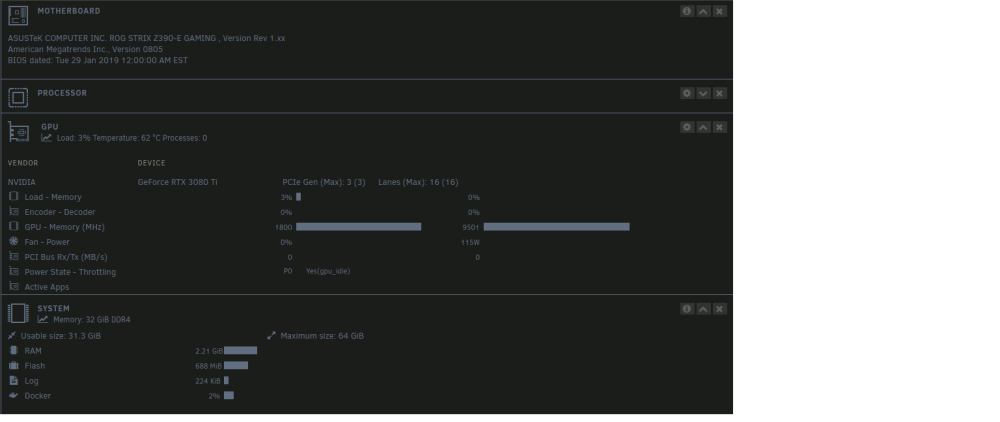
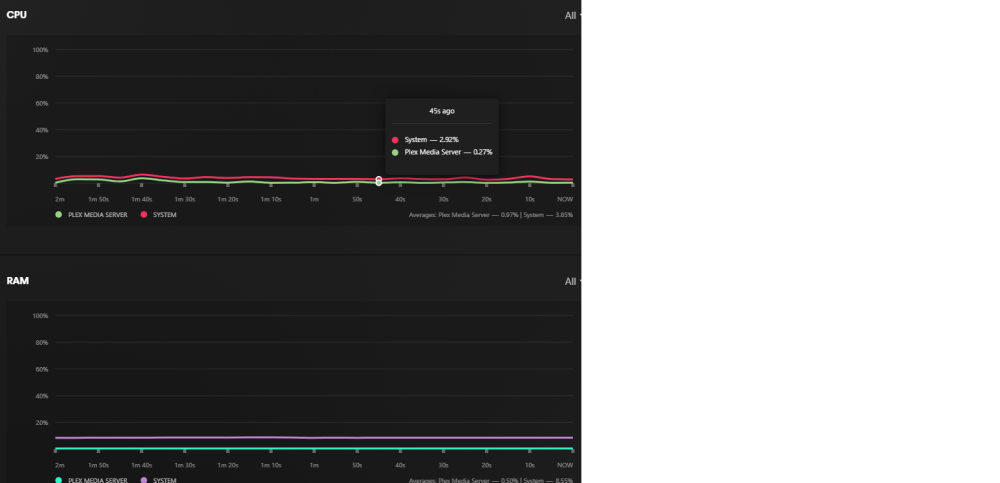
my bad ive only used unraid for 5 days so im a real greenhorn to server stuff. dashboard only show cpu and ram usage for 1 user. im upgrading cpu to a i9 9900ks. id like to start using unraid for more then a plex server. i have an extra evga 1080 would that be enough for 4 users? im thinking about using the 3080 for other projects. homel1-diagnostics-20240216-0852.zip
-
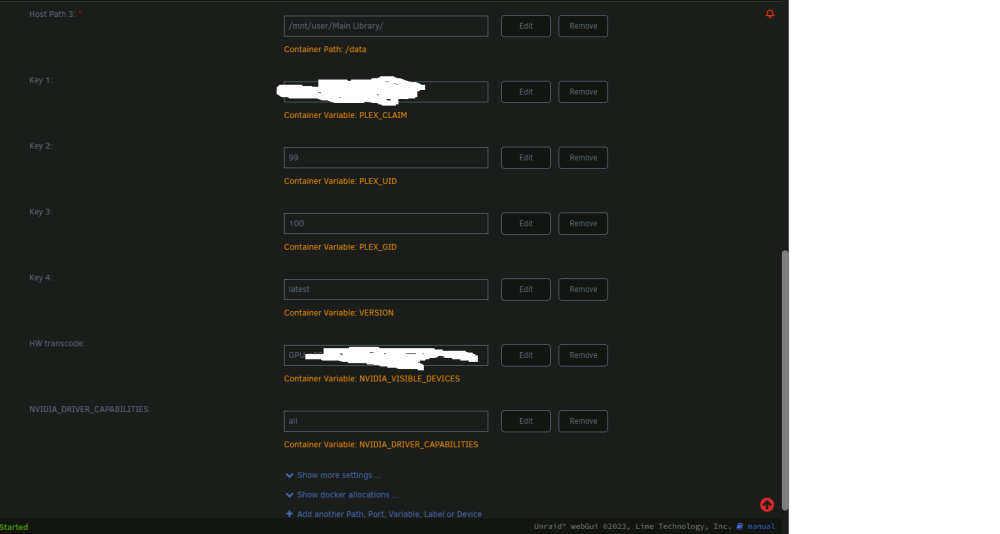
having an issue with my official plex docker unraid 6.12.6 nvidia driver installed and followed the instructions. plex shows the gpu but is not using it for transcoding. anything im doing wrong? i also cant update the nvidia drivers to a different version it says "nothing to do driver 535.146.02 already downloaded" not sure if thats effecting anything. homel1-syslog-20240216-0458.zip