





peterbatah
Members
-
Joined
-
Last visited
Everything posted by peterbatah
-
@JorgeB Can you direct me to documentation or a tutorial that will assist me in setting that up properly. I have been running UR for a while now and do not understand what may have changed.
-
@JorgeB @itimpi Thank you both for chiming in. How do I free up space on the cache drive then. I read this: In Unraid, a cache pool is a collection of one or more drives, typically SSDs or high-speed HDDs. These drives temporarily store data before it's moved to your main array. Using cache pools can significantly enhance write speeds, protect your data, and provide dedicated storage for specific tasks like running Docker containers or virtual machines. Especially the part about temporarily storing data. Isn't the cached data supposed to be moved to the array as to free up space on the SSD cache drive?
-
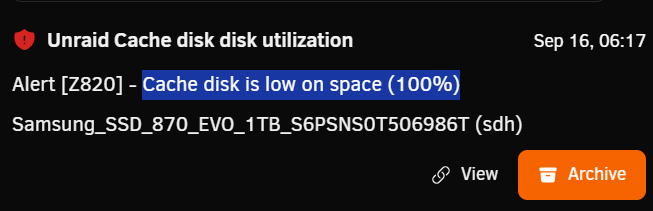
Hello all. I am using a 1 TB SSD drive as my cache drive. My question is: Why is it that when I create a docker container or a VM it is written to both the /mnt/user/appdata and the /mnt/cache/appdata locations. I do not recall experiencing this in the past. Needless to say this is causing many error notifications like the one below: Your time and assistance will be greatly appreciated. Peter
-
What if I were to re-create the USB flash drive then place my license key into the /config folder. What happens then?
-
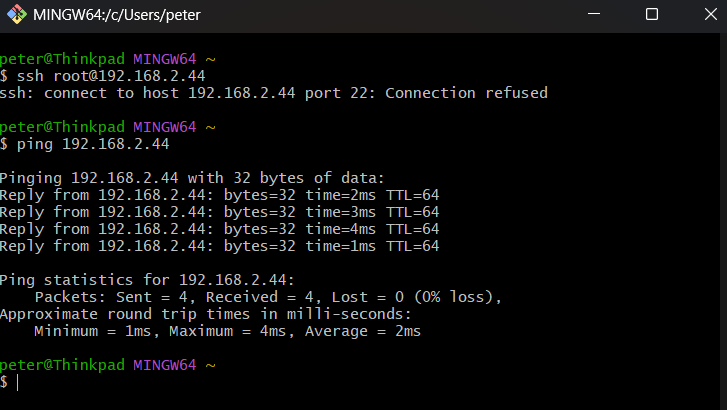
I have tried every boot combination available to me but nothing changes. I can ping 192.168.2.44 but cannot ssh into the box. Yes every unit has a Bell Giga Hub Modem. And, every room in our unit has RJ45 and coax wall plates at our disposal. I suppose they wanted to cover all bases in the event that they jump the Bell ship and move over to cable at some point. I have another Lenovo TS-140 ThinkServer that I just started up and can access that machine without issue. I'm stumped. Is there some way that I can bring up the cli upon first boot? I also forgot to mention that I have had Tailscale running on the server for a while now. As is the case on all of my devices. Normally I would see the UR server's TS status as Connected when logging into the Tailscale admin portal. Clearly it is not. Never leave home without it.
-
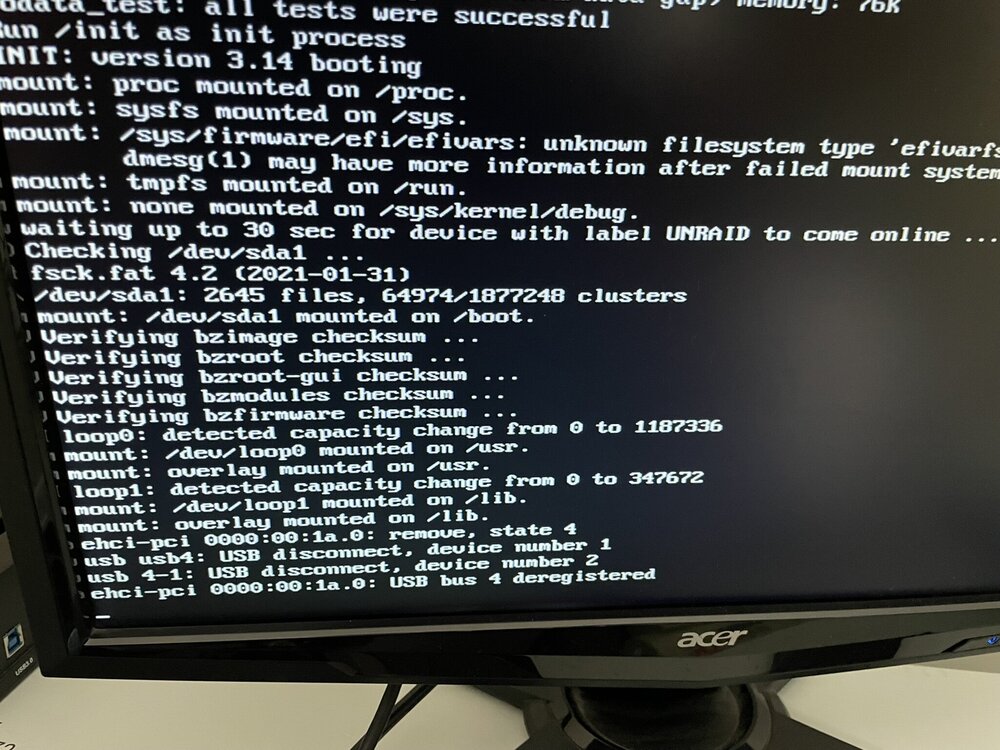
Thank you so much for the prompt response @Squid . Sadly, lying is what Bell does best. The condo complex that we moved into has Bell wired into the building. The upside is that Internet and television is included with our unit. So yes I am stuck with them as long as we are here. I have had a keyboard and monitor plugged into the server from the very start. Unfortunately, selecting Unraid OS GUI mode changes nothing for me. It hangs at that last line that you may or may have not seen in the screenshots that I provided in my original post. That's abnout as far as I am able to go
-
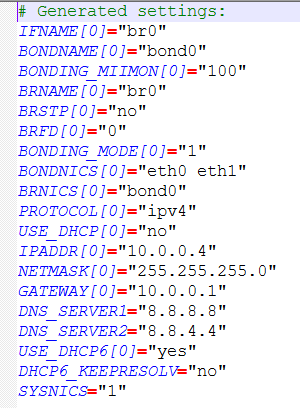
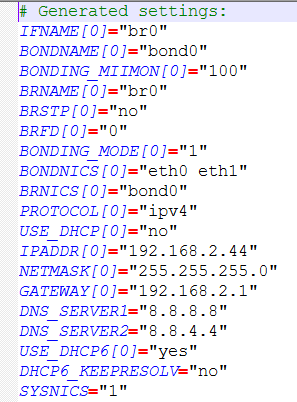
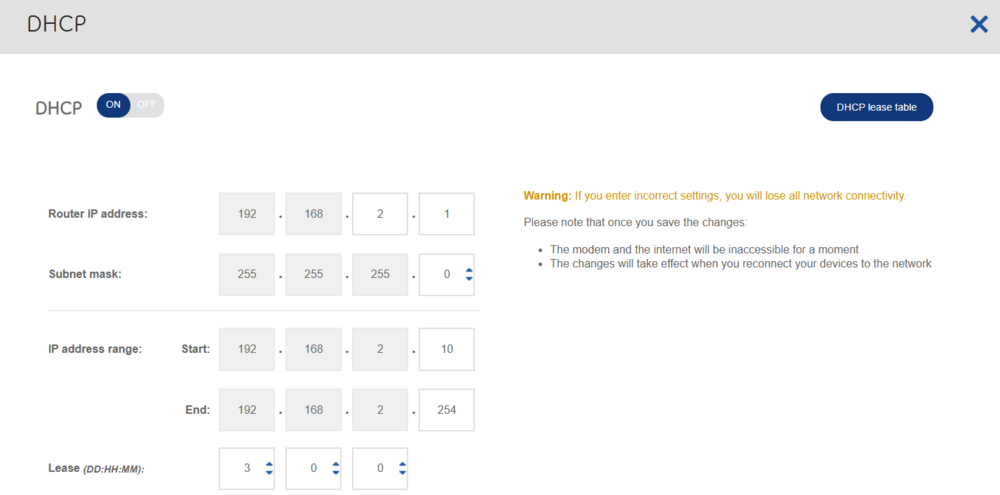
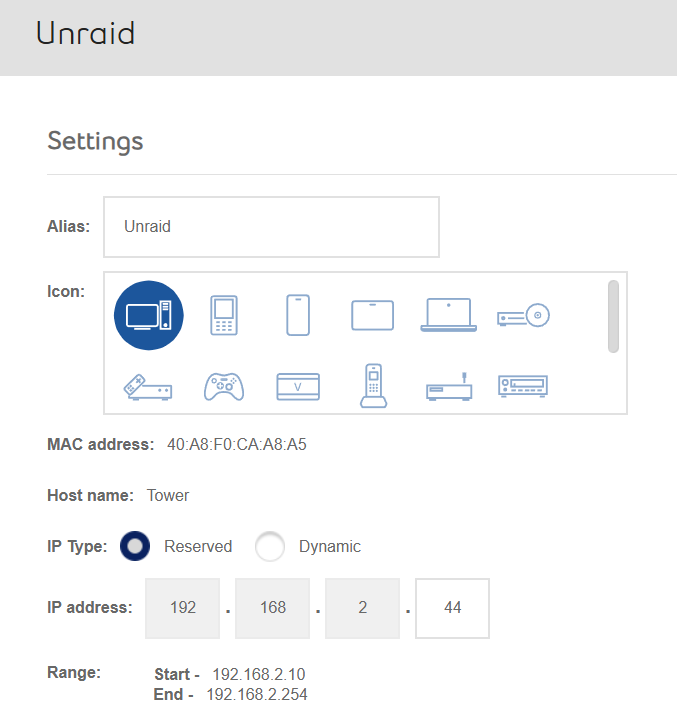
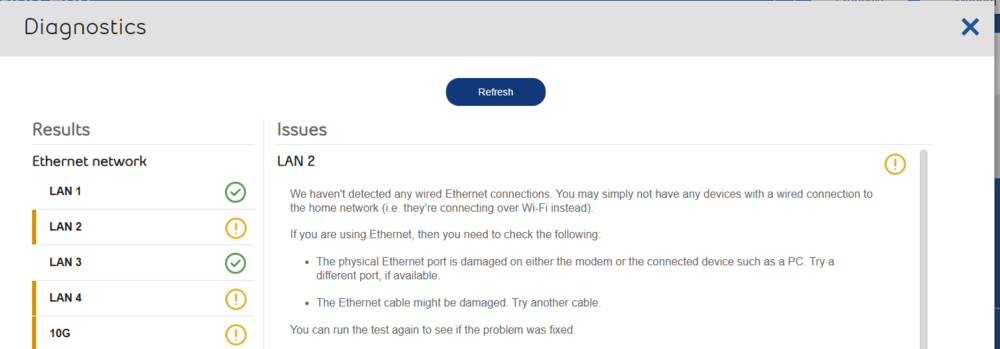
Hello all. I will try to be brief but thorough. 1) My wife and I sold our property and moved into a condo a few days ago. New ISP (Bell Canada) 2) They supplied me with their Giga Hub Router. It's admin panel can be reached by entering 192.168.2.1 and this IP cannot be changed. That was confirmed by their techs 3) Unraid server was working like a charm prior to the move. Always accessible at 10.0.0.4. Different ISP What I have done so far: Inserted the UR USB into my laptop. Edited network.cfg (see screenshots for modded IP address 192.168.2.44) I entered the Giga Hub admin portal and reserved that IP The UR server is plugged into Lan 1 Booted server. I can ping 192.168.2.44 successfully from my laptop but am unable to access UR dashboard via browser. I am getting "The site can't be reached" I even plugged the server into my old Asus router which I was using prior to the move. I made sure to copy the original network.cfg back to the UR USB I then assigned a static IP to my laptop's ethernet adapter 10.0.0.x and still the UR dashboard was not accessible. Your time and assistance will be greatly appreciated. Peter
-
@Mattaton Well I am not a bot. But, thanks for clearing that up for me. I obviously misread your post. Have a great day!
-
Spam?? What are you talking about. I was directing you to a YouTube channel which discusses the Folder View plugin. Did you even bothering looking into it before making these outrageous remarks. And here I was trying to help you out. Serves me right !!!!
-
Check out AlienTech42 YouTube videos. Search for the word "Folder" under the videos tab. This may be what you are looking for.
-
Changing my email address and the assistance of the great folks at support has rectified my situation.
-
Updating to UR v.7.0.1 and rebooting seems to have rectified the situation.
-
Thank you sir. Let me take a look at that. Much appreciated. Have a wonderful day / evening. Peter
-
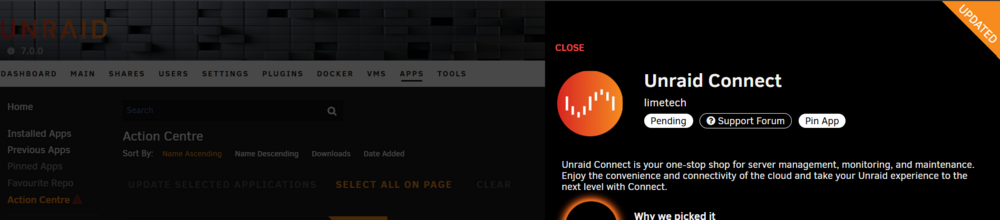
For some reason it appears that the Unraid Connect plugin has been placed in "Pending" mode. CA tells me that the app requires an update. Obviously, I am unable to uninstall it as well. Your time and assistance will be greatly appreciated.
-
Thank you. Much appreciated.
-
New to Unraid so please go easy on me. The Basic Plan at USD $59 reads: Up to 6 attached storage devices. Does that mean up to 6 physical hard disk drives? Thank you.



