





peterbatah
Members
-
Joined
-
Last visited
-
@JorgeB Thank you so much for getting back to me. Much appreciated. I will follow your suggestion and update to version 7.3.3-rc.2. Have a wonderful weekend. Peter
-
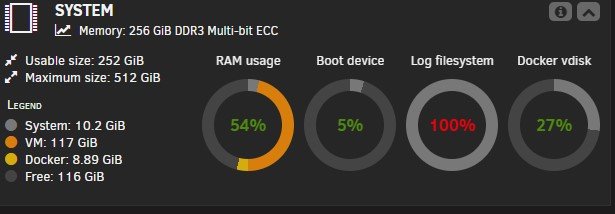
Unraid version 7.3.2 Hello all. A few days ago I noticed that the Logfile system was peaking at 100% on the dashboard. I restarted my server and all seemed to be normal. Three days went by and it appears that I am back up at 100 %. I have attached my diagnostics file. Your time, patience, and assistance will be greatly appreciated. Peter z820-diagnostics-20261002-1014.zip
-
Hello all. Now that Apache-Tika-Server has been blacklisted can there be repurcussions if I continue to use it alongside paperless-ngx and gotenberg. And, is there something else that I should use in its place. I should mention that everything is working like a charm as it stands. Thank you for your time and guidance. Peter
-
Thank you both @MowMdown @Veah for the prompt response. Much appreciated. Have a wonderful day. Peter
-
I was thinking of installing Ark: Survival Ascended from the Community App store and was wondering if in order to play the game I would need to purchase it first. Your time and assistance will be greatly appreciated. THank you. Peter
-
Hello @itimpi Thanks for getting back to me. I read your post and for some reason it cleared up that brain fart that I mentioned in my original post. I came to recreate the VM and then it suddenly hit me I was entering 100 into the disk size field instead of 100G. Oh boy do I feel like a fool. Have a wonderful Saturday. So sorry to have bothered you. Peter
-
Hello all. I have been using Unraid for a number of years and have created a boat load of VM's In fact many of them are in use daily. Today was the first time that I attempted to create a new Ubuntu VM in UR v.7.3.1. I may be experiencing a brain fart or am totally missing something. All drives are healthy and have an abundace of storage. I cannot get past the Ubuntu prompt you see below. Your time and assistance will be greatly appreciated. Peter

-
@Cabé Good morning. I am happy to report that after following your advice I installed a new instance of Guacamole and chose an altlernate storage location. I made sure to bypass Cloudflare all together. I no longer receive error messages when attempting to make modifications of any kind. It took a while but with your time, patience, and assistance I was able to sort things out. Have a wonderful day. Peter
-
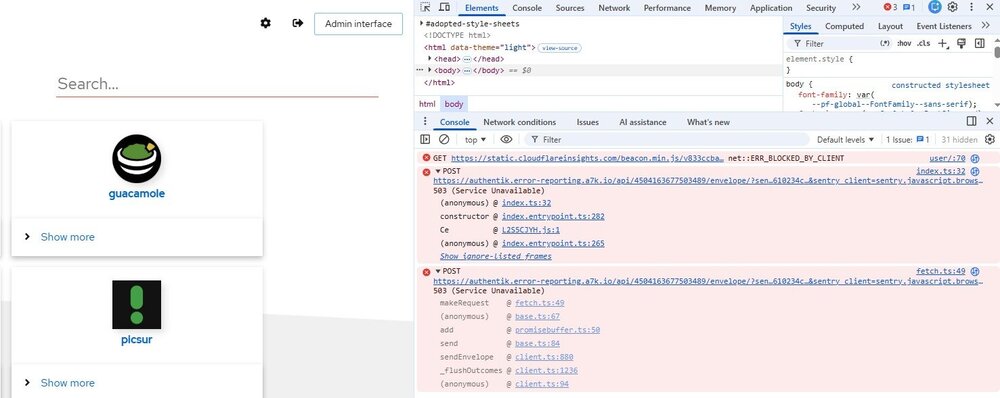
Updated my instance of Guacamole and no issues so far. I will try what you suggest re: A fresh install using an alternate 'AppData Config Path'. I am not sure if I mentioned that I am using DUO which I have configured in Authentik. I doubt that this is what causing my issues but ine can never be sure. Thank you for all that you have done. Much appreciated. Peter
-
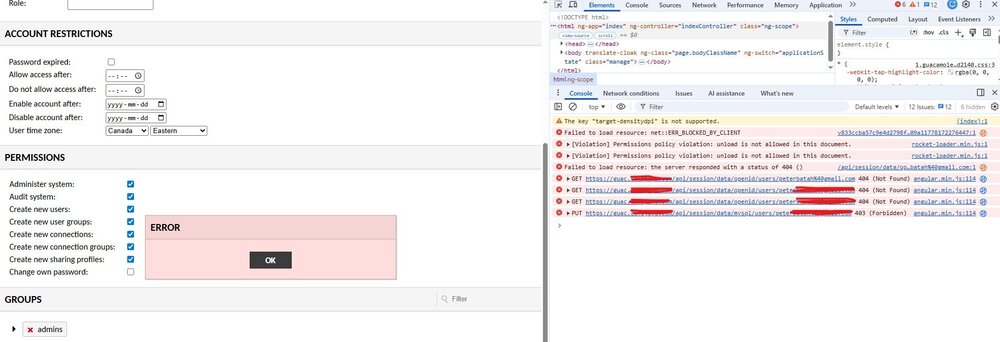
Amazing. Awesome. That was really quick. Can I simply update my instance or will that break what I already have running? By the way I am still trying to troubleshoot my inability to make any changes to my user in Guacamole. See my screenshots.

-
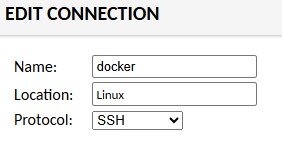
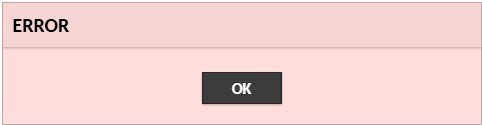
One other issue that I seem to be having is when trying to associate an SSH connection that I have created to a connection group. For example, I created a new connection for one of my docker containers. If I edit the connection / go to the location field and choose the Linux group that I created & try to save I get a popup message that says ERROR. This is true if I try to make and modification to any parameters. Yet the user was assigned full permissions when it was created. Of course if I leave the External authentication provider(s): parameter empty / login as guacadmin I can make / save any modification without error. Another bump in the road I'm afraid. I am wondering if it may have something to do with the fact that I am using Nginx Proxy Manager and Cloudflare. Hmm the mystery deepens.


-
@Cabé I believe that I have resolved my issue after days of trying to figure this out. I watched one particular video but should have paid more attention amd let the tutorial play to the end. What I should have done was to create a new user with my email address as the username and no password of course. Then I sign in to Authentik with that very same email address. Now I can see all the tabs in the settings menu inclusing the connections that I created outside of Authentik
-
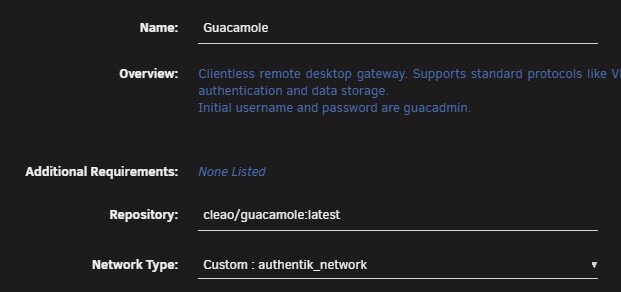
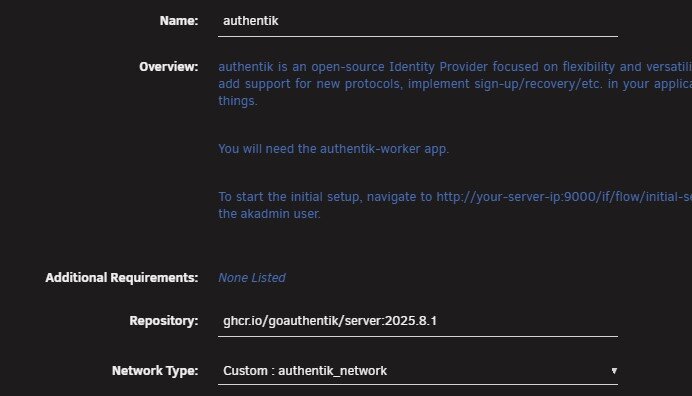
Good morning. Yes @Cabé Same network selected in both container. I also made sure that the same user that exists in both Authentik can Administer and create new connections in Guacamole. But that makes no difference when logging in via Authentik. I am not sure if I mentioned this in an earlier post but I am using DUO to authenticate my Authentik user before hitting any application. I tried this as well but no luck: openid_username_claim_type Thank you again for you help.
-
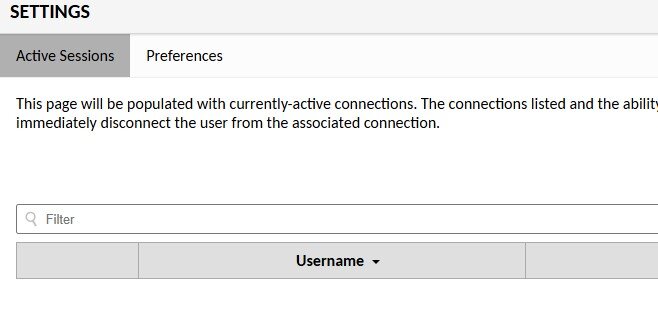
Thank you so much for following up with me @Cabé I really appreciate it. You are correct indeed. It appears that I am using the jasonbean/guacamole template which is available via the CA store. What I did after reading your response was to completely delete my ApacheGuacamole instance. I then headed over to the UR CA and installed your package. I filled in the appropriate variable and started up the container. As expected I am directed to my Authentik login screen. I fill in my credentials and am then directed to Guacamole. I am having the very same issue where all I have access to in "Settings are Active Sessions and Preferences. I cannot create new users or new connections unless I remove the EXTENSION_PRIORITY openid variable and login without Authentik If I spin up a VM and install the Guacamole package I have no issues. I prefer to run Guacamole on my Unraid server and not on a separate VM. I do not understand why I am running into this limitiation By the way if I access the container via it's IP address directly I can log and am able to see all of the settings menus. I created the same user as the one that I use in Authentik with no password as recommended. Still no luck!

-
Hello all. I am hoping that someone could be kind enough to assist me with a little issue that I am having. I spun up the ApacheGuacamole container from the CA store. I plan on using it alongside Authentik. When visiting my Guacamole URL (guac.mydomain.com) I am presented with the Authentik login screen. after successfully logging in I am taken to the Guacamole interface where I see Recent and All Connections (both are empty) If I head over to settings the only two options that I am presented with are Active Sessions and Preferences. If I set the OPT_OPENID value to "N" in the ApacheGuacamole unraid app settings I can bypass Authentik. I then create the exact same users that I have setup in Authentik. It appears that I have absolutely no admin privileges. I can provide screenshots once I know what is required of me. Your time and assistance will be greatly appreciated. Peter




