





Construc_
Members
-
Joined
-
Last visited
-
how do i configure the container to use the dedicated ip address i bought from PIA? i have the dedicated IP token, but idk where to put it. do i need to set up the openVPN credentials differently? i have no idea what im doing. thank
-
that worked perfectly! thanks so much 🙌

-
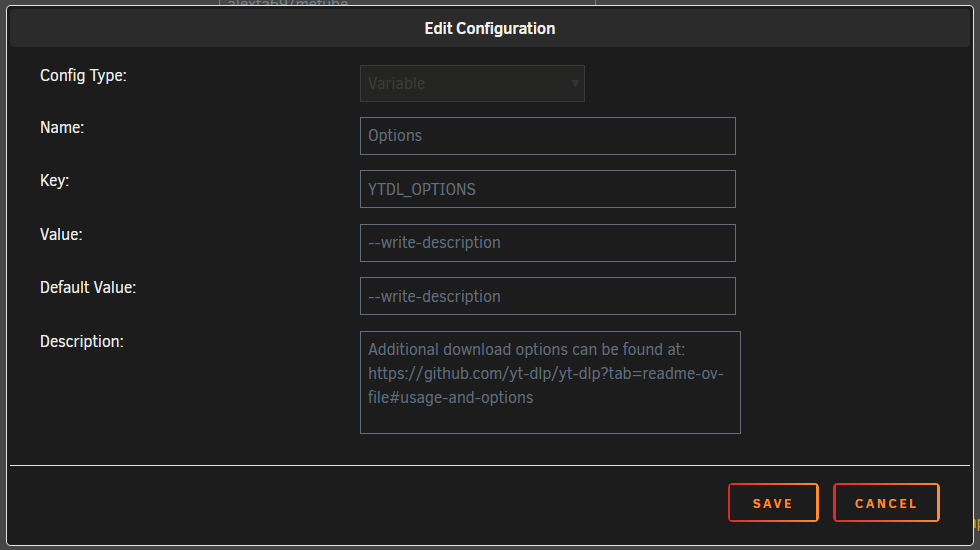
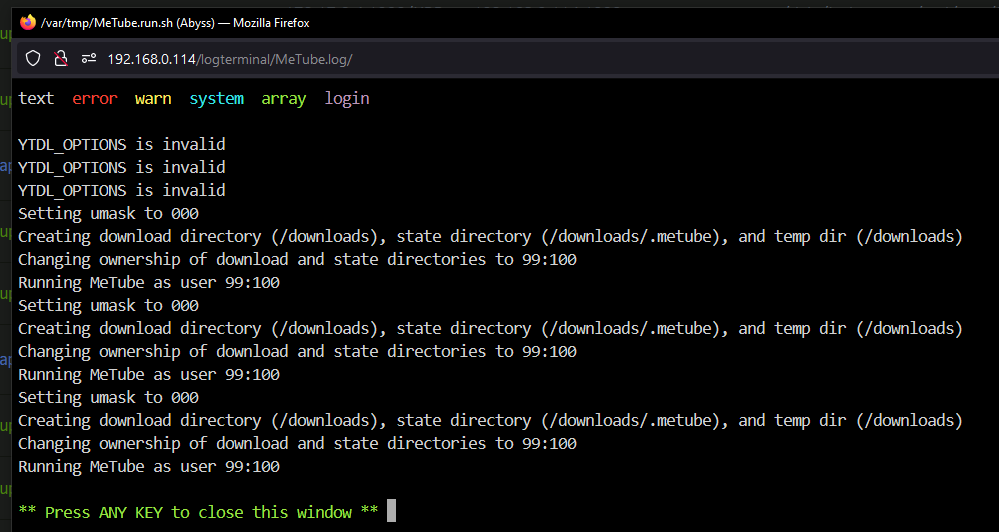
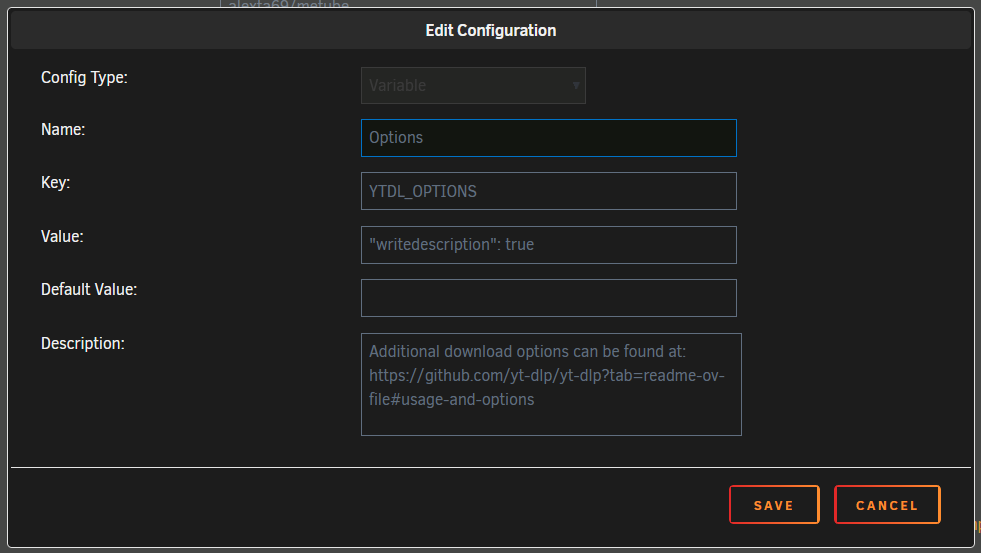
i have no idea what im doing but i dont think im doing it correctly? im not entirely sure what you meant by `in the "options" field (i.e.: the "Container Variable: YTDL_OPTIONS" variable`, sorry. i added a variable to the docker container, set its key to `YTDL_OPTIONS`, and tried both `"writedescription": true` and `--write-description` in the value field, to no effect. where would i go to see what kinds of variables the docker container has? if thats where i should be looking for answers, thanks 🙏
-
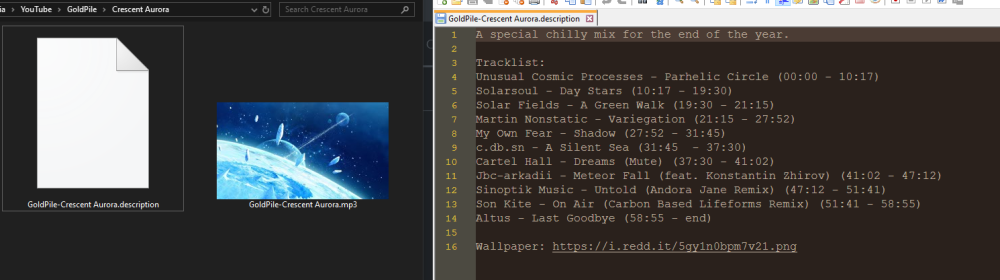
is there a way to specify additional download parameters, such as: --write-description ? the output template is great, but doesn't quite let me do that^, thanks. the description contains the links to the artists/songs, etc. and this would help greatly 🙏



