





CanadianBear
Members
-
Joined
-
Last visited
-
Works after I did that. Thanks! 😃
-
I had the issue, went back to previous version and no issues. Just tried to go back to latest again as per your instructions and still getting "Error: error sending query: Error creating socket". This is qbittorrentvpn with PIA WireGuard. :4.6.5-1-05 is still working just fine.
-
Thanks a lot! I seems like I can "connect" now, but it shows "No torrents to display," even thought I have torrents of course. Hmm... Edit: I should add that I recently went back to 4.6.3 because the next update broke qbitmanage. I'm not sure if that would be it.
-
Bummer. At least now I know it's not something I did wrong. I'll stay subscribed to the thread and hope that it gets resolved some day. Thanks for looking into it! I just got VueTorrent going. Looks pretty good, but feels like it's missing a few things I'd like.
-
Weird. Thanks for looking into it! Hopefully we can get it sorted out.
-
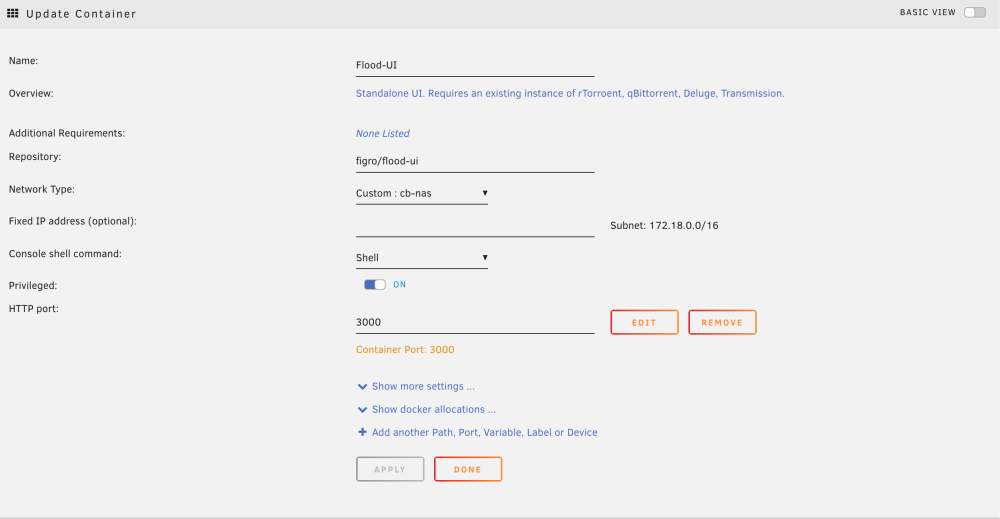
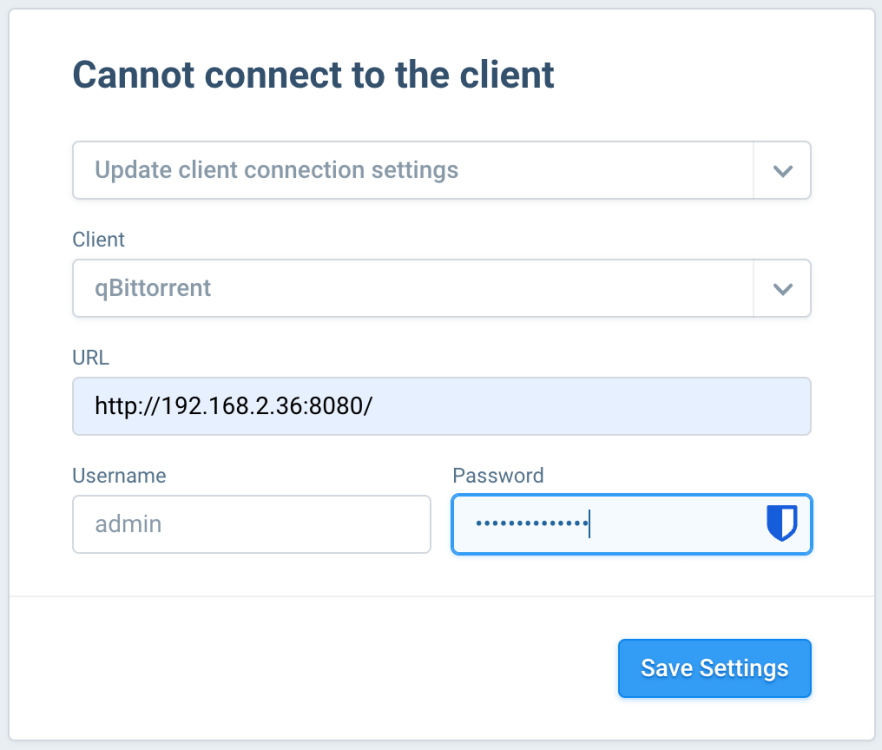
Thanks for the quick response. I have the latest binhex-qbittorrentvpn and I just uninstalled and reinstalled :latest Flood-UI. I'm getting "Can't connect to client." I have qbitmanage and cross-seed interacting with qbit just fine. Attached a couple screenshots.
-
Is Flood-UI supposed to be working with the most recent qbit? I can't get it to connect. I have seen some older posts saying that it doesn't support newer releases, but I wonder if maybe they're dated.
-
Did you figure it out? I'm in the same situation. It doesn't look like anybody responded to you. EDIT: I got it to work. I don't know why, but instead of using the 192 IP in my curl command, I needed to use the one on the left next to cross-seed on the docker page. Mine started with 172.

