





Xaero85
Members
-
Joined
-
Last visited
-
Okay, that has already helped me a lot. Then I will have to transfer the data somewhere and have the pool recreated via Unraid. Thank you very much for your great support!
-
The partitions were created some time ago with Nas4Free, today's XigmaNAS. After that I switched to Ubuntu and now to Unraid.
-
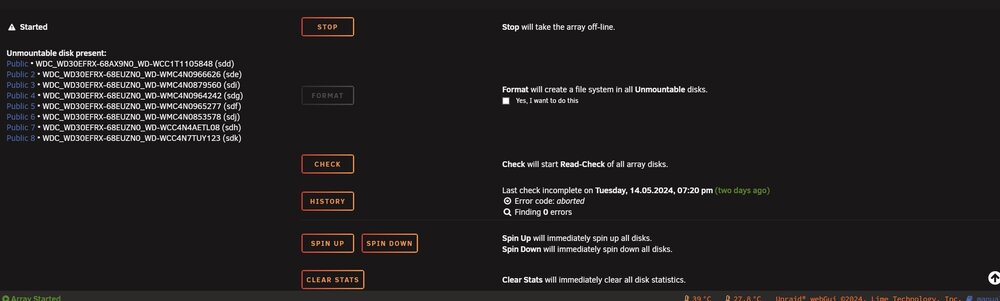
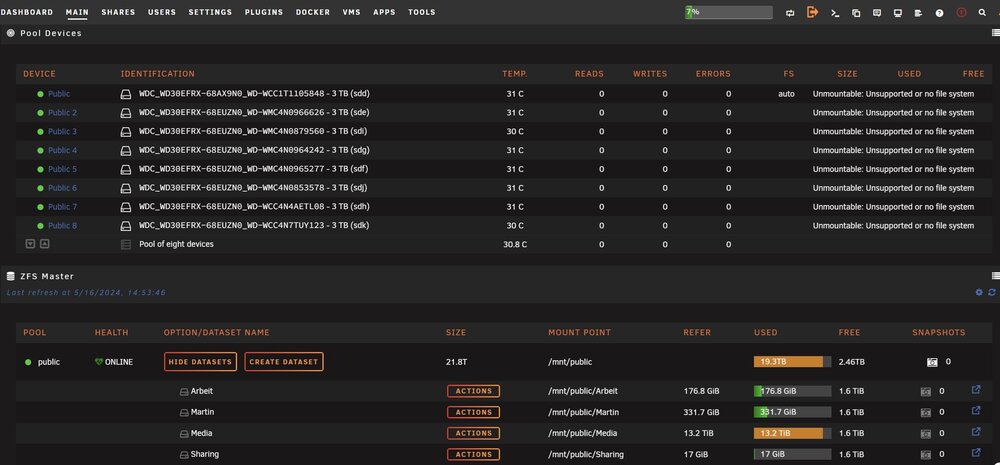
Hello Community. I have been very busy with Unraid over the last few days and am currently very enthusiastic! I was even able to import my ZFS system, which was previously running in Ubuntu, into Unraid without any problems. I was also able to configure the shares accordingly via the “SMB Extras Configuration”. No problems here either. One thing bothers me though, after every restart of the server, the ZFS pool is no longer available. Every time I have to go back to the terminal and use “zpool import [poolname]” to mount my pool once again. Personally, I don't have a problem with this, but I can't imagine that this is correct. After a little research, there are also various forums with the same problem. The solution that is supposed to work is export the pool in the terminal create my ZFS PoolDevice in the WebGUI in the same order as it is displayed in the ZPool status, Start array Insert pool in the terminal via zpool import [poolname] I did it exactly in this order, but unfortunately it does not work. I need some more support here. I have attached the diagnostics and 3 pictures of what it looks like in the overview. Thanks again for the very good support so far! zeus-diagnostics-20240516-1456.zip
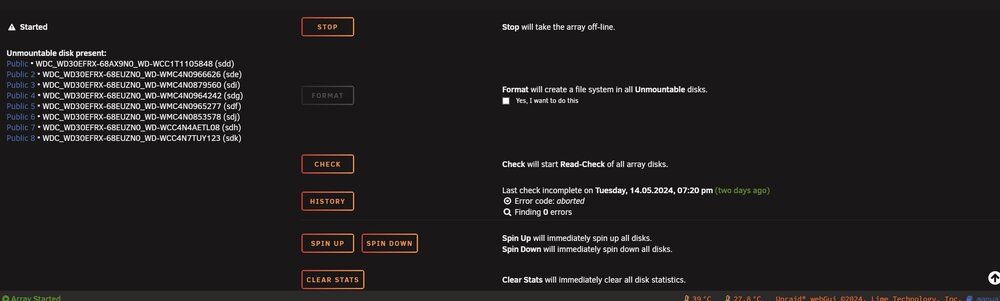
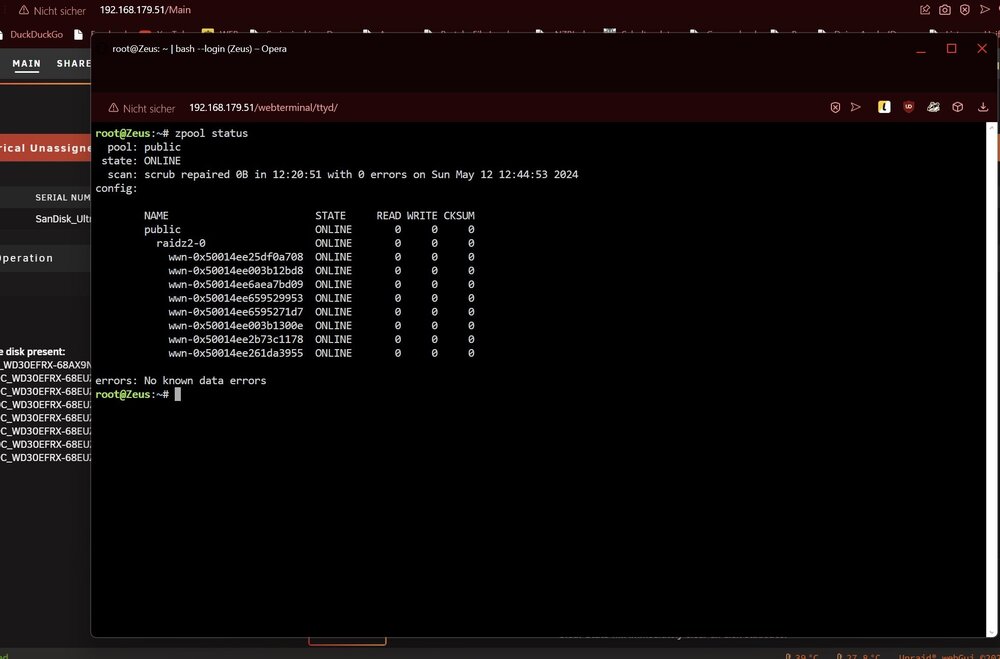
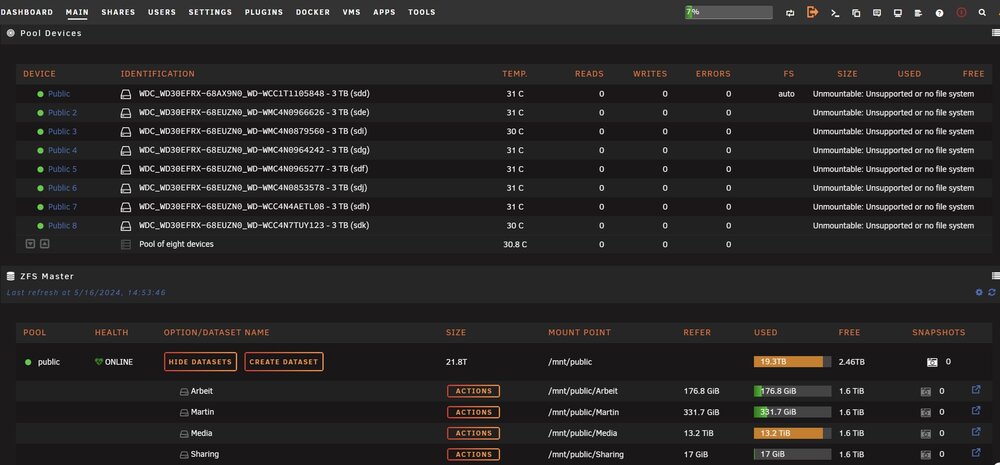 Danke für deine bisher sehr Hilfreichen Antworten. Ich hab mich jetzt die letzten Tage mit Unraid sehr beschäftigt und bin aktuell sehr begeistert! Ich war sogar problemlos in der Lage, mein ZFS System was ja vorher in Ubuntu lief, in Unraid zu Importieren. Auch die Shares konnte ich mir über die "SMB Extras Configuration" entsprechend einstellen. Auch hier, keinerlei Probleme. Eine Sache stört mich dennoch, nach jedem Neustart des Servers, ist der ZFS Pool nicht mehr vorhanden. Ich muss jedes mal zurück ins Terminal, und per "zpool import [poolname]" meinen Pool immer neu einmalig einhängen. Persönlich hab ich damit kein, Problem, kann mir aber nicht vorstellen, dass dies so richtig ist. Nach ein wenig Recherche gibt es auch diverse Foren mit dem gleichen Problem. Die Lösung die da angeblich funktionieren soll ist: en Pool im Terminal zu exportieren in der WebGUI meinen ZFS PoolDevice zu erstellen in der gleichen Reihenfolge wie es im ZPool Status angezeigt wird, Array starten Pool im Terminal per zpool import [poolname] einfügen Hab ich genau in der Reihenfolge gemacht, funktioniert leider nicht. Hier benötige ich nochmals etwas Unterstützung. Hab die Diagnostics und mal 3 Bilder wie das ausschaut in der Übersicht angehängt. Danke nochmals für die bisherige sehr gute Unterstützung! zeus-diagnostics-20240516-1456.zip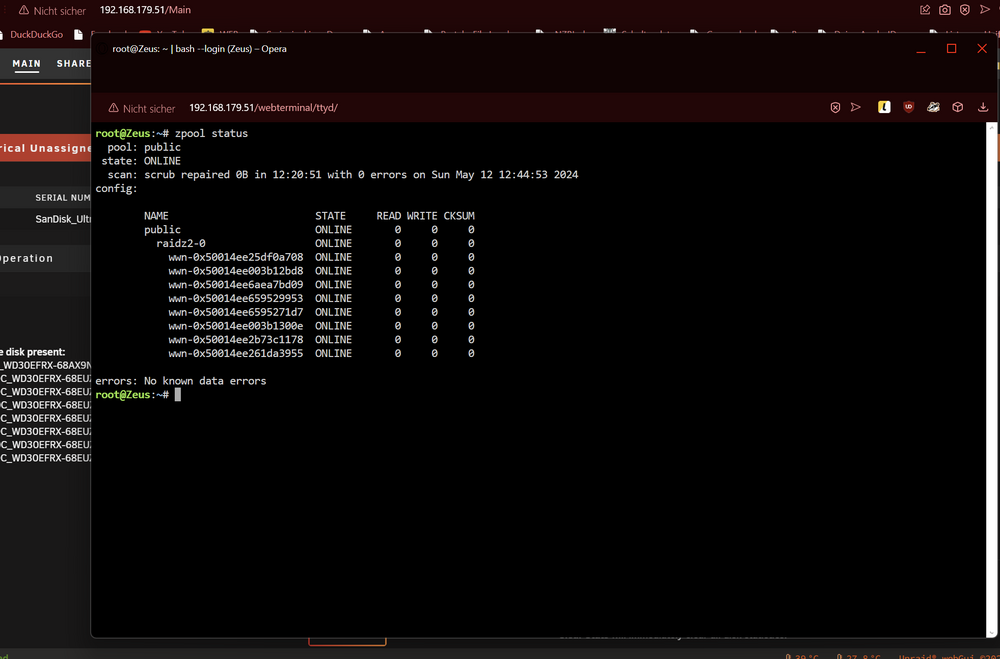
 Hey, danke für deine hilfreichen Antworten. Das hat mir schonmal etwas helfen können was das Thema ZFS export angeht. Naja also ich bin jetzt nicht der absolute Ubuntu crack. Das einzurichten und ein ZFS als Fileserver zu erstellen, war jetzt keine große Herausforderung. Ich hatte mal bei einer LAN ein fast baugleiches System aber mit Unraid gesehen. Das System war deutlich fixer als meins. Bei dem wurde durchgängig mit 100MB/s auf sein System geschrieben. Bei mir schwankt das immer sehr stark zwischen 60 und 80. Außerdem mag ich das Docker System und die grafische Oberfläche 🙂 Aber ich lass mich gerne eines besseren belehren.Hallo Community, ich besitze einen selbst bau Server mit folgender Hardware: Mainboard: Supermicro X9SCM-F RAM: 32 Gig ECC Platten: 8x 3TB WD Red (Raid Z-2) 1x SanDisk SSD (Ubuntu) Da ich mich in letzter Zeit sehr viel mit dem Thema Unraid beschäftigt habe, möchte ich gerne mein aktuelles Ubuntu System zu Unraid wechseln. Der Server dient ausschließlich als Fileserver. Und das soll auch so bleiben. Sprich die 8 Festplatten im ZFS sollen weiterhin als ZFS im Raid Z-2 genutzt werden. Freigaben über NFS und SMB3. Ich bin mit der Performance des Ubuntu Systems nicht so ganz zufrieden und denke, dass mit Unraid mehr rauszuholen ist. Allerdings habe ich bei dem Umzug bisl Angst das sich irgendwas zerschießt und meine Daten danach zerstört sind. Daher hab ich folgende fragen: Ist ein Umzug von Ubuntu zu Unraid überhaupt möglich ohne einen weiteren Server? Ich stelle mir das so vor, ich starte den PC über USB Stick mit Unraid, mounte die Platten, das ZFS System und mach dann wieder meine SMB/NFS freigaben für das Heimnetzwerk. Brauch ich für ZFS zusätzliche Plugins oder ist das inzwischen Standard in Unraid integriert? Hat jemand von euch Erfahrung und kann mir bisl zur Hand gehen? Oder muss ich die die Daten erst auf einem anderen Server sichern und dann im Anschluss wieder zurück schieben? Vielen Dank im Voraus!



