





Zamki
Members
-
Joined
-
Last visited
-
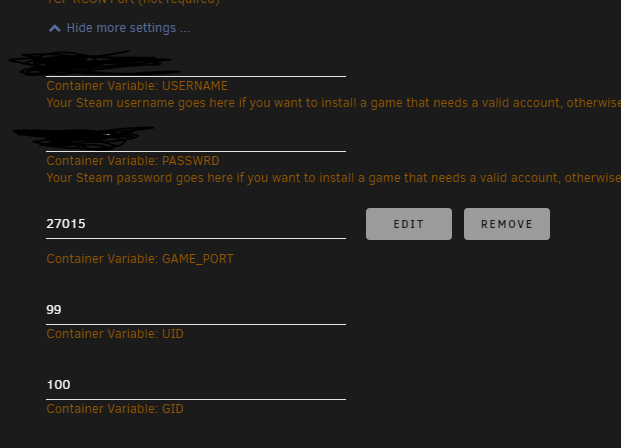
i Just entered them a few seconds before making the picture
-
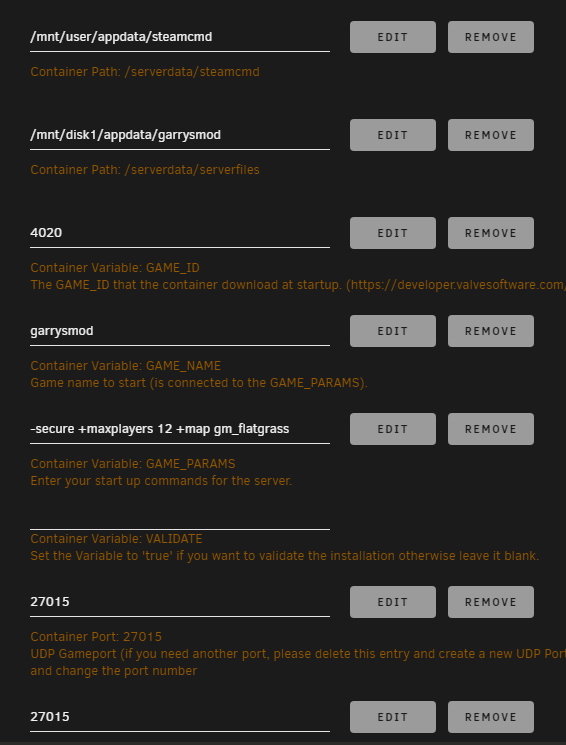
Can u send me the Params that u are using to start the Server ? The thing is that i can run ur Palworld server fine, i had no problems with that.
-
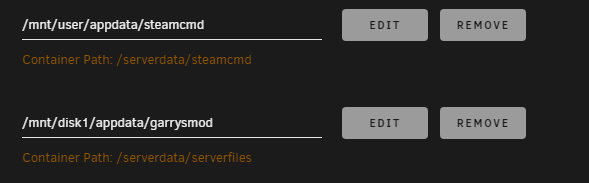
Should i change the upper one ?
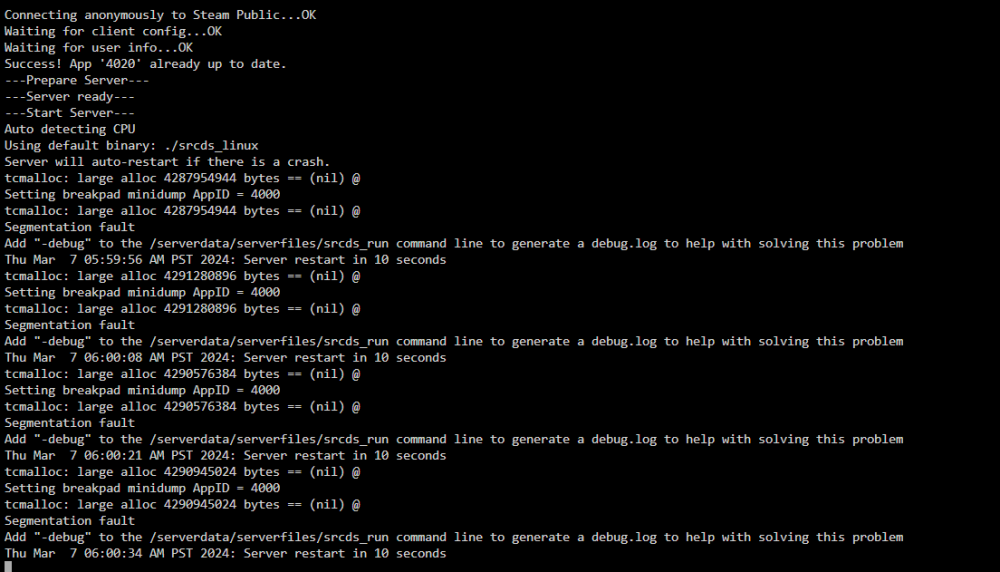
 Zamki joined the communityHello im having trouble hosting a gmod server, everytime i start it gives me this error "Add "-debug" to the /serverdata/serverfiles/srcds_run command line to generate a debug.log to help with solving this problem Tue Mar 5 03:27:22 PM PST 2024: Server restart in 10 seconds tcmalloc: large alloc 4294443008 bytes == (nil) @ Setting breakpad minidump AppID = 4000 tcmalloc: large alloc 4294443008 bytes == (nil) @ Segmentation fault"


