





reezzeer
Members
-
Joined
-
Last visited
Everything posted by reezzeer
-
I'm just backing up some movies that are rare finds imo. The HDD is something I had lying around, formatted as NTFS so I can just plug it in to a PC and copy anything if needed. That is one of the reasons I decided to use DirSyncPro as it copies everything one to one instead of chunks.
-
I believe this is LuckyBackup, I can't seem to find these options in DirSyncPro.
-
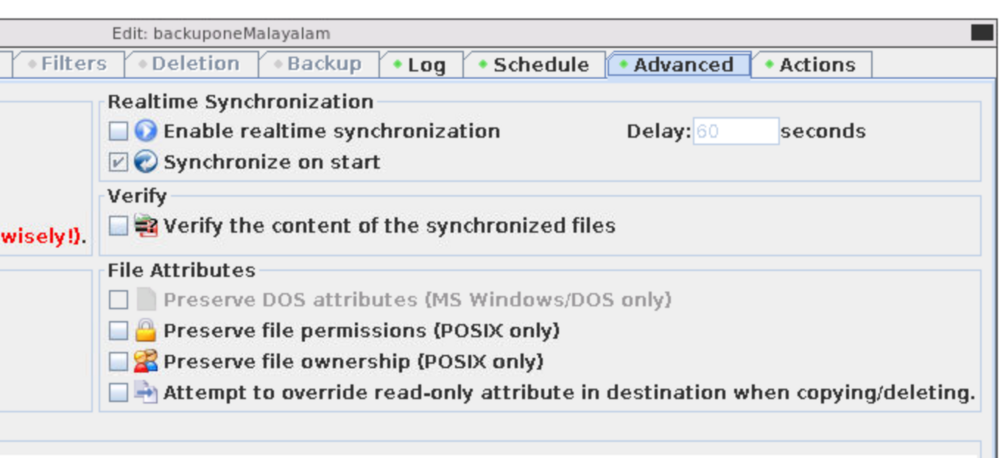
It is NTFS formatted. Is this the option you've mentioned - Preserve DOS attributes (MS Windows/DOS only) ? Do you know why it's grayed out?
-
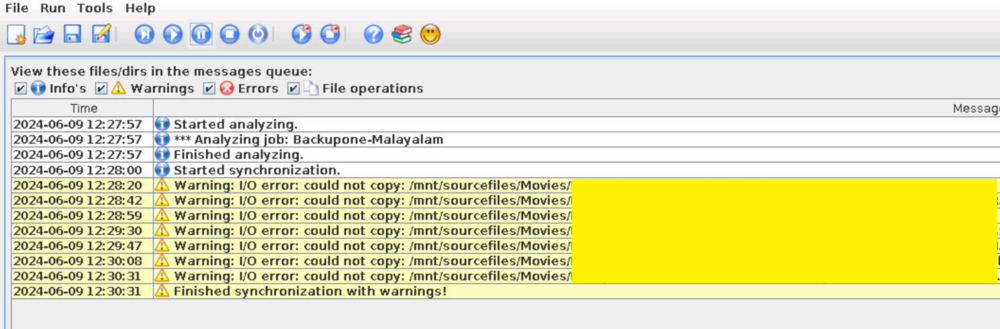
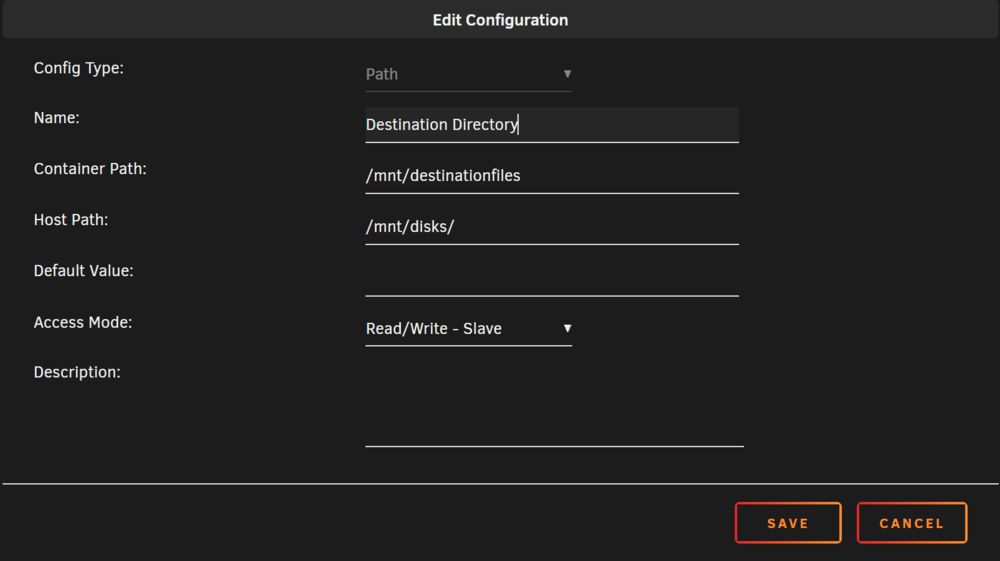
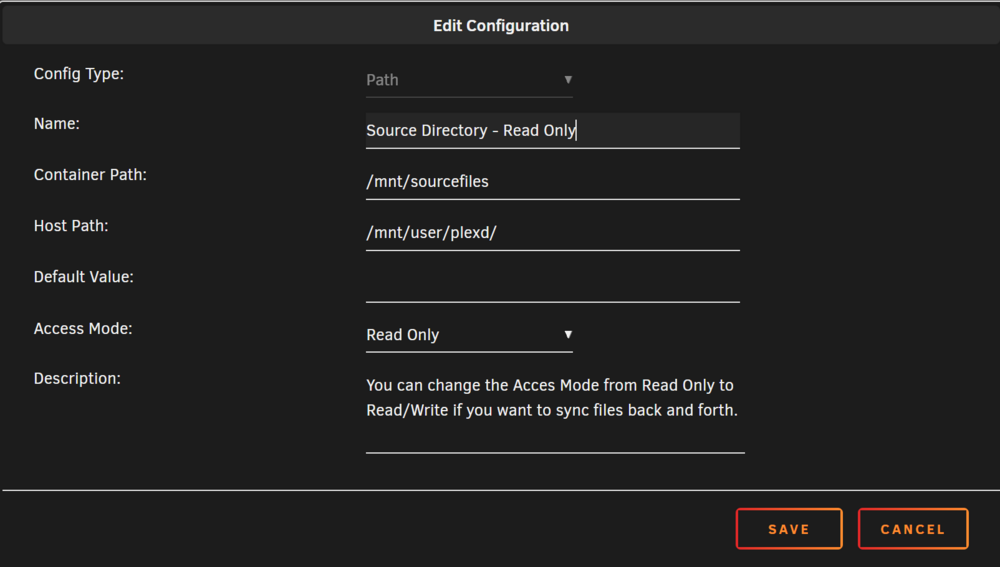
Does anyone know why this I/O error is popping up? I'm just trying to backup some files from my array to an external hdd connected via unassigned devices. It still copies everything but not sure what this means? Source is mapped as read only while the external HDD is set as r/w slave and using Mirror A -> B (incremental). I read a previous comment about user nobody but I'm not sure what means. How do I make this error go away?
-
This seems to be the solution, the speed is not consistent 250 MB/s, but much much better than what it was before, thank you!
-
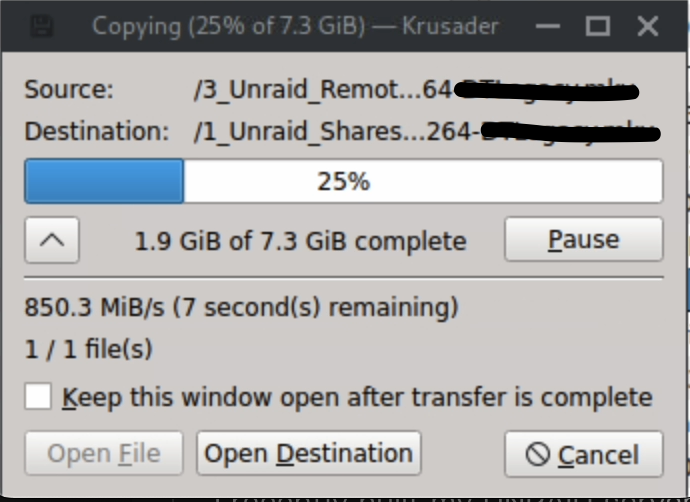
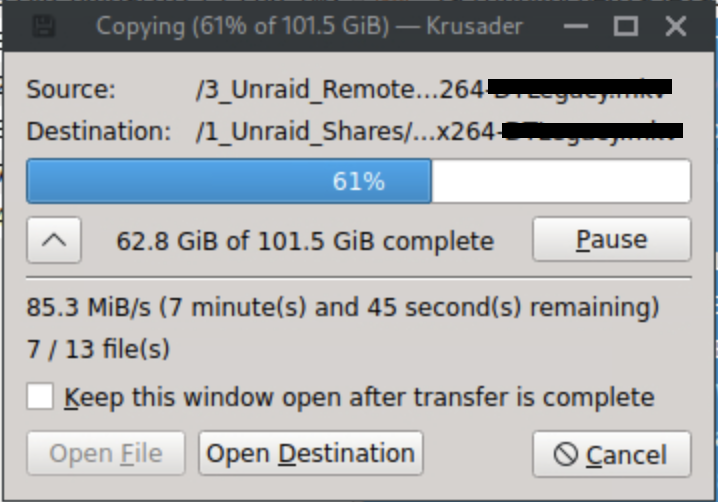
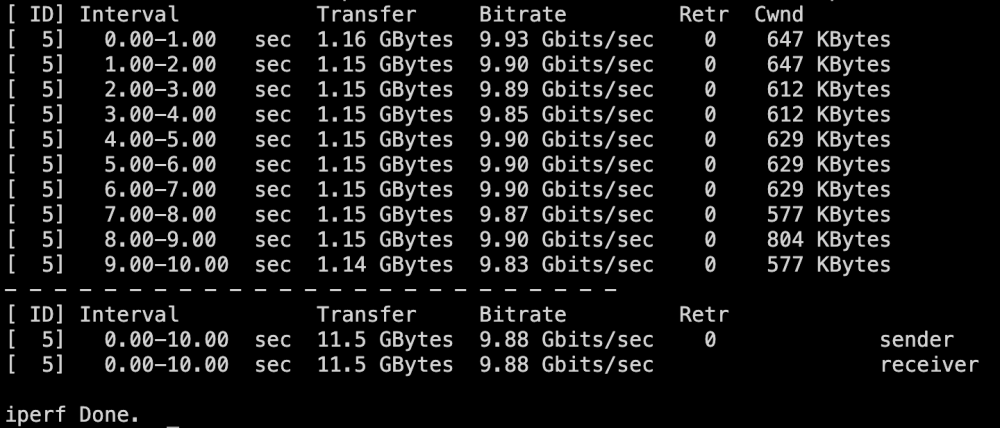
Hey all, I recently built my UNRAID server and since all parity checks are done, I was planning on transferring my movies & tv shows from my old Synology DS1522+ to my UNRAID server. I added a 10GB NIC (XG-C100C) to my UNRAID and the Synology also have a 10 GBE add-in card, both have MTU set to 9000. But when I try to transfer files, the transfer starts at around 800-900 MB/s but then it drops down massively to somewhere around 80-90 MB/s in a couple of seconds. I am not using any cache drives for these transfers and I do know I won't be getting speeds anywhere close to 1 GB/s in unraid without a cache, but shouldn't I be getting a speed somewhere around 250 MB/s? ( Btw, I am using 5x 22TB Seagate Exos X22 drives on my Unraid, the synology uses 4x 18TB WD Red Pro drives in SHR-1 and using Krusader to transfer.) This is the speed when I start the transfer - This is 10 seconds later (using a different SS here, not the same transfer as above) - I did an iperf3 test bw the two, and this was the result - I also tried to do the transfer when connected to the 1 GB port of my synology, and that gave me a consistent 110 MB/s transfer speed. So I am wondering why a 10GB card will drop down to 80-90 MB/s? Attached diagnostics. Thank you! tars-diagnostics-20240310-0308.zip
-
Ughh, finally figured out what it was. The other end was connected to the 1GB port on my switch instead of the 10GB port. Reconnected that and everything is working properly now. I feel so f'n stupid lol! Thanks everyone for helping me and I'm sorry for wasting your time.
-
Thank you for taking the time and typing this up. I tried to disable the bond but since the parity check is going on I can't do that now, but will try to do that tomorrow. I am using an MSI Pro Z790-P WiFi DDR4 motherboard. The NIC is connected to the PCI_E4: PCIe 3.0 x1 port. Could PCIe 3.0 the reason this is happening? It also has a stock 2.5G eth port if that changes anything. Before installing the XG-C100C, it was connected to that port and it was also showing 1000 mbps and not 2.5.
-
Attached diagnostics. tars-diagnostics-20240308-1625.zip
-
Hey all, I built my first unraid server couple days ago and I added the XG-C100C 10GB NIC I had lying around. But on the dashboard, it says 1000 MBPS instead of 10000. How do I fix that? Does it need any specific drivers to be installed? TIA



