





Nexal
Members
-
Joined
-
Last visited
Everything posted by Nexal
-
Bump... any idea why this might be happening or what I can do about it? Thanks!
-
Please let me know if there is anything else you need. Thanks! nas-diagnostics-20250106-1347.zip
-
I am trying to organize my media so that certain files are on certain drives. For example: Movies: Disk 1 TV: Disk 2, Disk 3 Anime: Disk 4 Music: Disk 5 Misc files (downloads): Disk 6 However, I am finding that when I acquire new media, it tends to stay on the drive where it was initially downloaded which is causing the download disk to get full before everything else. I am currently using Unbalanced to migrate the files to the correct disk when it becomes an issue, but is a slow and manual process; something I am trying to understand how to avoid going forward. I am using nzbget as my downloader and my completed downloads directory is on drive 6. I believe the reason for this is because bullet point #2 in the behavior outlined in this post: My question is: How can I configure my server to automatically put the files on the correct disks so that manual intervention via unbalanced isn't necessary? I have checked my nzbget and *arr settings and haven't seen any options to set a per category 'incomplete' InterDir directory for storing the download parts. My research has shown that as long as the InterDir is specified, nzbget unzips of these files within the 'incomplete' InterDir directory and them moves (mv) them to completed DestDir directory specified via the category. Additionally, I haven't seen any settings for these applications to copy then delete the files out of the downloads directory. Am I missing these critical settings? Or do I need to re-evaluate how I am storing my data? Curious if anyone has gotten a setup similar to this working. Any guidance would be very much appreciated. Edit: Grammar, spelling, & additional context.Sorry for the delay, work picked up before I had to go out of town. I've finally had a chance to do some experimentation and so far extremely long file names and file names that end in spaces and so far after transferring with SMB neither has yielded the garbage names. Will continue to keep an eye out though for more circumstances where it occurs though.Hmm seems like a possibility as I do use SMB. I’ll do some experiments the next time I am at my computer. Unfortunately, if this is what causes the issue, I am guessing the previous directory names would lost to history. But would be satisfied to at last understand this behavior better so thanks for sharing! Will update tomorrow morning as soon as I’m able on any findingsGreat question! I have clicked through three or four directories and picked a random sample of files from each, and each appeared to be completely intact.Interesting idea. Though the files are still accessible in the renamed folders and I haven't found any location that the original name with encrypted contents. I assume these encrypted files would be located in the same location? 🤔I haven't manually started a repair, but is this something unraid does automatically on a periodic basis?@KilrahThey are in the expected location. What do you mean by a filesystem check? Like a parity check or something else?Hmm. I almost never use windows with this unraid server so I would be surprised if it came from there. I asked ChatGPT and it said: However, when I was trying to learn more about 'sparse subdirectory names' there was practically no additional information which made me think that ChatGPT was likely making the name up. But not sure, to be honest, which is why I thought I'd ask real humans who likely would know a more accurate answer. It is possible that these file names were quite long, maybe >80 characters. But I can't see their original directory names to confirm so this is just a guess. When I manually create longer file names they don't get renamed within the observation period. So it's got me stumped.Apologies in advance as I am sure this has been asked before, but I have been unable to locate any previous posts due to not knowing this behavior's name. I have been noticing that many of my directories have been renamed to so something like the following when I do `ls` in the command line: AWSVI4~U/ AWT44A~A/ AWTG9Q~4/ AWVBVQ~S/ AWWPW5~4/ AX1FG1~5/ AX4ROW~G/ AX6IG2~B/ AX9N8N~T/ AXEAWT~X/ AXGKR7~X/ AXTZHE~6/ AXX89X~Q/ AXXQ3N~1/ AXY21M~3/ AXYEMA~B/ AY6IL5~G/ AY9CO0~Y/ AYDVWF~W/ AYGYF6~S/ AYHK2F~4/ AYICEK~E/ AYKN8G~5/ AYP24I~B/ AYVCSJ~D/ AYXEJE~4/ AYZZUR~4/ AZ7DOQ~D/ AZ8GE5~V/ AZB27W~Y/ My array is using XFS. It doesn't seem like corruption because the files within these directories are still accessible and the renaming is so uniform. So a few questions: - What system or feature is causing this (so I can read more about it)? - What causes some directories to be renamed and other to not be renamed? - How can I disable this renaming and restore my directories to their original names? Thanks in advance!Thanks for all the wonderful responses. I have replaced the CPU and the error seem to have gone away. Will continue monitoring but I haven't seen these error in the 12 hours since the CPU was replaced.It was only on the screen for less than a second, but I might have just seen a similar kernel error when trying to boot into proxmox. If so, then it's likely not a software error... Could it be my CPU? Never heard of a brand new CPU being bad. But what else could cause these issues if the mobo and ram have been replaced and the issue persists?I am extremely dismayed to report that the new motherboard and RAM did not resolve the kernel errors I have been seeing and reporting. I am at a complete loss at what to do next. This makes me think that the issue wasn't hardware related. If it's not hardware related, that means it has to be software related. Starting to wonder if I need to find another solution other than Unraid. Not my preference, but I am not seeing how else to get a stable system... Any thoughts would greatly appreciated.Today was the last day I could do any returns so worried that this was indeed a hardware failure, I took that option. New mobo and RAM will arrive by the end of the week to see if that resolves any of these issues.Update on findings to date: Using only RAM stick 1: After some time the system simply froze. Could no longer access the machine either via the web gui or via the keyboard and mouse plugged into the host machine. There is also no indication of issue in the log immediately prior to the system becoming unresponsive. However, around 10-15 min before the freeze, there was a stack trace with an interesting message: kernel tried to execute NX-protected page - exploit attempt? Using only RAM stick 2: The system hasn't crashed yet, but it is behaving very strangely. Some examples include: Jobs in docker containers are frozen. I cannot kill these docker containers either via web gui or shell Via gui: popup window after pressing 'stop' "Execution error Server error" Via shell: $ docker kill <conainer_name> Error response from daemon: Cannot kill container: <container_name>: tried to kill container, but did not receive an exit event Can't start or stop the docker daemon via the settings screen Settings gui will show it's stopped, but when I `docker ps` all the containers are still running System doesn't respond to reboot requests, either via web gui or shell Can't take the array offline, the button doesn't respond in any way There are tons of CPUs that are stuck in a waiting state Additionally, there are quite a few stack traces here as well such as: Unable to access opcode bytes at 0xffffffffffffffd6. Maybe the issues documented under ram stick 2 aren't actually related to a bad ram stick, but it is what I have experience while trying to test the second ram stick. My plan is to continue to test ram stick 2 to see if it eventually does crash, but thought these issues were weird enough to note during the debugging process. unraid-syslog-ram-stick-1.csv unraid-syslog-ram-stick-2.csv
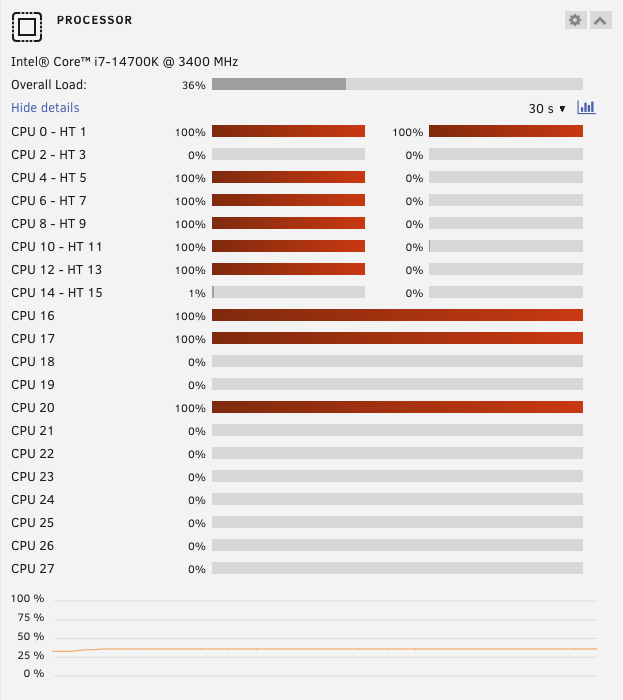 I'll give it a try and report back. Thanks.Hello all, As mentioned on a previous post, I have recently upgraded my system to use newer, better hardware. Ever since then, I have been plagued with crashes. I believe I have sorted out many of the software configuration related crashes as the system now only crashes once a day instead of every 3-4 hours, but this next error has me stumped. I am seeing numerous segfaults in the logs starting at about 3:00 am, and then resuming at 9:00 am. Things I have tried: - Ran a memtest, so far I've only had passing results - Updated BIOS to the newest release (required for mobo to be compatible with my CPU) See syslogs attached. Due to the regularity of the crashes, I've setup a remote syslog server so I don't burn out my USB stick. The attached file is an export from that remote system. Apologies in advance for the different format. Thanks in advance for the second pair of eyes on this issue. unraid-syslog-export.csvI appear to be incorrect about my previous conclusion. I have removed the GluetunVPN container and simply enabling docker and the two (previously stable) containers (Plex & Komga) causes the Unraid Web GUI to become inaccessible after some period of time.Still investigating, but I turned on the docker service and immediatley stoped the VPN container and set it to no longer auto-start when the array is brought online. During this process, the webGUI remained response. However, just like before, after a certain period of time, the web GUI did once again become unresponsive (connection timed out). I am unsure if this is because the VPN container was turned even for that brief amount of time, or maybe there is a more serious issue with the docker daemon itself... could the container still be causing the issue if it's stopped? Or could it have somehow corrupted my docker daemon? Restarting now to do more information gathering.While going through through @JorgeB last post, I had an epiphany. The issue started occurring in a similar timeframe as when I added the GluetunVPN docker container to my Unraid server. After turning off docker entirely, the Web GUI and Samba services have now been consistently accessible for 12+ hours. I have no idea the mechanism by which a single docker container can take an entire host machine offline, but so far this change seems to be doing the trick. I only have 3 containers running, two of which are non-vpn containers running for more than 2 years without issues. This makes me believe the newly added GluetunVPN is the culprit. Will be experimenting in the days to come to confirm this is the issue but so far things are heading in the right direction.Regarding this being a network issue, when I use the same port / mac address / static IP with my proxmox installation, I don't have any connection issues with the proxomox hypervisor. However, I have the same connection issues as described above with Unraid when it's running in a proxmox VM, but using a different mac address and static IP than when it runs on bare metal. This leads me to believe that the issue is somehow with unraid and not my networking hardware or configuration as it is the common denominator.Ok. The web GUI and services stopped again, but this time with the more commonly seen message: no peer for too long, server running free now I tried to let Plex play media so I'd know when the connection dropped. However, as long as media was queued, the plex service continued to function. I had to pause the media for about 30 min to take a work call and when I returned I could no longer resume the media or access plex. It is acting as if some small pause in utilization causes the server to somehow disable it's ability to accept new messages. Though the timing doesn't match up with the logs. The "no peer for too long, server running free now" happened right before 12:00pm but the content continued to stream successfully until I paused the media at 1:30pm. I don't see anything in the syslogs after the `no peer for too long, server running free now` message besides me signing in to try and debug further after the disconnection took place. What's also weird is that if I am at the server's CLI, I can successfully ping my client's IP address and the router, but once disconnected, I am unable to ping from the client machine to the server's IP address. However, after I ping the client from the server, on many occasions this will restore the ability for the client to connect to the unraid server. If this were caused by a network issue, why would I be able to connect to it without issues for the first 30-45 min after the server has been started? Another thing I had tried to do previously was up the DHCP lease from 1 hour to 1 day thinking that maybe this was the cause, but that made no observable difference in the ability to connect to the server. My network topology is pretty simple: I have a pfsense netgate router connected to my IPS and to a 10gbps unmanaged switch. Both the client and server connected to the two 10gbps ports on the switch. Given the switch is unmanaged, I don't think there are any changes I am able to make to it. And the router uses the same configuration I had before upgrading which had previously worked fine. I'm really at a loss here as to me none of these really add up to an obvious cause of the issue. Any further thoughts from the community would be very much appreciated. Thanks! syslogYeah, weird that plex continued to function despite this. Though as I said, this is the first time I have experienced this particular error in the logs. I am going to reboot and try again and I'll post the syslog once more when it occurs again. Thank you for the support and separate pair of eyes.



