





shek
Members
-
Joined
-
Last visited
-
94 pages is just too much to read... is this being addressed for Unraid 7.0.1? : Deprecated plugin ca.mover.tuning.plg
-
I've been extremely hesitant on upgrading Unraid considering the various issues people have expressed. It's to be expected with a new release, but I'm wondering if it would be considered safe now to upgrade? I'm still on 6.12.14. Should I expect unresolved issues if I upgrade at this point? I really don't want to spend hours on repairs and workarounds. Provide your feedback
-
I read the Parity Upgrade procedure and understand the process as I've already upgraded Parity 1 to a 20tb. Now it's time to upgrade my Parity 2 to a 20tb. During the first upgrade, I kept Docker disabled (I don't have any VMs). I was just wondering since I couldn't find mention of it in the procedure... is it recommended to leave Docker disabled during parity rebuild? It was kind of a pain as it took almost 4 days to rebuild... but... if it's recommended then I'd rather leave it disabled. If it really doesn't matter, I'll run Docker service during it. So... what's the official recommendation?
-
how would i go about doing that? never done one.
-
edit: re-read through it again and figured it out. thanks!
-
thanks! just finished. syslog.txtCan you provide some guidance on how to do that? i've never done a correcting scrub.I was getting Execution Error 403 specifically for Plex and Tautullia only. I stopped everything, did a reboot, it was saying my nvme1n1 was missing. I shut down again, unplugged and replugged in the nvme1n1 (didn't notice any connection issues), rebooted, and everything is functioning... but... my log is filling with errors. What do they mean and what do I need to do? syslog.txtI followed the procedure for a parity swap (replaced a failing drive with my Parity 1 drive and added a new larger drive in place of Parity 1.) Parity finished rebuilding but Docker Service was failing to start. I followed the procedure for deleting the VDisk and letting it create a new one. I'm in the midst of re-adding my Dockers, but none of the dockers I'm re-adding are working... i don't even know where to start... Plex: All other Docker WebGUI: My Cloudflare Tunnel keeps automatically stopping: Here's the Sys Log:


 If that's the case... I can probably cut that down even more.It was.... I guess it set 1.4Tb as minimum free space for my media share... but it applied it to every drive in my array and all of my drives only had roughly 1.4Tb left of space. I decreased the setting down to 250Gb for now and ordered more drives. Do you think 250Gb should be fine?I still have 5.1Tb available, most disks are currently at 89-92% full. I did see that error message, but I didn't think it was accurate given the space I still have. Or is that legitimately the reason for the errors?
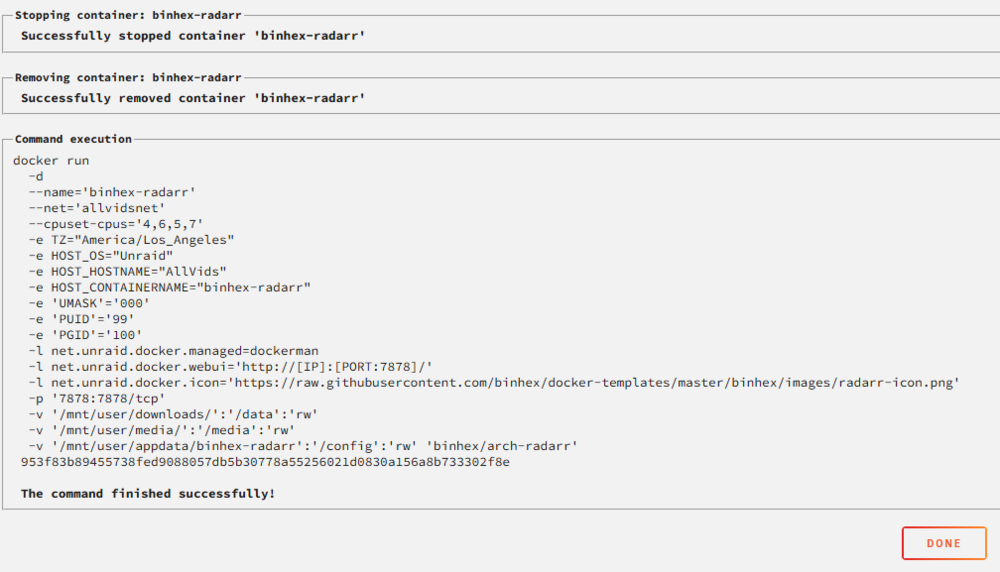 Not sure if this is the right place to post this, but I'm having issues with binhex-raddar importing downloaded movies. I recently changed my radarr setup to support multiple root folders (i.e. media/movies, media/movies (kids), etc.) and everything seems to be working fine EXCEPT the import is no longer working.. what did I miss?? Log attached. radarr.txt


