





rkt3k
Members
-
Joined
-
Last visited
-
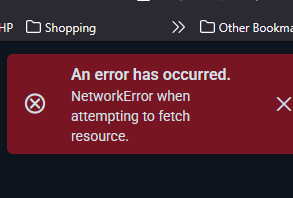
Hi, I’m encountering an issue with the Vaultwarden File Send download option. Whenever I attempt to send files, the process works as expected. However, when I try to download those files on my Unraid setup, I receive the following error: What’s unusual is that I’m using the same settings on two different environments: On my Raspberry Pi, the File Send download feature works without any problems. On Unraid, however, it consistently fails with the error above. Since the configuration is identical, I suspect this may be related to differences in the underlying environment or networking setup on Unraid. Has anyone experienced this issue before, or do you have suggestions on what might be causing the discrepancy? Thank you for your time and assistance.
-
Thank you for the excellent tutorial—it was very helpful and well-instructed. I do have a couple of questions I hope you can clarify: Password Field: Am I free to use any password (Password........., Confirm Password..........:), or is it required to use the Admin token specifically? Admin Token Visibility: I noticed that even after using the hash key on the admin page, the same admin token appears in the Docker environment section. Could this potentially pose a security risk? I appreciate your guidance and support, and I look forward to your insights. Best regards, rkt3k
-
Thank you for the excellent tutorial—it was very helpful and well-structured. I do have a couple of questions I hope you can clarify: Password Field: Am I free to use any password (Password: Confirm Password:), or is it required to use the Admin token specifically? Admin Token Visibility: I noticed that even after using the hash key on the admin page, the same admin token appears in the Docker environment section. Could this potentially pose a security risk? I appreciate your guidance and support, and I look forward to your insights. Best regards,
-
Hi, I installed the Docker Containers AdGuard-Home-11notes from all app store. After installing I'm getting creating DNS data dir at /adguard/var/data: mkdir /adguard/var/data: permission denied. Any thoughts? text error warn system array login 2025/07/31 12:12:51.972353 [info] AdGuard Home, version 0.107.64 2025/07/31 12:12:51.973202 [info] This is the first time AdGuard Home is launched 2025/07/31 12:12:51.973286 [info] Checking if AdGuard Home has necessary permissions 2025/07/31 12:12:51.982374 [info] AdGuard Home can bind to port 53 2025/07/31 12:12:51.985268 [info] tls_manager: using default ciphers 2025/07/31 12:12:51.995074 [fatal] creating DNS data dir at /adguard/var/data: mkdir /adguard/var/data: permission denied Press ANY KEY to close this window
