Knives
Members
-
Joined
-
Last visited
-
I like it a lot! Thank you, with Tailscale I can connect everywhere!
-
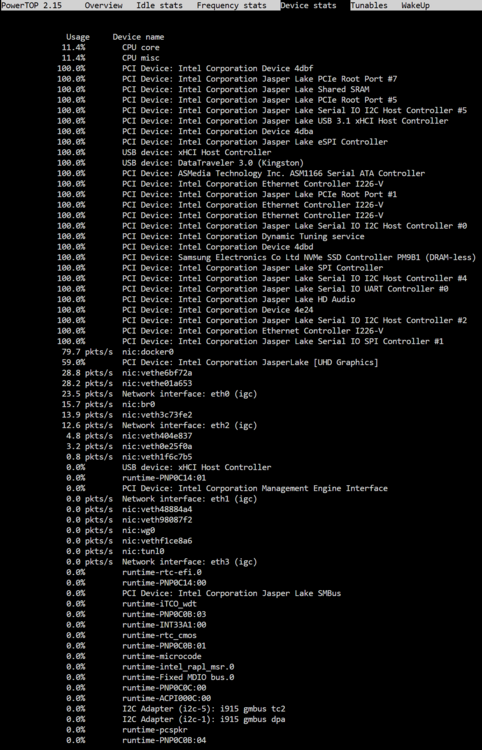
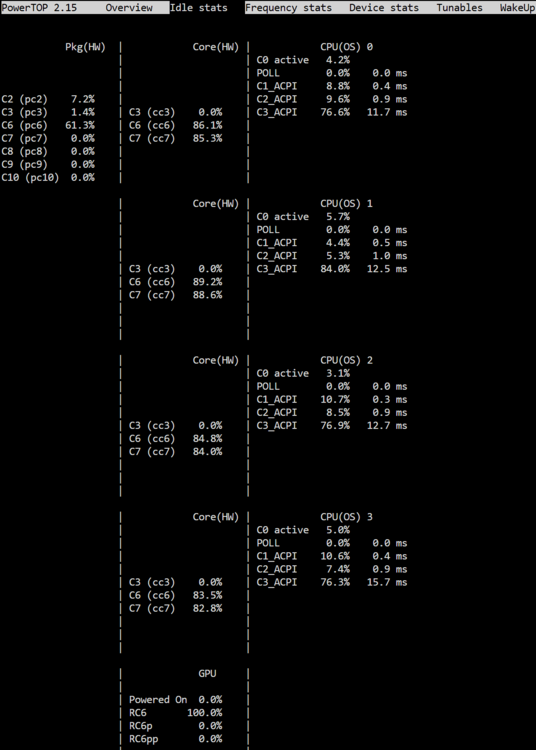
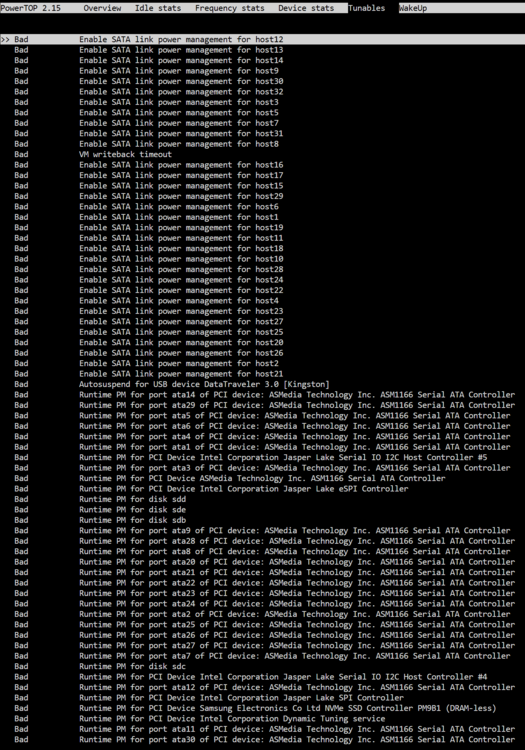
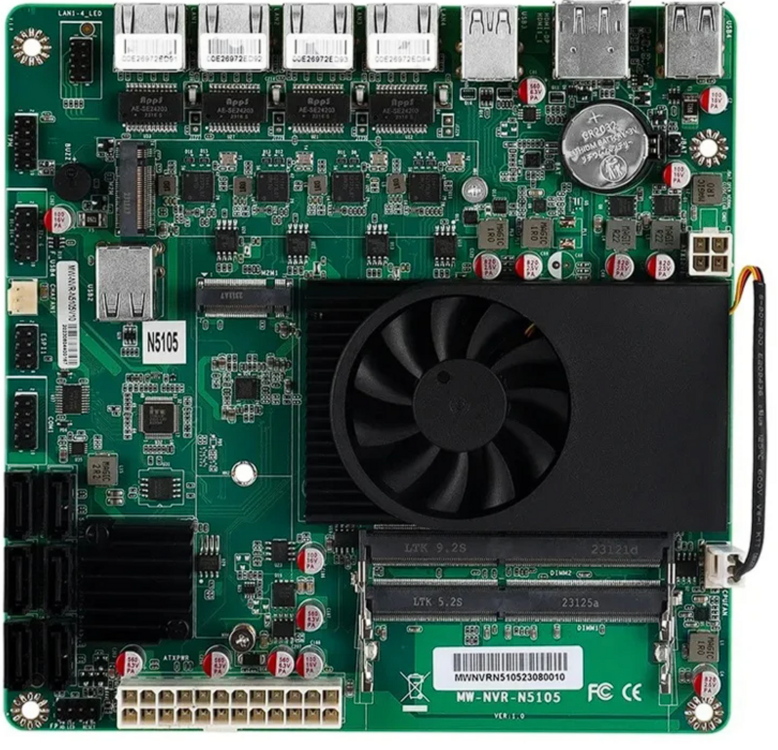
Good morning, I have a board with the label MW-NVR-N5105 1.0, with an JMB585 chip as the SATA controller. My configuration is: 2x 8GB ram ddr4 2666 1x 250Gb Samsung NVME Pico-Psu Power supply (max 300W) 2 80mm fan I use 2 of the 4 ethernet port With the JMB585 chip I was not able to go under C3 (17,3W with my configuration), so I ordered an M.2 ASM1166 card, wich seem to work a little better, and now my system go to C6 (14,5W). I think there's room for improvement, but I need help. My board have the stock bios, wich have the ASPM and Power/Overclock pages. What I done so far: Bios page PCI Express Configuration: DMI Link ASPM Control -> set to L0sL1 PCI Express Root Port 1...8 -> ASPM set to L0sL1 (should be auto?) and L1 substates to L1.1 & L1.2 Bios page Advanced - Power and performance - CPU performance Set max C states to C8 Disabled turbo (later I tried re-enabling but nothing changes). With this settings, after boot and HDD spindown my consumption is 14.7 - 16W. I can reach C6 (from powertop), but I have a bunch of new BAD things in the last page and I don't know what enable or leave disabled, and auto-tune crash the webUI. I attach some screenshots. Any suggestions, like how to perform a firmware upgrade of the card, or how to disable the PCI express connected to the JMB5xx chip? Thanks a lot, best regards.