





LeafyGreensMcGee
Members
-
Joined
-
Last visited
Everything posted by LeafyGreensMcGee
-
It didn't work, unfortunately. I do - I've set up and used Palworld, V Rising, Enshrouded, Minecraft, Satisfactory and several other servers on the same machine, also in Docker containers, all set up the same way, and all reachable externally with the ports forwarded - it's why this is so perplexing!
-
Yep, it was already forwarded for the other allocation I'll probably try removing the port forwarding and server container alike again and setting it all back up from scratch
-
It is, yep! I can connect when on LAN, so I can confirm it's at least functioning - just not visible outside the network. I finally had someone available to check for me and he wasn't able to see it either, unfortunately. I've also tried deleting the existing allocation for 7777 and remaking the container with the original settings, unfortunately no luck there either
-
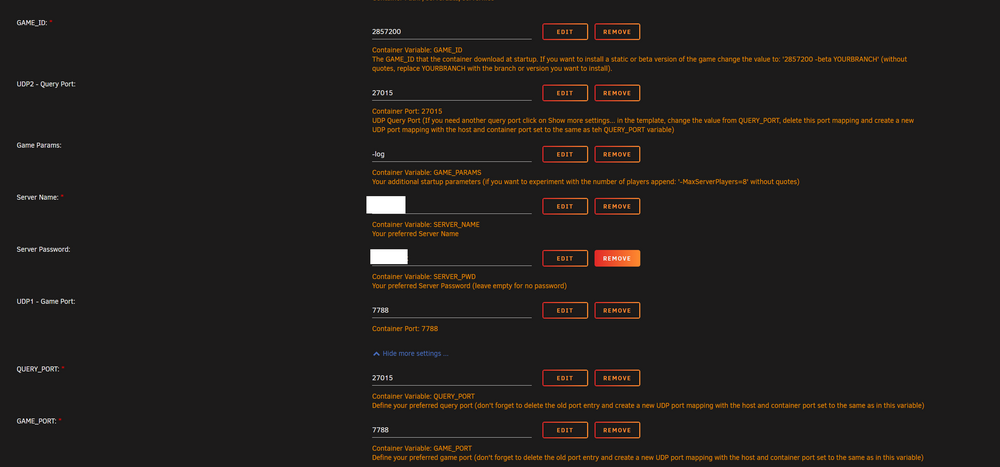
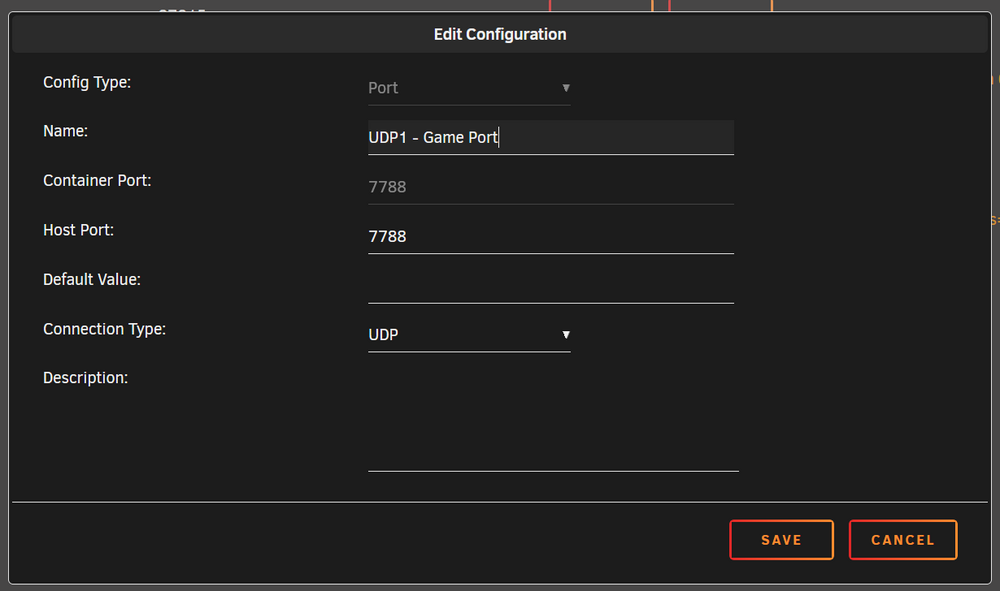
Fair enough! From my investigation, my router supports NAT Loopback (which appears to be the same thing) and it's enabled by default, which I suppose makes sense since I've never run into this issue before. I haven't tried connecting from outside my LAN, unfortunately I don't really have a way to do so right now. What's odd is other servers set up in the same way show up just fine! I'll throw in some screenshots of my port forwarding from my router as well as the settings on the Docker container - everything look right? Thanks for the quick reply!

-
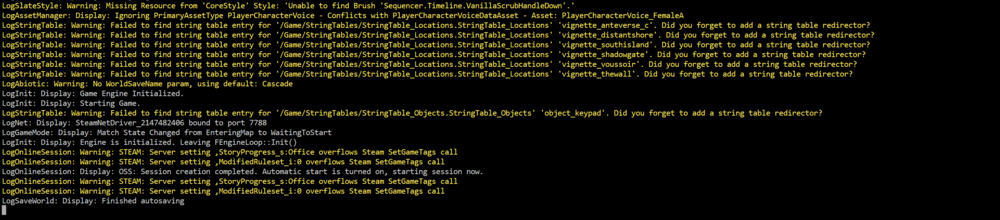
I'm in the same boat, minus pfSense - I created a new UDP Game port (7788, and of course both 7788 and 27015 are forwarded to my UnRAID server) and deleted the original per the instructions in the container and I can see in the logs that it binds to port 7788, but it's only visible on LAN


