mattjewell
Members
-
Joined
-
Last visited
-
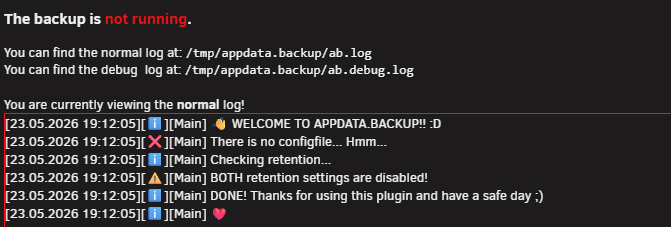
Any idea why I receive "There is no configfile... Hmm..."? I'm trying to run a backup for the first time.
-
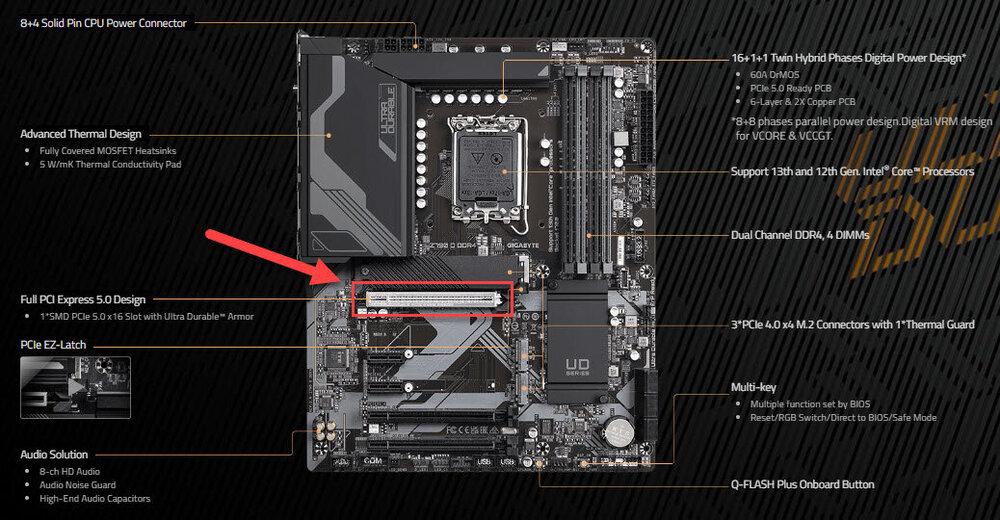
Alright, update here. Got everything working now. I received the 10Gbe NIC (https://a.co/d/55yhtm5), installed and was still missing interface rules. Got to thinking, may try a different PCIe slot. Welp, that did it. Removed network.cfg from flash, powered off server, moved the NIC to full PCIe x 16 slot. BOOM, interface rules showed right up and was able to set the new NIC to eth0 and no longer using the mobo NIC. I've attached a picture of the PCIe slot I used. Now getting around 9.5Gb transfer speeds from PC and Mac to server via iperf3. Hopefully this helps someone.
-
Thanks for the reply. I suspect the 10Gbe NIC I'm using in the server maybe at fault? This is the one I'm using: https://a.co/d/9TzpCFk That said, I just purchased a new NIC and will test tonight: https://a.co/d/55yhtm5 *EDIT* Also just purchased this NIC as well: https://a.co/d/4TuYp53 - appears to be the same one as above but with an integrated fan. That won't be here until tomorrow and will test then. I've gone as far as deleting network.cfg, creating network-rules.cfg and still not seeing the option.
-
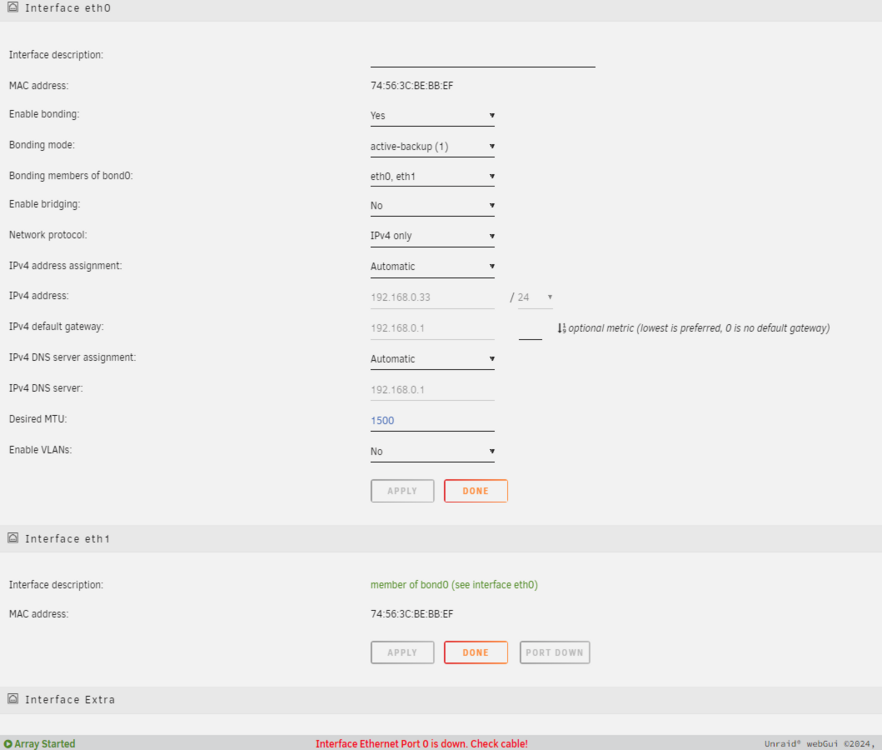
Hi, I'm new to UnRAID (came from Synology.. of course :)) and have built a brand new system and attempting to achieve 10Gbe LAN speeds. The new server, plus all of PC's have 10Gbe NICS. These are all connected to a 10Gbe UniFi switch. My motherboard (Gigabyte Z790 DDR4) has a 2.5Gbe NIC that I do not use. Using iperf3, I'm receiving 5Gb throughput and not the desired 10Gbe. I'm confused is to why I'm missing Interface Rules within Network Settings. Also, if I disable bonding on eth0, I then cannot connect back to the server via GUI. What am I missing here? I only want to use the 10Gbe NIC, nothing else.