




Skip to content
View in the app

A better way to browse. Learn more.

Unraid

A full-screen app on your home screen with push notifications, badges and more.

To install this app on iOS and iPadOS
  1. Tap the Share icon in Safari
  2. Scroll the menu and tap Add to Home Screen.
  3. Tap Add in the top-right corner.
To install this app on Android
  1. Tap the 3-dot menu (⋮) in the top-right corner of the browser.
  2. Tap Add to Home screen or Install app.
  3. Confirm by tapping Install.

Cauan

Members
  • Joined

  • Last visited

  1. I don't think it's with the client because the same error happened for all the players on the server, even so i tried to validate the files and even reinstalled my client but the problem continued
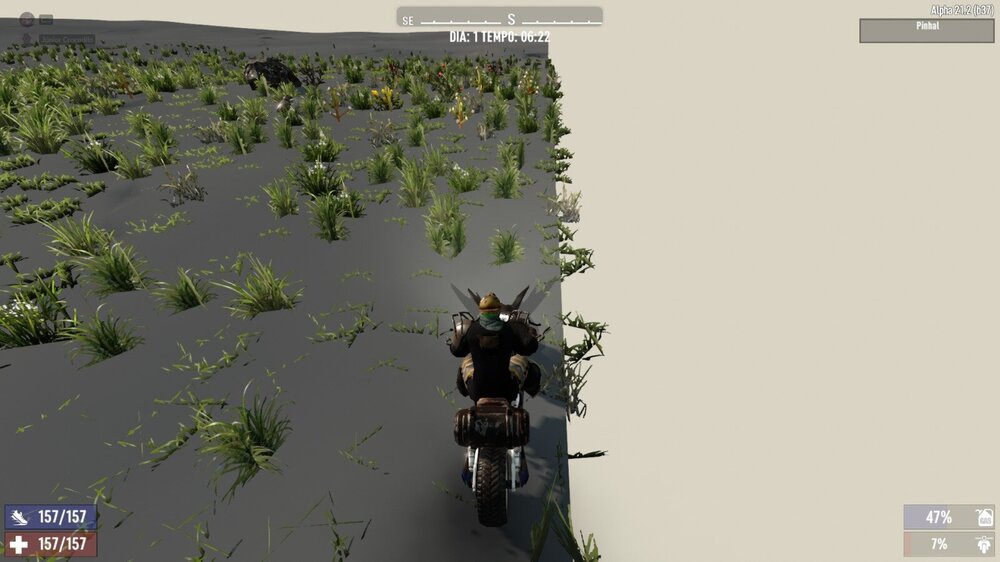
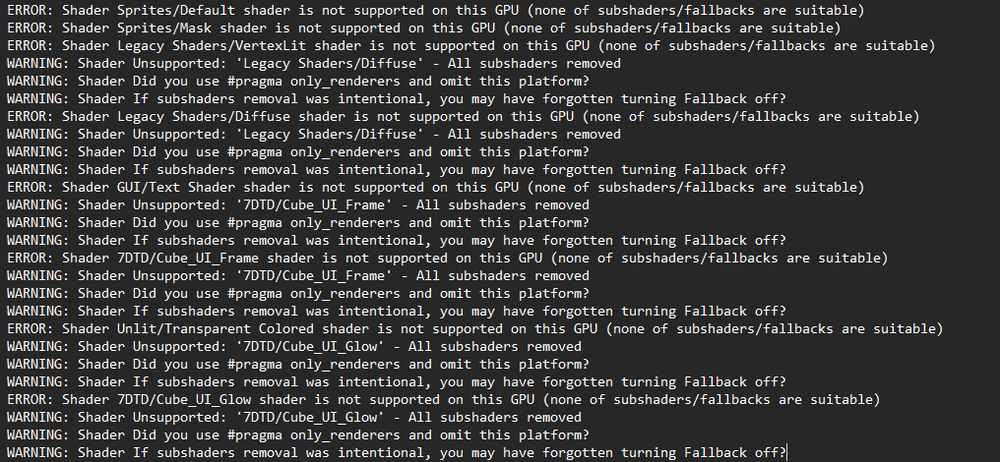
  2. Hello, first of all thank you very much for the development and all the tutorial/support, it was very simple to install, configure and use. I made a 7dtd server 20 days ago and this week the map had a rendering error, could you help me solve this problem without losing the server data? output_log (1).txt
Account

Navigation

Search

Search

Configure browser push notifications

Chrome (Android)
  1. Tap the lock icon next to the address bar.
  2. Tap Permissions → Notifications.
  3. Adjust your preference.
Chrome (Desktop)
  1. Click the padlock icon in the address bar.
  2. Select Site settings.
  3. Find Notifications and adjust your preference.