Skip to content
View in the app

A better way to browse. Learn more.

Unraid

A full-screen app on your home screen with push notifications, badges and more.

To install this app on iOS and iPadOS
  1. Tap the Share icon in Safari
  2. Scroll the menu and tap Add to Home Screen.
  3. Tap Add in the top-right corner.
To install this app on Android
  1. Tap the 3-dot menu (⋮) in the top-right corner of the browser.
  2. Tap Add to Home screen or Install app.
  3. Confirm by tapping Install.

rdm128

Members
  • Joined

  • Last visited

  1. Thank you for the reply and Hint. I appreciate your being kind and not shaming me for the wrong forum.
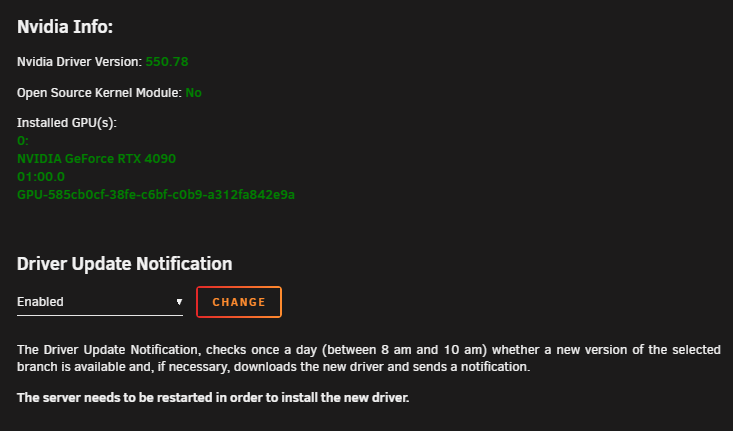
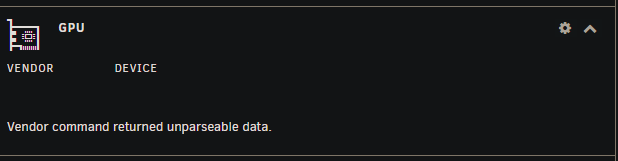
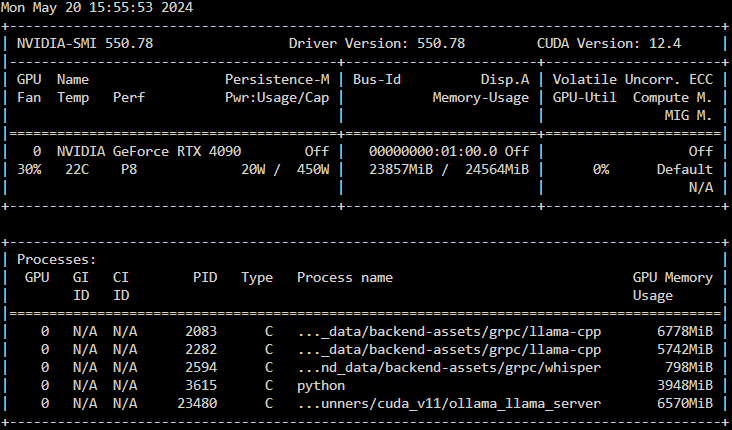
  2. Need some assistance. Replaced by RTX 3070 with a 4090 as I'm playing with some LLM's. Prior to replacing the card, I could see all the details of load and memory usage on the dashboard widget. Now I see "vendor command returned unparseable data". Nvidis-smi looks happy. And here's the plugin page: Thanks in advance for any assistance! -rdm128
Account

Navigation

Search

Search

Configure browser push notifications

Chrome (Android)
  1. Tap the lock icon next to the address bar.
  2. Tap Permissions → Notifications.
  3. Adjust your preference.
Chrome (Desktop)
  1. Click the padlock icon in the address bar.
  2. Select Site settings.
  3. Find Notifications and adjust your preference.